 Blog Kazawallet
You can easily withdraw USDT to USDT-TON from Kazawallet to the TON network. All you need to do is copy the deposit address from your external wallet (such as Tonkeeper or Telegram Wallet), then enter the “Withdraw” section in the Kazawallet app and select the TON network to complete the process immediately.
What is the TON Network (The Open Network)?

It is a blockchain system developed to be exceptionally fast and capable of executing a massive number of transactions in record time.
Today, this network has become the foundation upon which the Telegram app relies to provide easy financial services, allowing users to send and receive stablecoins like USDT seamlessly and integrate them with the most widely used digital wallets.
Why is the TON Network a Smart Choice for Withdrawing USDT?
- Telegram Integration: The network allows you to withdraw funds directly to your Telegram wallet, making it easier to use for paying subscriptions or sending funds to friends.
- Speed: The network features high execution speed, where the transfer arrives with an instant notification within seconds.
- Cost: Withdrawal fees via this network are very low compared to other networks, making it an economical choice for small and daily amounts.
What are the Benefits of Withdrawing USDT to the TON Network?
Withdrawing USDT to the TON network grants you additional flexibility, including:
- Premium Telegram Services: You can use your balance to purchase usernames or virtual numbers via the Fragment platform.
- Saving Time: The simplicity of addresses and the network’s speed make it the preferred choice for those who favor immediate operations.
Steps to Withdraw USDT to USDT-TON
To withdraw USDT from Kazawallet to USDT-TON, follow these steps precisely:
- Prepare the Address: Obtain a USDT deposit address compatible with the TON network (ensure the address starts with the TON protocol).
- Access the App: Log in to your Kazawallet account and go to the Wallet section.
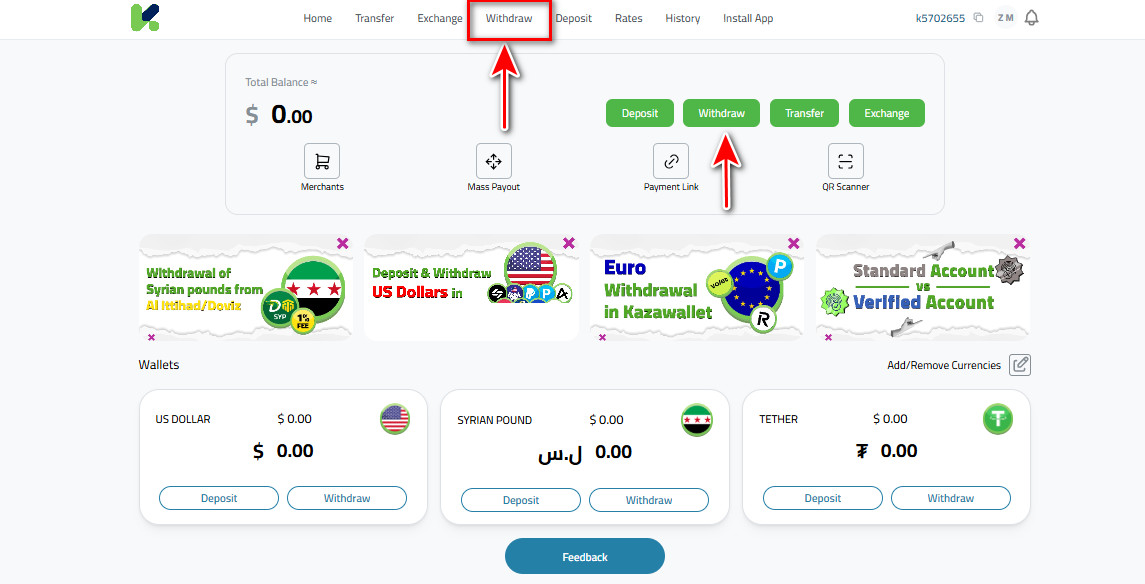
- Start Withdrawal: Choose “Withdraw”
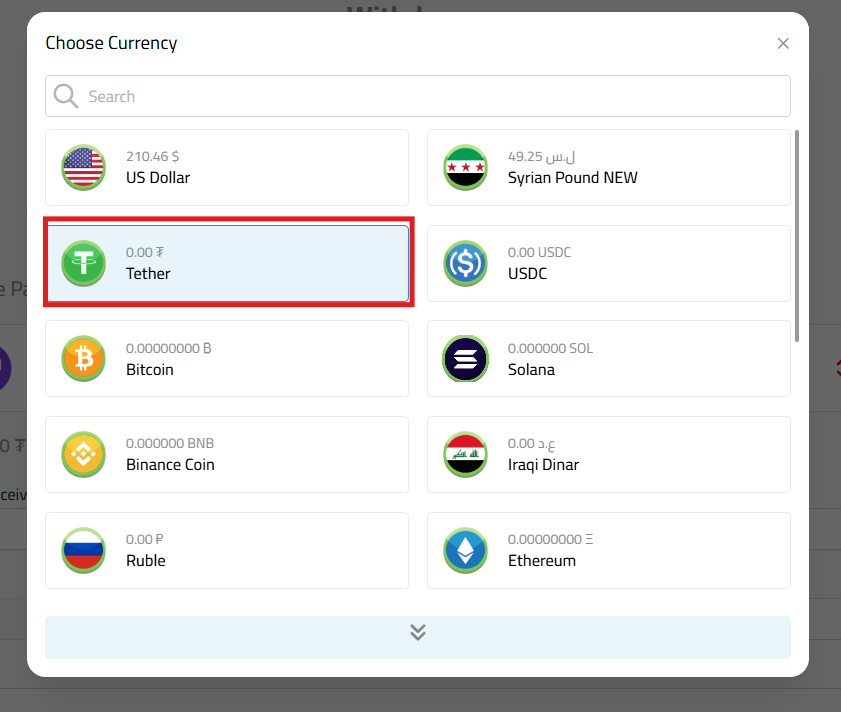
- Select USDT.
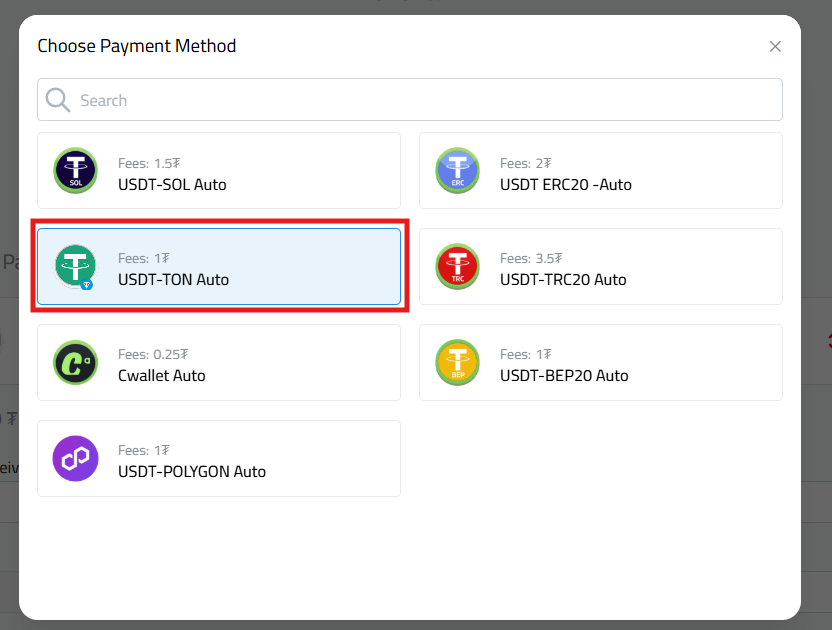
- Select Network: select “USDT-TON Instant”.
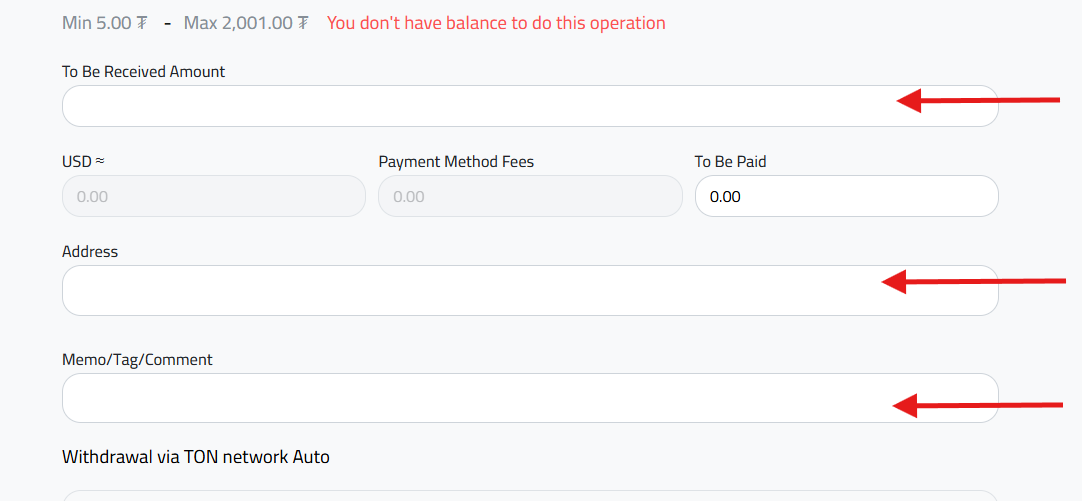
- Amount to Collect: Enter the amount of USDT you wish to withdraw.
- Wallet Address: Paste the USDT-TON deposit address you copied earlier into the designated field.
- Memo/Tag/Comment: Enter the Memo code for your receiving wallet to ensure funds reach your specific account.
- Important Alert: If your receiving wallet does not require a Memo, you must type the word “null” in this field to ensure the request is accepted.
- Confirm and Track: Review the transaction summary and confirm the request for automatic execution.
Important Notes for Fund Safety:
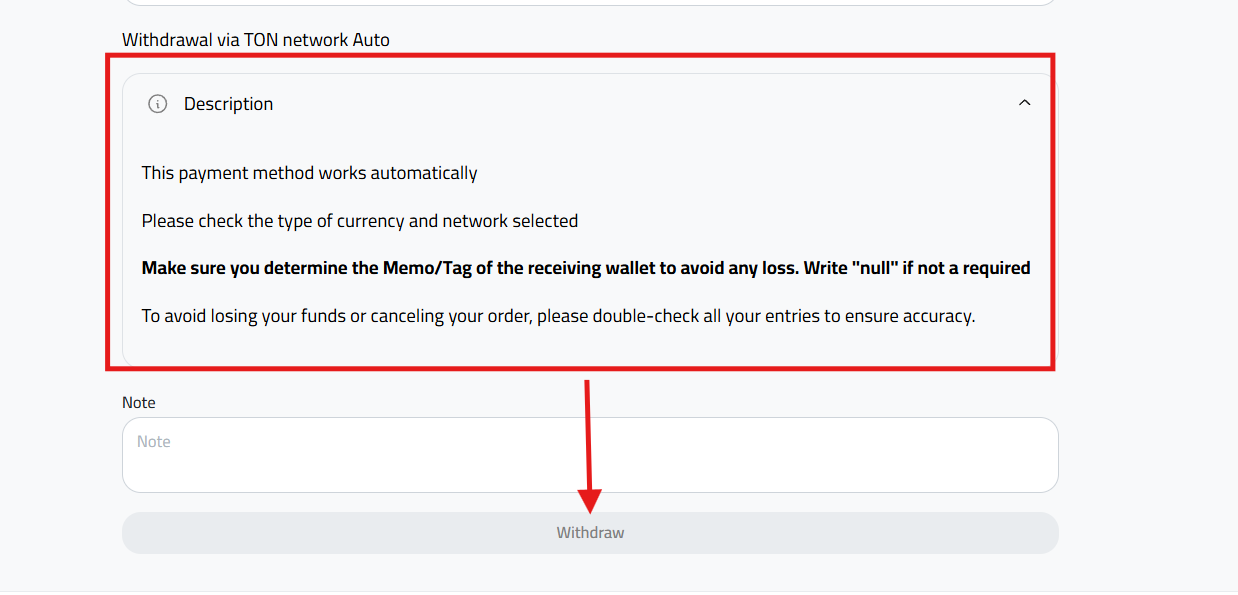
- This payment method operates automatically to ensure speed.
- Please verify the currency type and the specified network, as any error may lead to the loss of funds.
- Ensure you specify the Memo/Tag for the receiving wallet accurately to avoid any loss.
- Type “null” if a Memo is not required.
- To avoid losing your money or having your request cancelled, please double-check all your entries for accuracy.
Conclusion
Withdrawing USDT via the TON network in Kazawallet is the most practical solution for those seeking speed and low costs, especially with the strong integration of this network with digital communication apps.
Start your instant withdrawal experience via the TON network in the Kazawallet app now, and do not hesitate to contact technical support if you have any technical inquiries to ensure your transfer arrives safely.
Read more about Comprehensive Guide to Withdraw USDT from Kazawallet