 Blog Kazawallet
The “Storage Full” message is the worst nightmare for any individual or content creator, especially when you are in the middle of an important project.
While Dropbox is considered the most reliable cloud solution globally, the subscription payment process from several regions is a major obstacle, not to mention the platform’s non-acceptance of direct digital currency payments.
In this guide, we will explain how to use the Kazawallet card to subscribe to Dropbox using crypto, converting your digital currency balance (USDT or others) into a Dropbox Plus or Professional subscription, ensuring your files are saved securely without complications.
Why is Kazawallet the Perfect Solution for Dropbox Subscriptions?
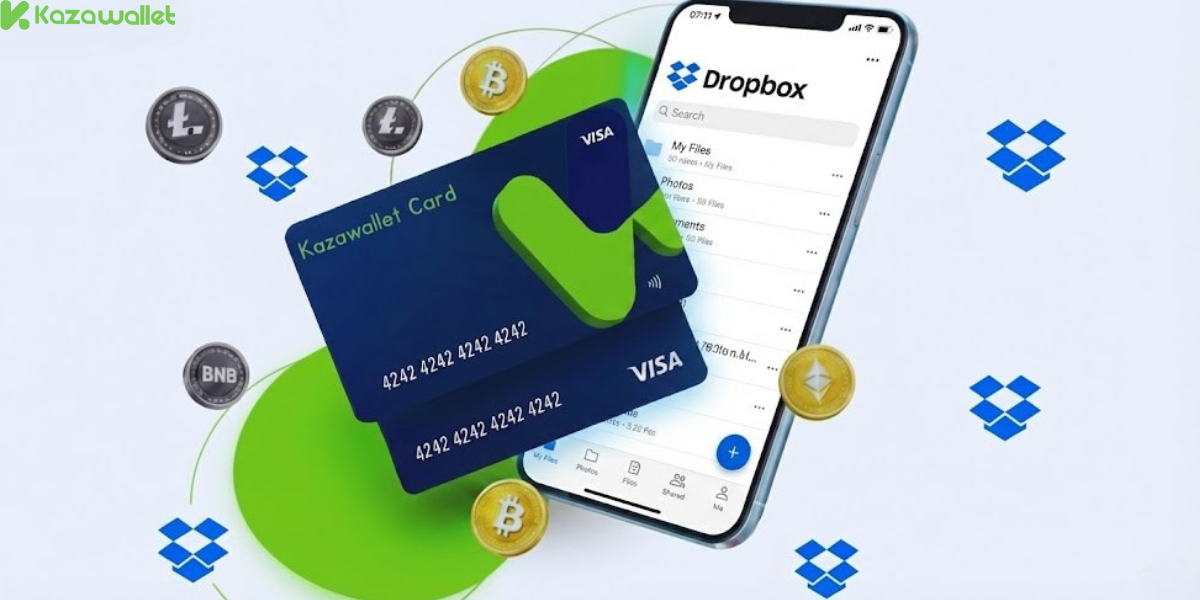
Dropbox relies on a recurring payment system, a sensitive system that rejects many random prepaid cards. The Kazawallet card succeeds here for several reasons:
- Supports Recurring Payments: The card is designed to accept automatic monthly or annual deductions, as long as sufficient balance is available.
- Turn Your Digital Earnings into a Business Tool: Kazawallet card is a Visa card that accepts crypto top-ups. If you are paid in USDT or cryptocurrencies, you can convert this digital income directly into a work tool without needing to withdraw cash and search for a payment broker.
- Save Money (Annual Plan): Thanks to the card’s high limits, you can pay for a full year’s subscription at once (saving you about 20%), instead of intermittent monthly payments.
- Extra Protection: The card is protected by the 3D Secure system, meaning that upon payment, you will receive an OTP code on your registered email to confirm the transaction and prevent fraud.
You can read the full guide on Kazawallet card features, fees, and limits
Requirements Before You Start
To ensure the subscription process succeeds on the first try, make sure the following are ready:
- A verified Kazawallet account: To use deposit and card services, your account must be fully verified (KYC).
- Crypto balance: Whether this balance is already in your Kazawallet (like BTC, ETH, SOL…), or you have crypto in an external wallet that you will deposit now for free.
- Kazawallet card: The virtual card must be issued. (If you don’t have one, follow the guide on how to issue a Kazawallet card.)
-
Dropbox Account.
Steps to Subscribe to Dropbox Using Crypto
The process of subscribing to Dropbox using digital currencies boils down to topping up the card from your digital wallet, then linking it to your Dropbox account.
Phase One: From Crypto to Dollar
Here, you will convert the digital currencies you own into a real dollar balance ready for use in the store.
- Deposit: Deposit the crypto you own (USDC, LTC, BNB, TRON, BTC, ETH, SOL, USDT, Toncoin) into your Kazawallet account. (Read How to Deposit Crypto into Kazawallet)
- Exchange: Go to the “exchange” section and exchange this crypto into a (USDT, USDC, or USD) balance.
- Top-up the Card: Top up your Kazawallet card with the balance you got from the previous conversion.
Now, your card is charged with crypto-sourced funds and ready for use.
Phase Two: Activating the Subscription on the Dropbox Website
- Log in to your Dropbox account or create a new one.
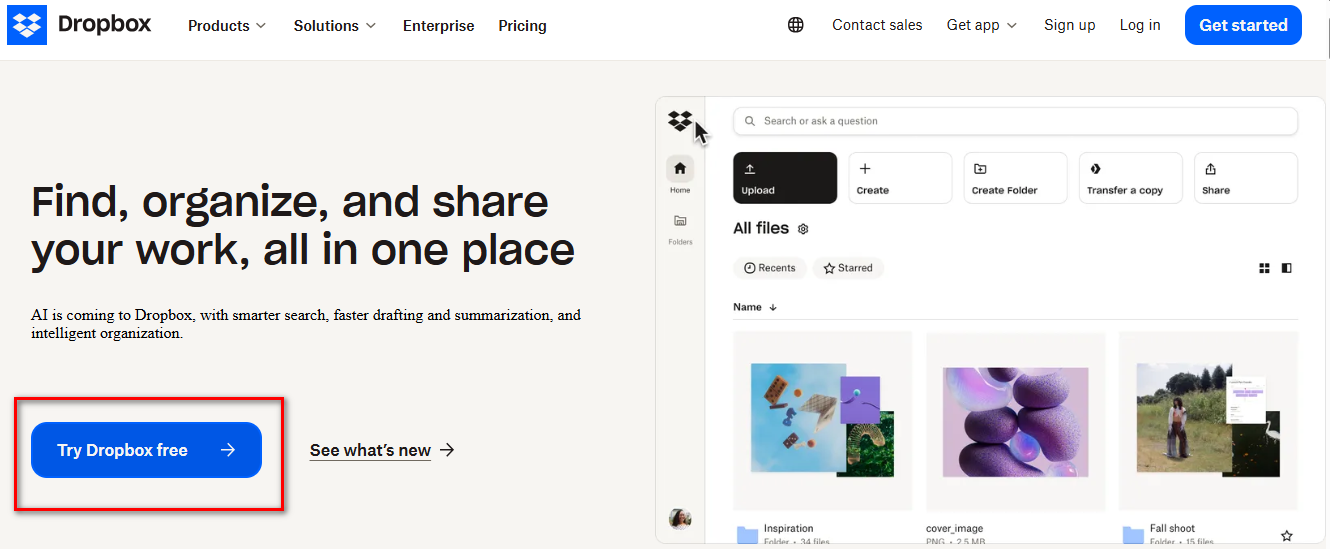
- Go to the Plans page.
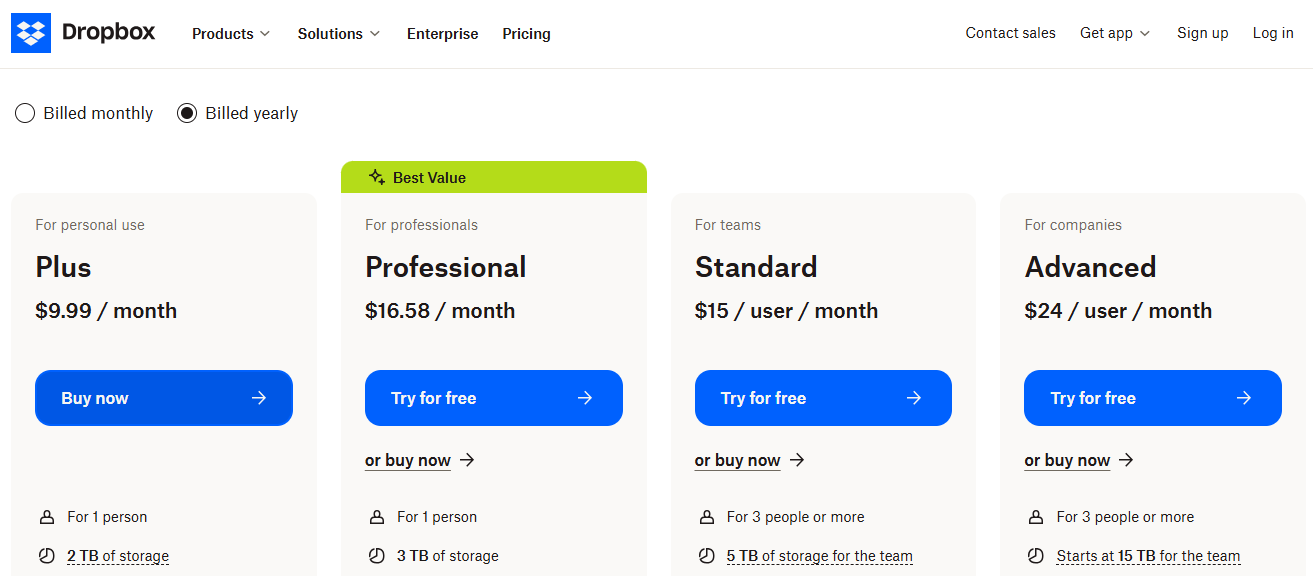
- Choose the appropriate plan.
- On the payment page, select Credit Card.
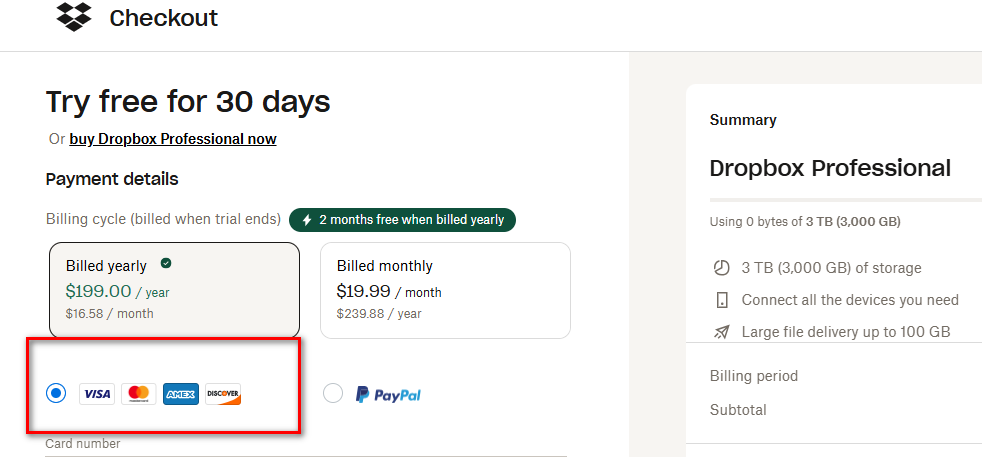
- Go to the Kazawallet app and copy your card details (Number, Expiry Date, CVV). (For more details, read: How to show Kazawallet card details).

- Fill in the billing address. Review our guide on how to fill in the Kazawallet card billing address to ensure the process is successful.
-
Confirm the payment process.
Important Tip
Since Dropbox is a subscription-based service, failure to renew may result in your account reverting to the free version and syncing stopping.
To avoid this with the Kazawallet card, if you choose a monthly payments, always ensure you leave a sufficient balance on the card 24 hours before the renewal date.
Frequently Asked Questions (FAQ)
Can I pay for Dropbox using Bitcoin directly?
No, the official Dropbox website does not accept digital currencies. The only solution is to use a Visa card, and this is where Kazawallet comes in to convert your Bitcoin into acceptable Visa payments.
Does the card work with Dropbox Business?
Yes, the card supports large payments with limits reaching thousands of dollars, making it suitable for paying team subscriptions (Dropbox Business Standard/Advanced).
What cryptocurrencies are supported for deposit into Kazawallet and card top-up?
Kazawallet supports many major currencies, such as Bitcoin, Ethereum, USDT, USDC, SOL, BNB, LTC, and others. You can deposit any of them and convert them to a balance (USD/USDT/USDC), then top up the card.
Can I use the Kazawallet card to make purchases in a different currency (like Turkish Lira, Dinar, Ruble, Euro)?
Yes, the card is a global Visa card. You top up in (USDT or USDC or USD) and can pay in any currency. However, note that in this case, a foreign transaction fee (FX Fee 2.5%) will apply if the payment is not in US Dollars.
In Conclusion
Don’t let large files stop your work. Turn your digital earnings today into unlimited workspace via the Kazawallet card.