 Blog Kazawallet
Why spend your traditional money in the App Store when you can use your crypto profits to fund your entertainment and subscriptions?
Google Play is the largest app marketplace in the world, and Kazawallet is your gateway to accessing it using digital currencies.
In this article, we will explain how to pay on Google Play using crypto via Kazawallet, and how to obtain a US Visa card that opens the store’s doors wide for you.
Why is the Kazawallet Card the Bridge Between Crypto and Google?
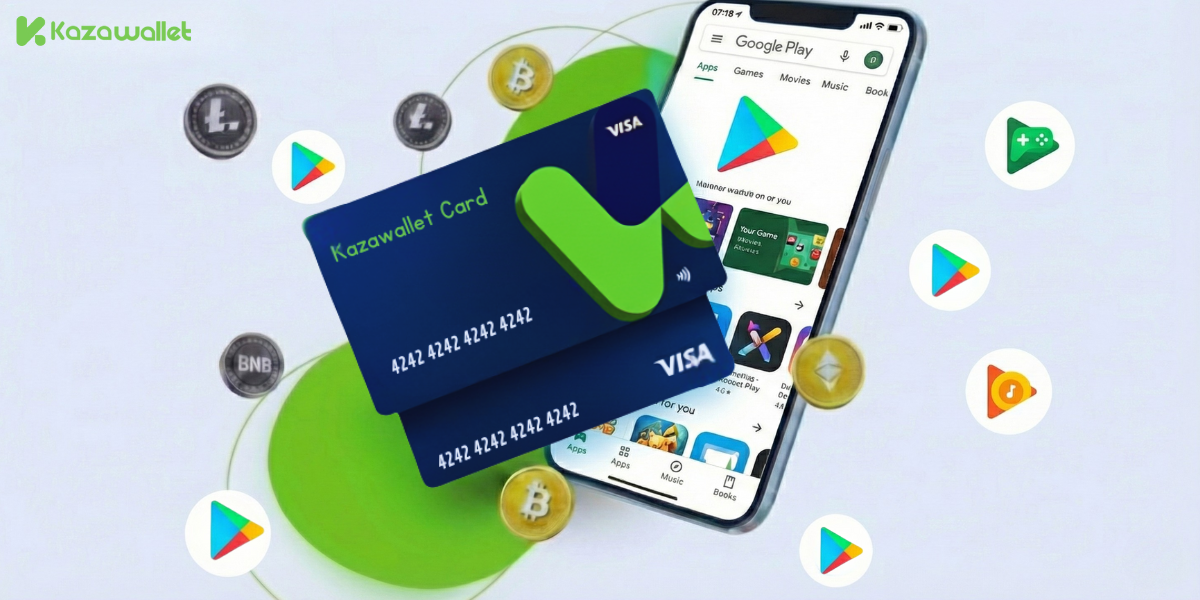
Because you need a Visa card that accepts crypto top-ups, and Kazawallet offers the solution:
- Convert Crypto to Balance: You can deposit any digital currency for free (USDC, LTC, BNB, TRON, BTC, ETH, SOL, USDT, Toncoin) into your Kazawallet wallet, then convert it with a single click into a balance (USD/USDT/USDC) ready to top up the card.
- Direct Payment: No need to buy gift codes and redeem them. Link the card once, and buy UC, Gems, or coins inside any game instantly.
- Utilize Digital Assets: You pay from your digital wallet, while Google receives a verified Visa dollar payment.
- Security and Protection: The card supports the 3D Secure system, ensuring you receive a verification code (OTP) for every purchase within the store to protect your balance.
- Full Control: You can freeze the card immediately after completing a purchase to ensure no unwanted subscriptions are withdrawn, and unfreeze it whenever you wish.
You can read the full guide on Kazawallet card features, fees, and limits.
What Do You Need to Start?
To exchange crypto into a Google Play payment, you need the following essentials:
- A verified Kazawallet account: To use deposit and card services, your account must be fully verified (KYC).
- Crypto balance: Whether this balance is already in your Kazawallet (like BTC, ETH, SOL…), or you have crypto in an external wallet that you will deposit now for free.
- Kazawallet card: The virtual card must be issued. If you don’t have one, follow the guide on how to issue a Kazawallet card.
- Google Play Account.
How to Pay on Google Play Using Crypto?
The process is summarized in a simple 3-step cycle: Deposit crypto, convert it, then pay with the card.
Phase One: Preparing and Topping Up the Kazawallet Card with Crypto
Here, you will convert the digital currencies you own into a balance ready for store use.
- Deposit: Deposit the crypto you own (USDC, LTC, BNB, TRON, BTC, ETH, SOL, USDT, Toncoin) into your Kazawallet account. (Read How to Deposit Crypto into Kazawallet)
- Exchange: Go to the “exchange” section and exchange this crypto into a (USDT, USDC, or USD) balance.
- Top-up the Card: Top up your Kazawallet card with the balance you got from the previous conversion.
Now, your card is charged with crypto-sourced funds and ready for use.
Phase Two: Adding the Card to Google Play
- Open the Play Store on your phone.
- Tap on your profile picture
- Payments & subscriptions

- Payment methods.

- Tap on Add credit or debit card.
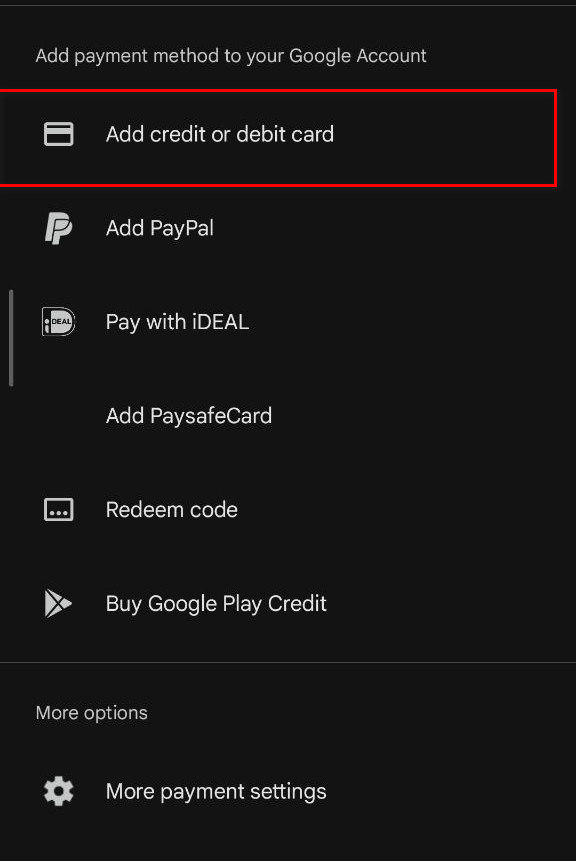
- Go to the Kazawallet app and copy your card details to enter them (Number, Name, Expiry Date, and CVV). (For more details, read: How to show Kazawallet card details).
- Enter the address information: (Check our guide on how to fill in the billing address for your Kazawallet card)
- Confirm the process.
What Can You Buy Now?
Once the card is linked, a whole world opens up to you:
- Game Top-ups: Buy PUBG UC, Free Fire Diamonds, or Clash of Clans gems directly from within the game at the cheapest official prices.
- Cloud Services: Subscribe to Google One to increase Drive and Photos storage (essential for protecting your photos from loss).
- Entertainment: Subscribe to YouTube Premium to get rid of ads, or rent 4K movies from Google TV.
Frequently Asked Questions (FAQ)
Does Google Play accept crypto payments?
No, Google Play does not accept direct digital currency payments. However, you can deposit digital currencies into Kazawallet, exchange them, top up the card, and then pay on Google Play.
What cryptocurrencies are supported for deposit into Kazawallet and card top-up?
Kazawallet supports many major currencies such as (Bitcoin, Ethereum, USDT, USDC, SOL, BNB, LTC) and others. You can deposit any of them, convert them to a balance (USD/USDT/USDC), then top up the card.
Can I use the Kazawallet card to purchase in a different currency (like Turkish Lira, Dinar, Ruble, Euro)?
Yes, the card is a global Visa card. You top up in (USDT or USDC or USD) and can pay in any currency. However, note that in this case, a foreign transaction fee (FX Fee 2.5%) will apply if the payment is not in US Dollars.
In Conclusion
By using the Kazawallet card, you are not just solving a payment problem; you are liberating your digital balance to become real currency spendable in the world’s largest app store.
Whether you want to top up a game, increase storage space, or watch movies in 4K, the key is now in your pocket.