You can deposit UAE Dirhams via Botim Pay into Kazawallet by creating a deposit request, scanning the provided QR Code within the Botim app, sending the amount from your personal account, and finally uploading a screenshot of the receipt to Kazawallet to confirm. Note: This service is available for verified accounts only.
Why Choose Botim Pay for Kazawallet Deposits?
Botim Pay is one of the most trusted payment methods in the UAE, offering:
- Direct AED Link: No need to convert your money; deposit in UAE Dirhams directly.
- Security: Rely on a licensed and regulated app within the UAE (Botim Pay).
- Skip Banking Hassles: Shipping from Botim to Kazawallet saves you from complex international bank transfers.
Steps to Deposit UAE Dirhams via Botim Pay into Kazawallet
Important Note Before You Begin deposit AED in Kazawallet: This method is available for verified accounts only. If your account is not yet verified, you can review our guide on how to verify your account and learn about the difference between verified and limited accounts.
Follow these steps to complete your deposit:
- Log in to your account via the app or official website.
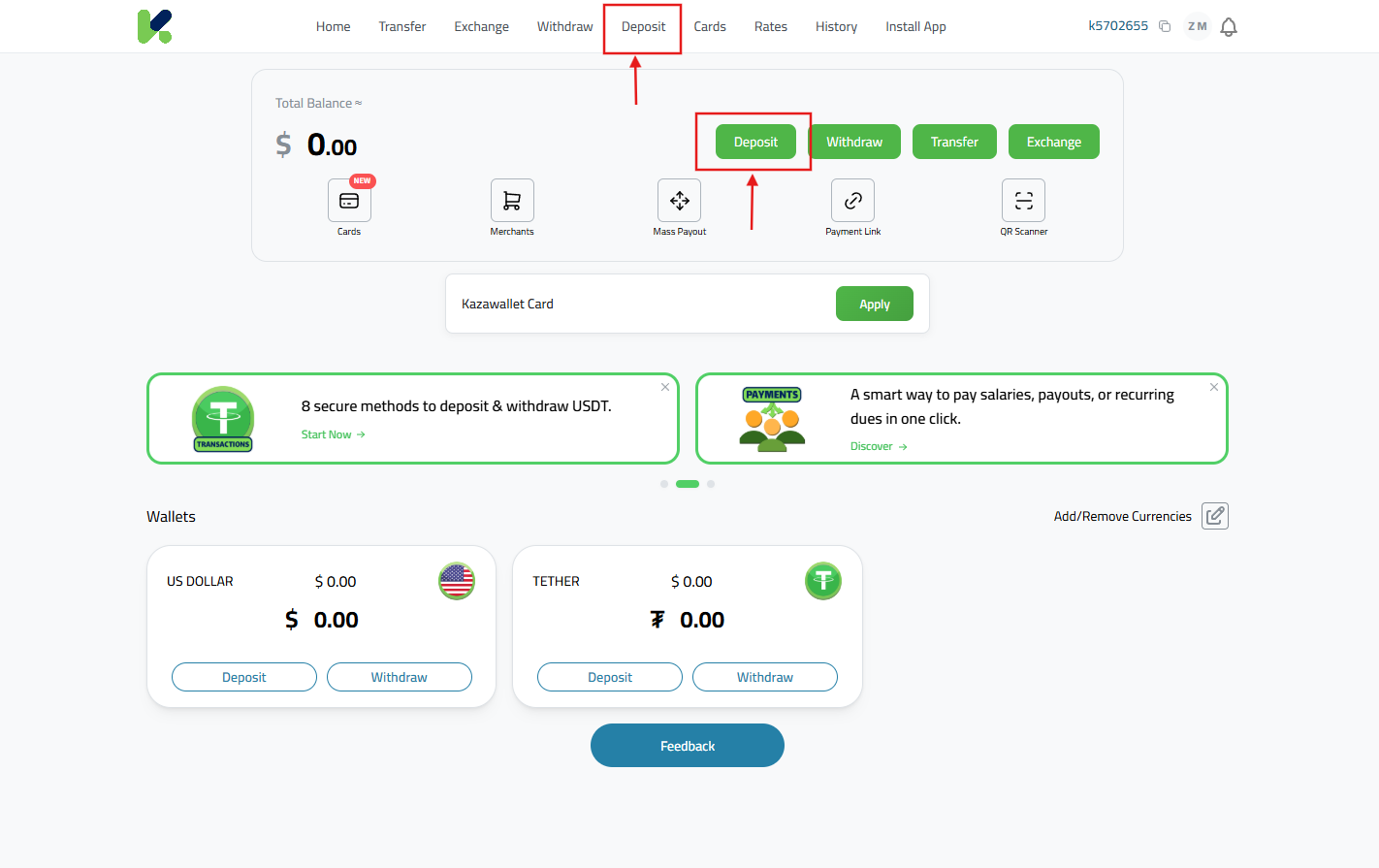
- From the main menu, go to “Wallet” and click “Deposit.”
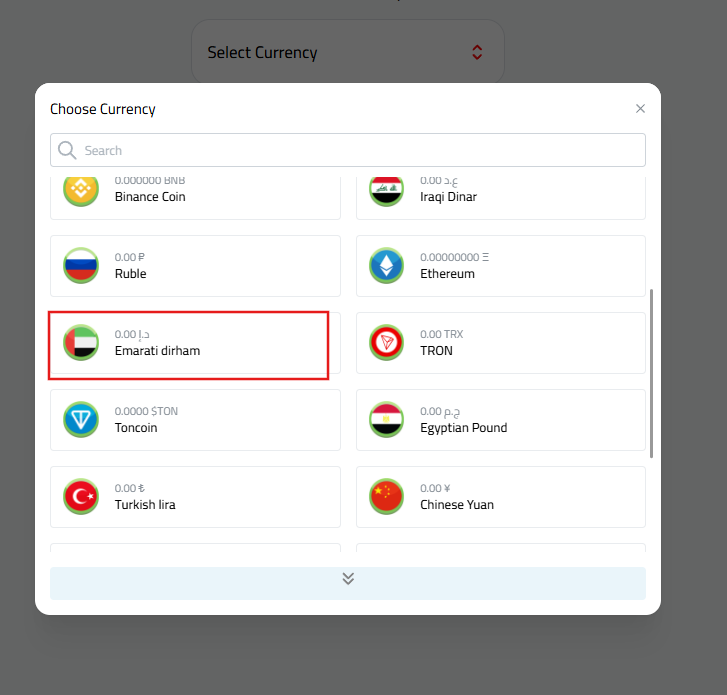
- Choose “UAE Dirham (AED)” from the list of available currencies.
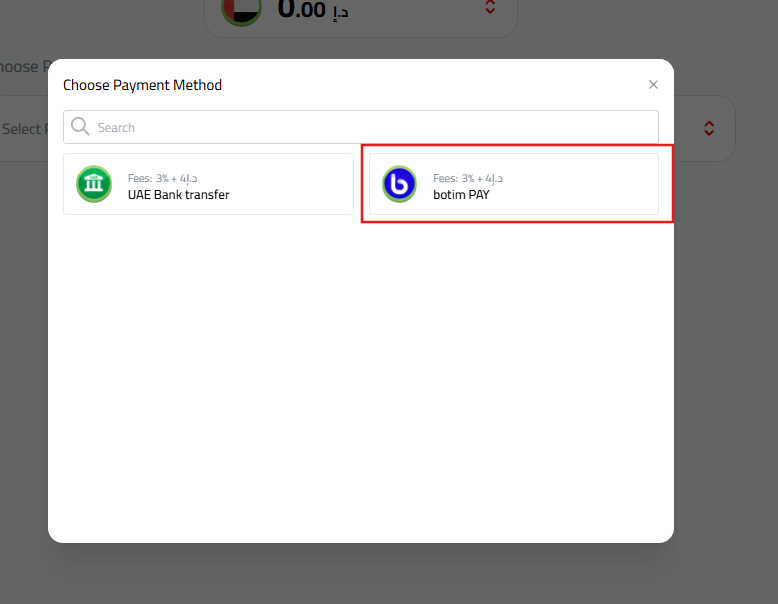
- Select “Botim Pay” as your payment method.
- Enter the amount you wish to deposit. Fees and the equivalent amount will be displayed automatically.
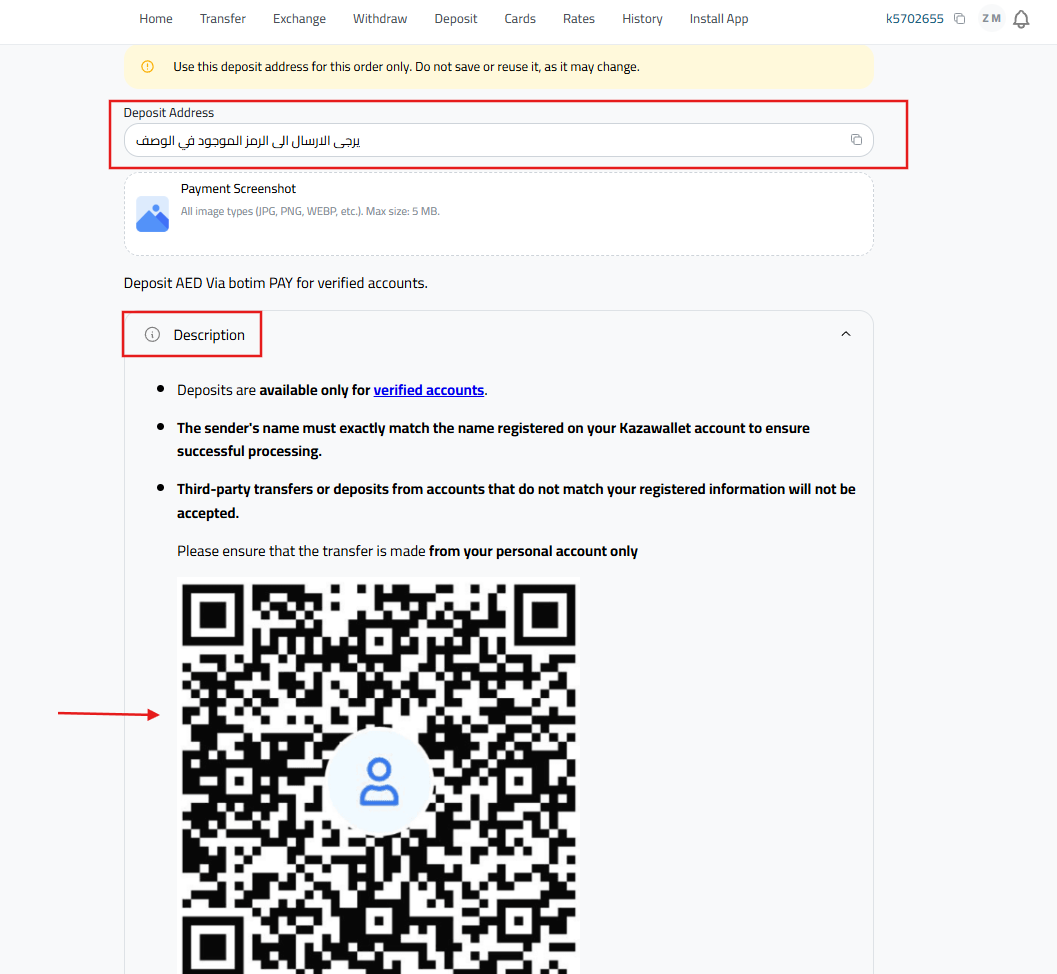
- A QR Code for the transaction will appear in the description; keep it ready.
- Open the Botim App and go to the “Money” tab at the bottom.
- Tap the “Send” option on the main interface.
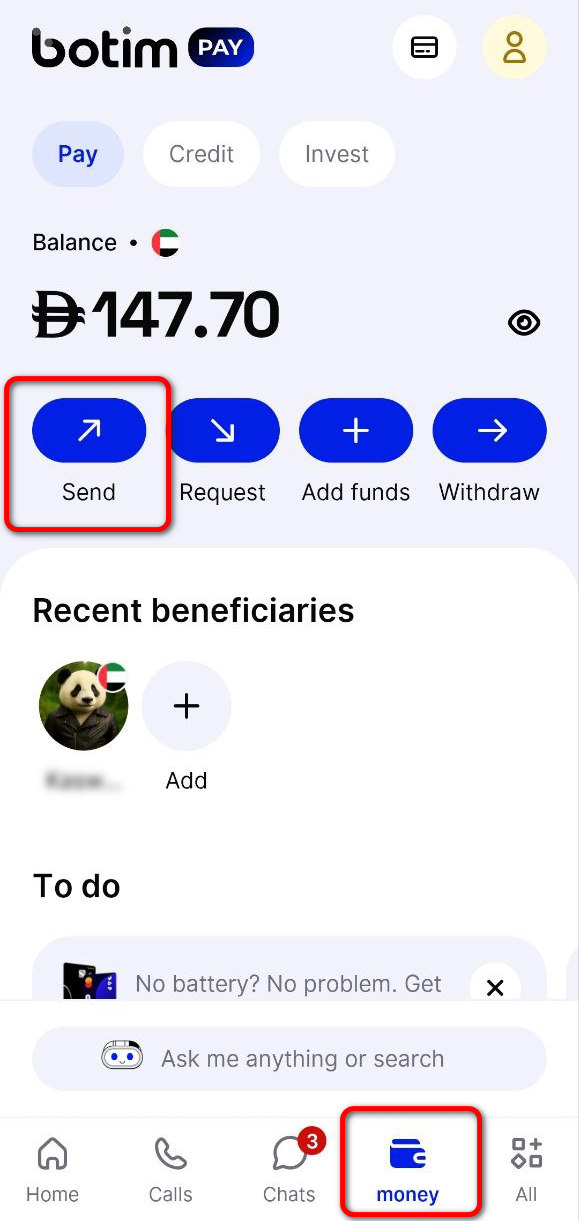
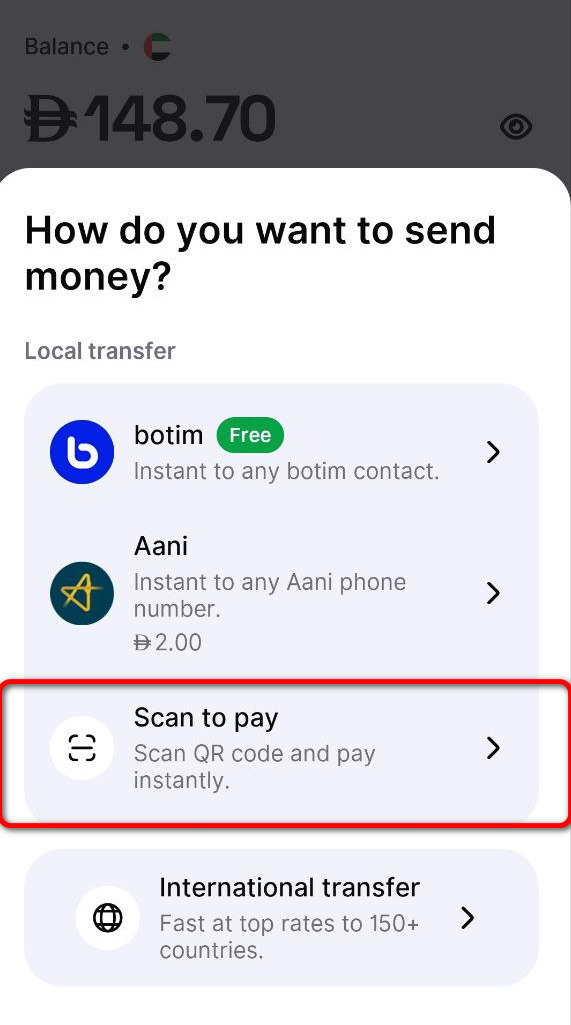
- From the list (How do you want to send money?), select “Scan to pay” exclusively.
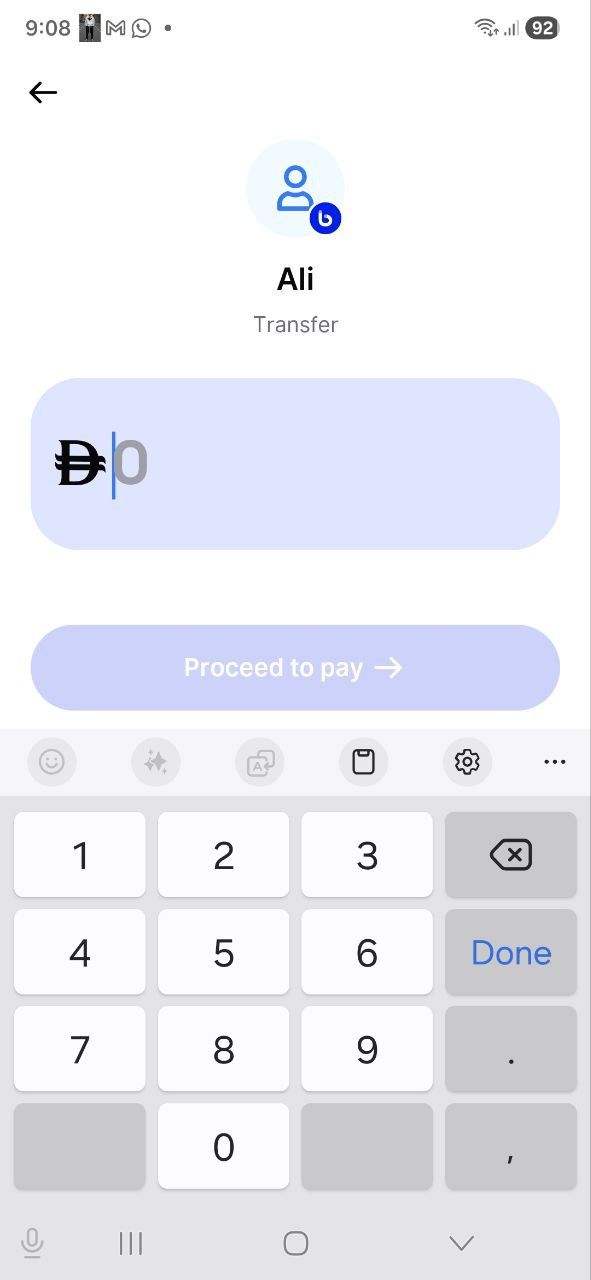
- Scan the QR Code you obtained from Kazawallet. The app will automatically redirect you to the payment page.
- Enter the deposit amount accurately and tap “Proceed to pay.”
- Choose your payment method (either from your linked bank card or Botim Wallet balance) and complete the transaction.
- Once the “Transaction Completed” page appears in Botim, take a clear Screenshot showing the transaction details (date, amount, and order number).
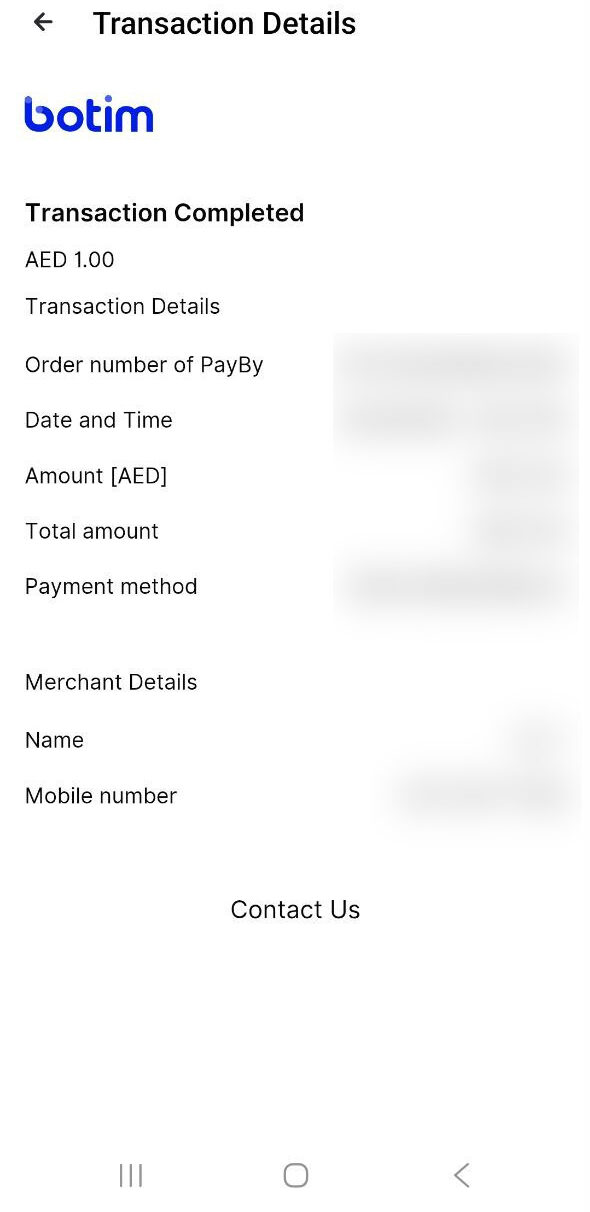
- Return to the Kazawallet app, upload the screenshot in the designated field, and click “Deposit” to confirm your request.
Important Notes:
- Verified Accounts Only: Deposits are only available for verified accounts.
- Name Match: The sender’s name must exactly match the name registered in Kazawallet to ensure success.
- No Third-Party Transfers: Transfers from accounts that do not match your registered data will be rejected.
- Processing Time: Requests are processed within 1 to 6 hours during working hours (11:00 AM to 12:00 AM).
- Single Use QR: Use the QR Code assigned to each request only once. Do not save it for future use as addresses may change.
Frequently Asked Questions (FAQ)
Can I deposit from a friend’s Botim account?
No. The transfer must come from your personal account, in your name only.
What should I do if the deposit takes more than 6 hours?
First, ensure you make the request during working hours. If the delay continues, contact technical support with your transaction screenshot.
Is there a daily deposit limit?
Yes, the maximum limit per transaction is 500 AED. You can check your account limits within the deposit section.
Conclusion
Depositing Dirhams via Botim Pay is a vital step that allows users in the UAE and the region to manage their digital assets seamlessly. Follow the conditions above to ensure a fast and secure experience.