
You can easily deposit USDT via USDT-TON in Kazawallet. All you need to do is head to the “Deposit” section in the Kazawallet app, select USDT and the TON network, create and copy your unique address, then send the funds from your external wallet (such as Telegram Wallet).
Why Choose Kazawallet for Depositing USDT?

- Zero-Commission Deposits: One of the biggest advantages Kazawallet offers is completely free USDT deposits. You won’t have to pay any platform fees when transferring your balance.
- High Security: Fund security is our top priority; Kazawallet relies on advanced encryption technologies to ensure the protection of your data and assets.
- Seamless Usability: The simple and easy-to-understand interface makes dealing with the wallet smooth, even if you have no prior experience.
- Multi-Currency Support: In addition to USDT, you can manage a variety of other cryptocurrencies such as USDC, Bitcoin, and Litecoin.
Steps to Deposit USDT via USDT-TON in Kazawallet
You can deposit USDT into Kazawallet via USDT-TON by following these steps:
- Log in to your Kazawallet account: Log in to your account on the Kazawallet platform. If you don’t have one, you will need to create a new account.
- Go to the Deposit section: After logging in, go to the “Deposit” section.
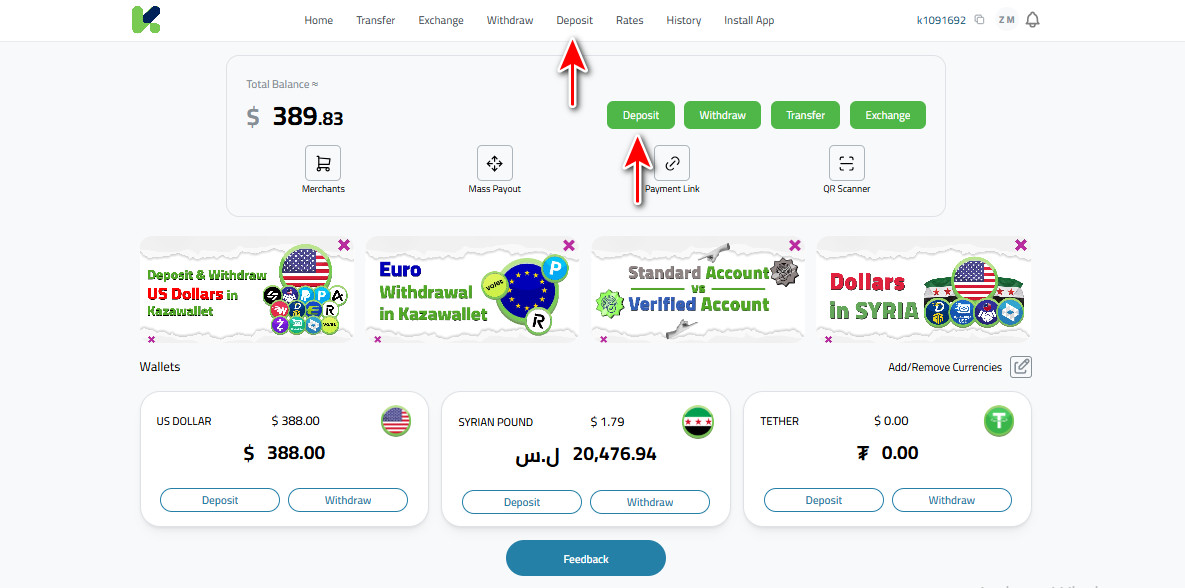
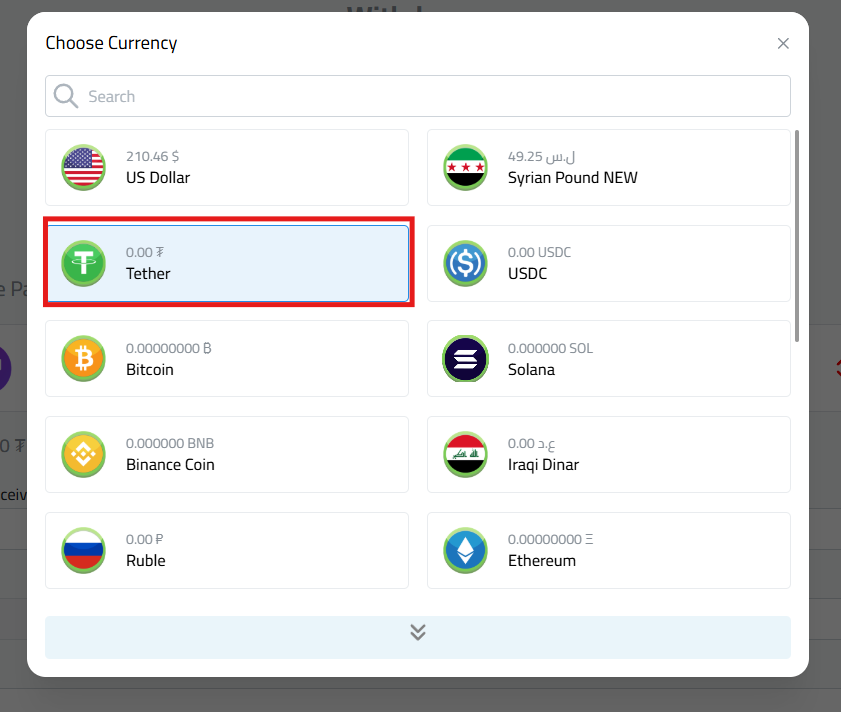
- Select Currency: From the list of currencies, choose USDT.
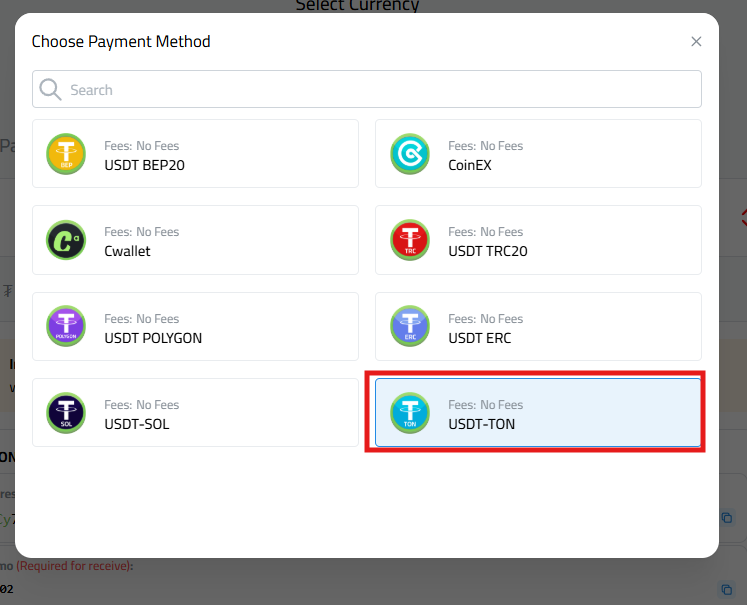
- Select Network: Choose the TON network.
|
- Create Deposit Address (One-time only): If this is your first time depositing on this network, a “Create Address” button will appear. Click it to generate your permanent address. Remember, this step is done only once per currency network.
- Copy your Deposit Address: Once created, your address will appear permanently. You can now easily copy it by clicking the copy icon or using the QR Code.
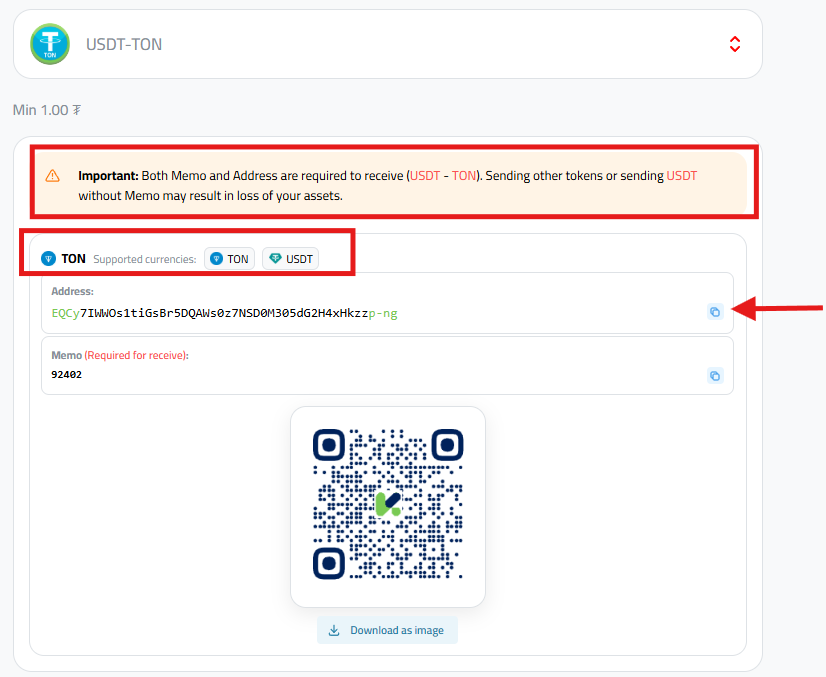
- Send Funds from your External Wallet: Now, go to the platform or wallet where you hold your coins. Initiate the withdrawal or send process, then paste the address you copied from Kazawallet into the recipient field. Specify the amount and confirm the transaction.
Important: You must enter both the Address and the Memo together to receive (TON-USDT). Sending other coins or sending USDT without the Memo may lead to the loss of your assets.
Conclusion
Always remember that the key to security begins with the accurate selection of the network type when sending.
Start funding your account via the TON network now and enjoy a digital financial experience that surpasses traditional complexity, supported by a real-time tracking system that gives you peace of mind with every deposit.
Read more about How to Deposit USDT in Kazawallet: A Guide for the 8 Methods