If you’ve received a payment in USD or earned crypto profits on Kazawallet, your funds are sitting safely in a secure platform built for easy money management.
But how to withdraw Syrian Pounds to Sham Cash to cover your daily expenses or pay bills in Syria? In this guide, we’ll walk you through how to cash out your Syrian Pounds (SYP) to Sham Cash, turning your digital funds into spendable money.
What is Kazawallet?

Kazawallet is a secure financial platform designed to meet the needs of users both inside and outside Syria.
Your All-in-One Hub: Whether you're earning USD from freelancing, investing in Bitcoin, or receiving Euros from a friend, Kazawallet lets you receive and manage all your assets in one secure place.
Seamless Swaps: The real power of is how easily you can swap assets. You can lock in your crypto profits by converting them to USD to beat inflation, or swap your USD into Syrian Pounds whenever you need to spend locally.
Flexible Local Transactions: Beyond cashing out SYP, you can also use Sham Cash to deposit Syrian Pounds into Kazawallet or even handle USD transactions through it, making it an all-in-one setup for your local finances.
What is Sham Cash?
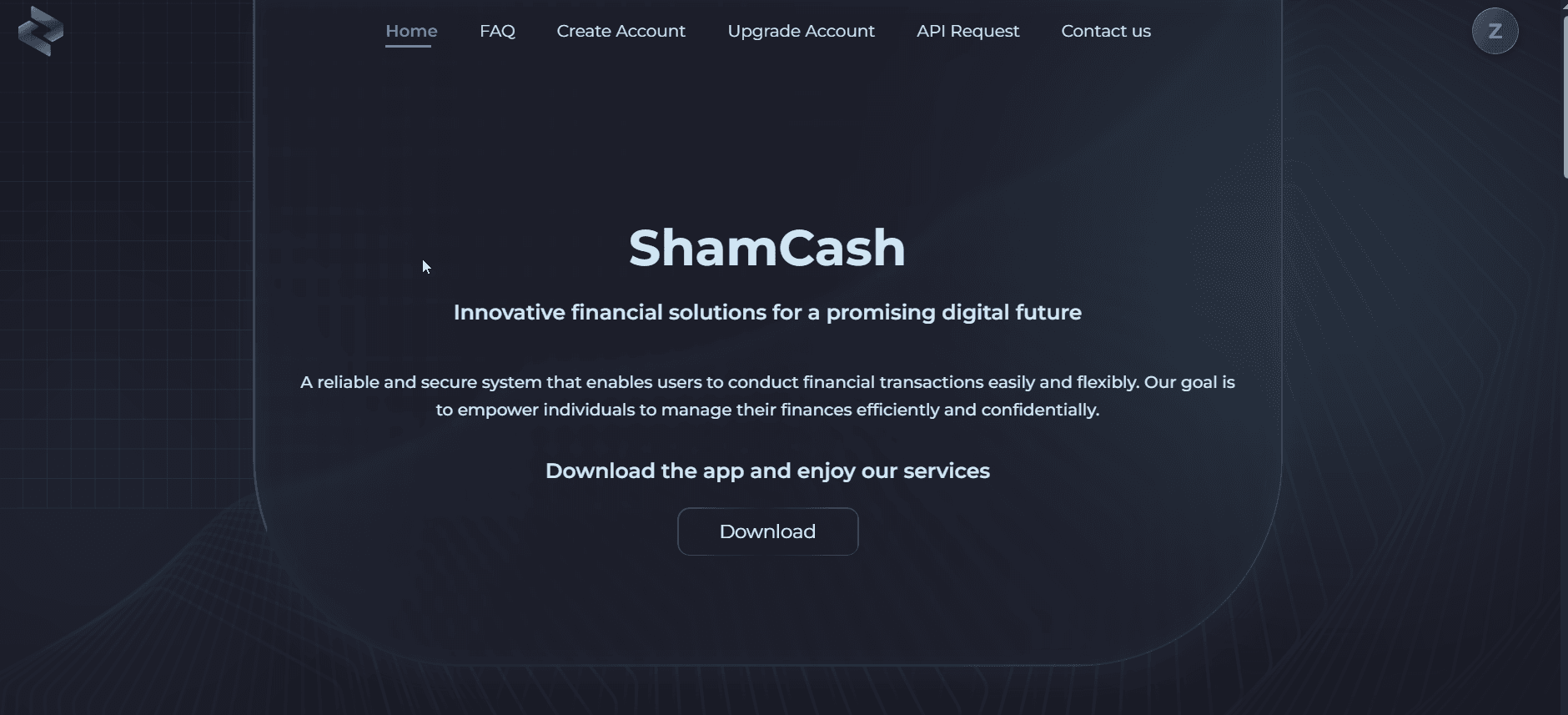
Sham Cash is a popular mobile finance app in Syria built to simplify daily transactions for both individuals and businesses.
With its user-friendly interface, it makes it easy to pay bills, receive salaries, and transfer money across major currencies like the Syrian Pound (SYP), Turkish Lira (TRY), and US Dollar (USD).
Because of these features, Sham Cash has become a go-to destination for cashing out your Kazawallet funds and turning them into ready-to-use liquidity for daily life.
How to Withdraw Syrian Pounds to Sham Cash from Kazawallet
To move your Syrian Pounds from Kazawallet to Sham Cash, just follow these simple steps:
Log in to your Kazawallet account and look for the "Withdraw" or "(-)" section on your dashboard.
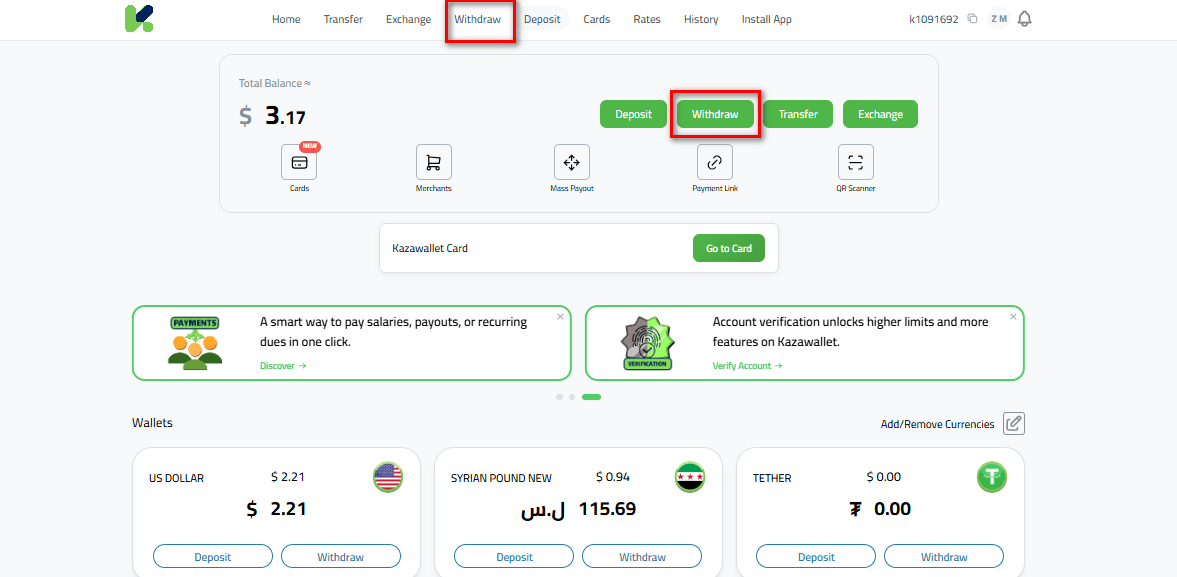
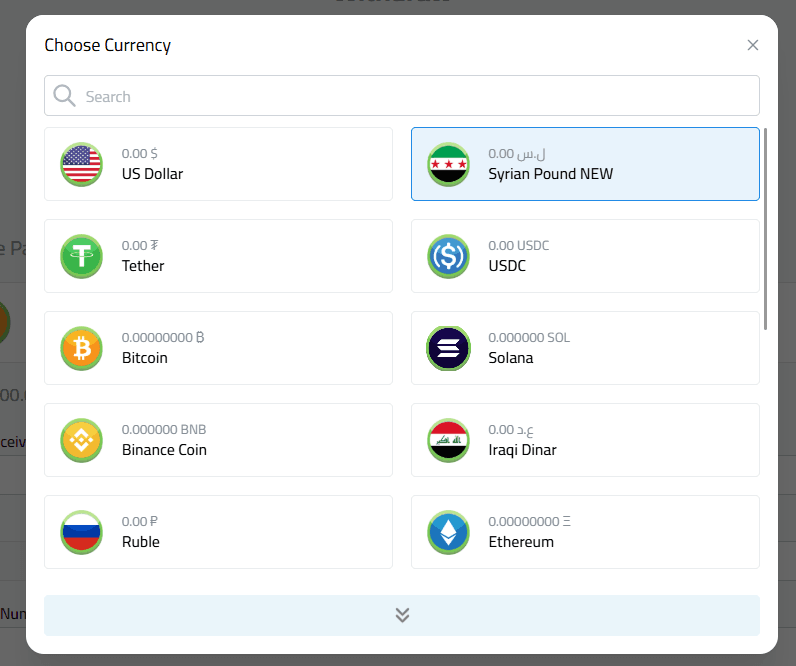
Select Currency: Choose Syrian Pound (SYP) from the currency list.
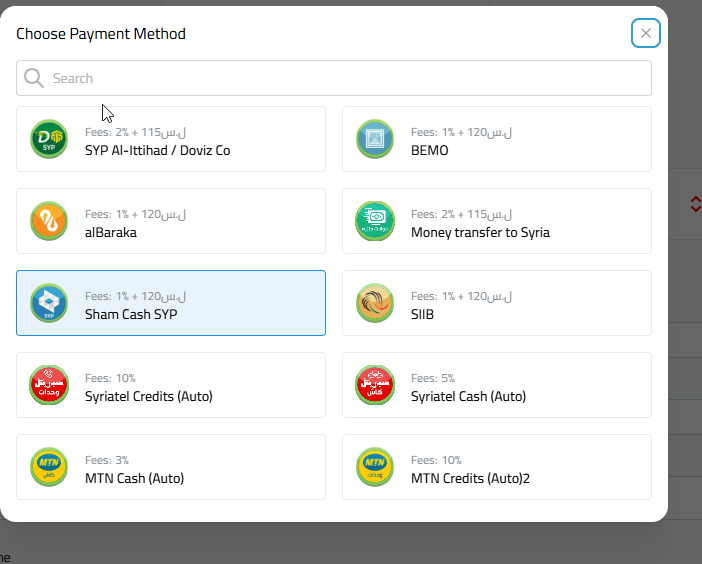
Choose Your Method: Select "Sham Cash" from the available withdrawal options.
Enter the Amount: Input the amount you want to withdraw in SYP. (Make sure to double-check the minimum and maximum withdrawal limits shown on the screen).
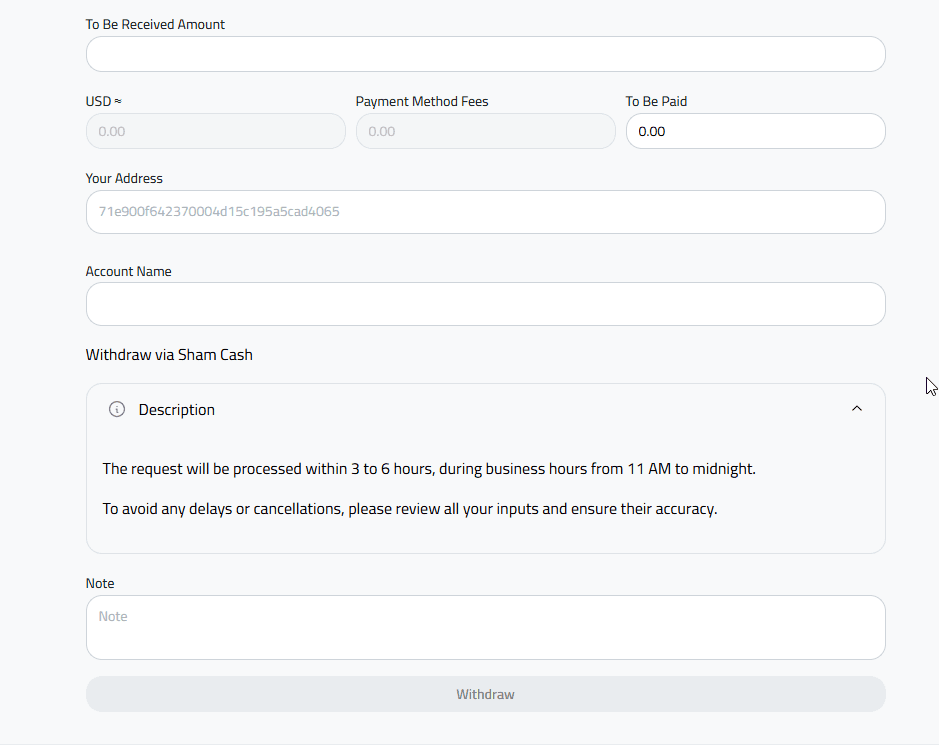
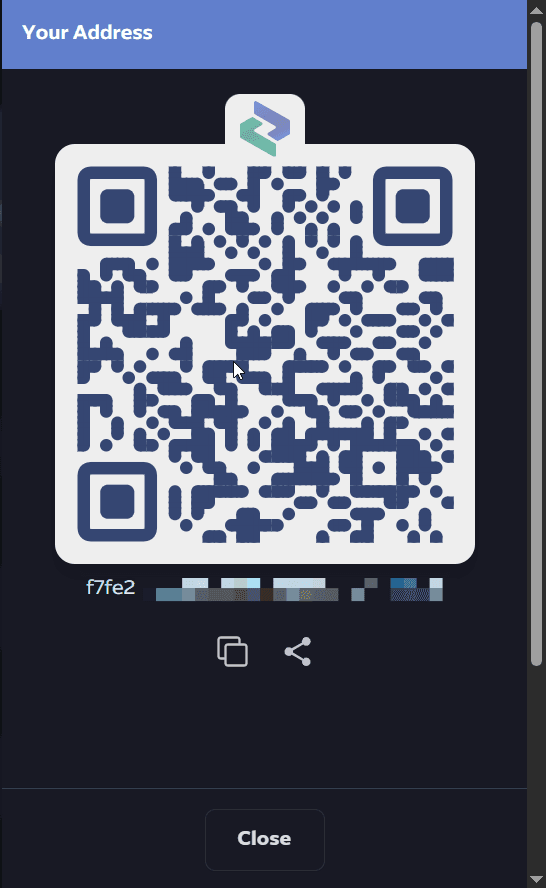
Enter Your Sham Cash Address: Paste your Sham Cash wallet address to receive the funds. (You can find this in your Sham Cash app by tapping the "Receive" option).
Enter the Account Name: Type in the account name exactly as it appears in your Sham Cash wallet profile.
Review and Confirm: Read the description box carefully, then confirm the transaction.
Once confirmed, your withdrawal request will be processed. Kazawallet will notify you as soon as the transfer is complete, and you’ll see the funds right in your Sham Cash account, ready to spend.
In Conclusion
This withdrawal feature is just a glimpse of what you can do with Kazawallet.
Managing your money smartly and effectively is a continuous journey, and we are here to make it easier for you every step of the way. If you have any questions or need a hand, our support team is always ready to help.