To withdraw UAE Dirhams to Botim Pay, create a withdrawal request in Kazawallet, enter the desired amount, and upload a screenshot of your “Request Money” QR Code from the Botim app. Your funds will arrive in your Botim wallet during official working hours.
Why is Botim Pay the Best Choice for AED Withdrawals?
If you are a resident of the UAE, withdrawing balance via Botim Pay offers exceptional advantages:
- Instant AED Liquidity: Receive your funds directly into your Botim wallet, where you can use them for in-app payments or transfer them to your local bank account.
- Save on Fees: Withdrawing to Botim saves you from international transfer fees and banking intermediary costs that could consume a large portion of your profits.
- Flexibility: You can withdraw amounts starting from as little as 50 AED, making it ideal for small and frequent transactions.
Steps to Withdraw UAE Dirhams to Botim Pay from Kazawallet
You can withdraw UAE Dirhams from Kazawallet by following these simple steps:
- Open the Botim app and go to the “Money” tab at the bottom.
- Tap on the “Request” option from the main interface.
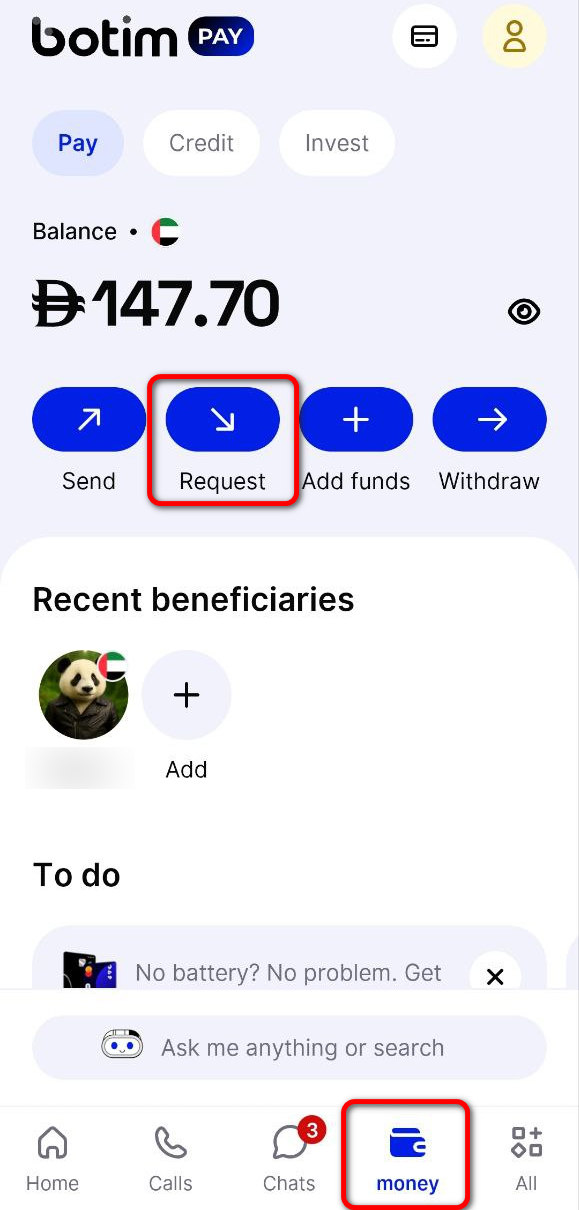
- A page will appear showing your personal QR Code (under the heading Request Money).
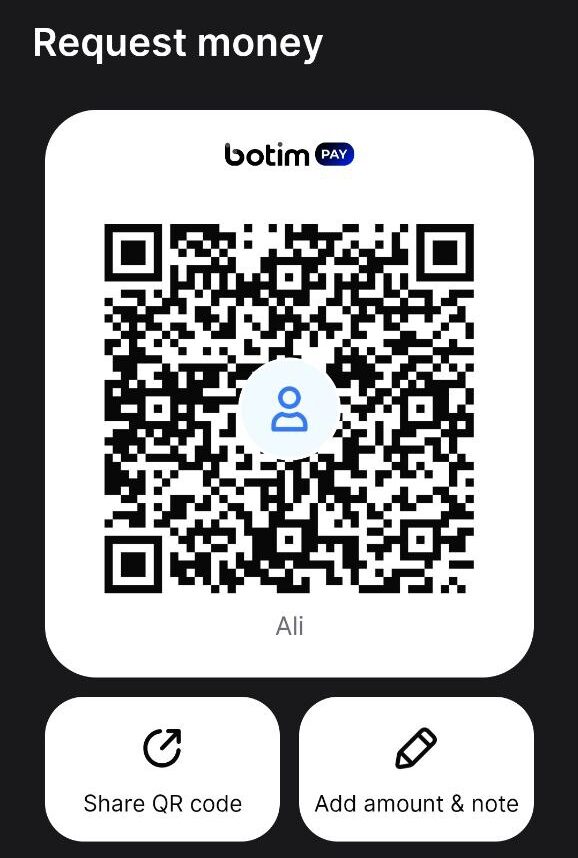
- Take a clear Screenshot of this QR code.
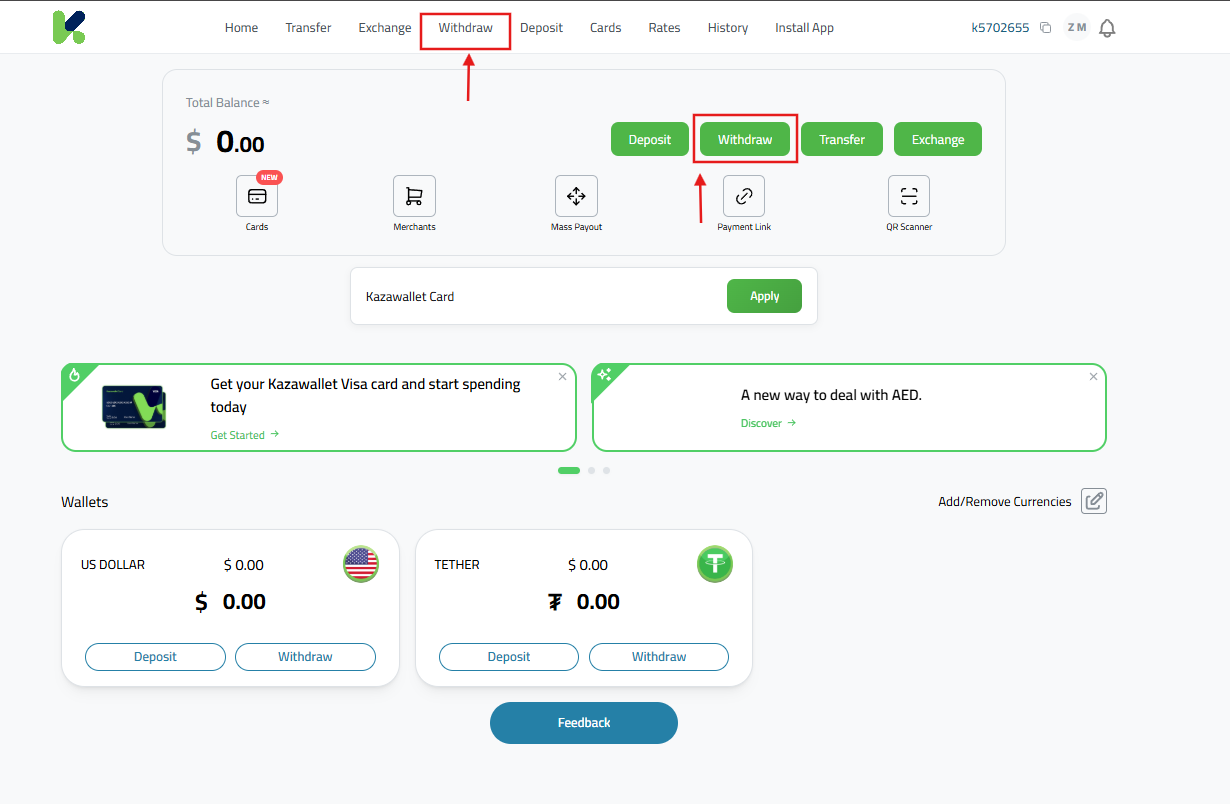
- After taking the screenshot, Log in to your Kazawallet account via the app or official website.
- Select the “Wallet” section and then click the “Withdraw” button to start.
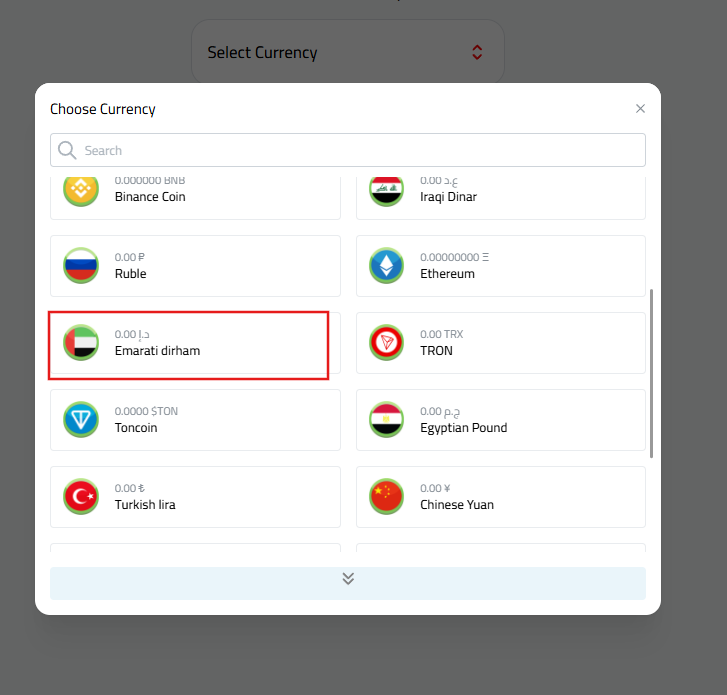
- From the list of available currencies, choose “UAE Dirham (AED)”.
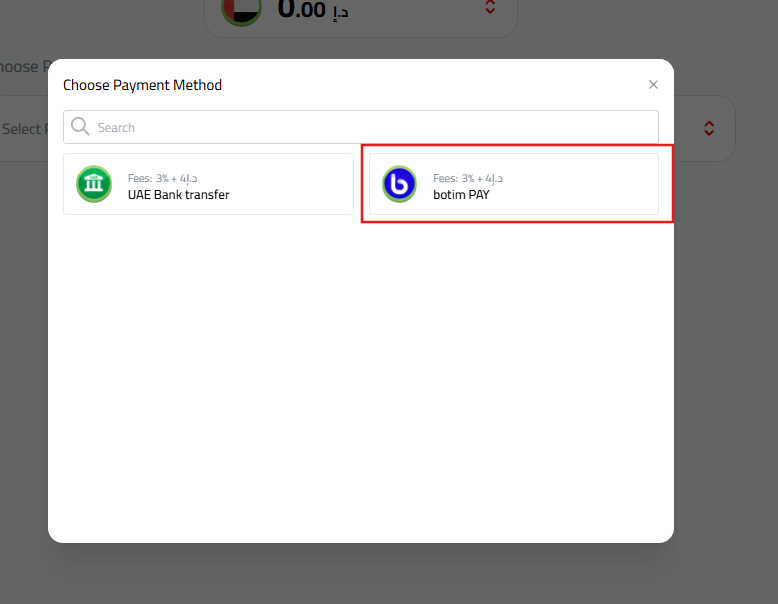
- Select “Botim” as the payment method.
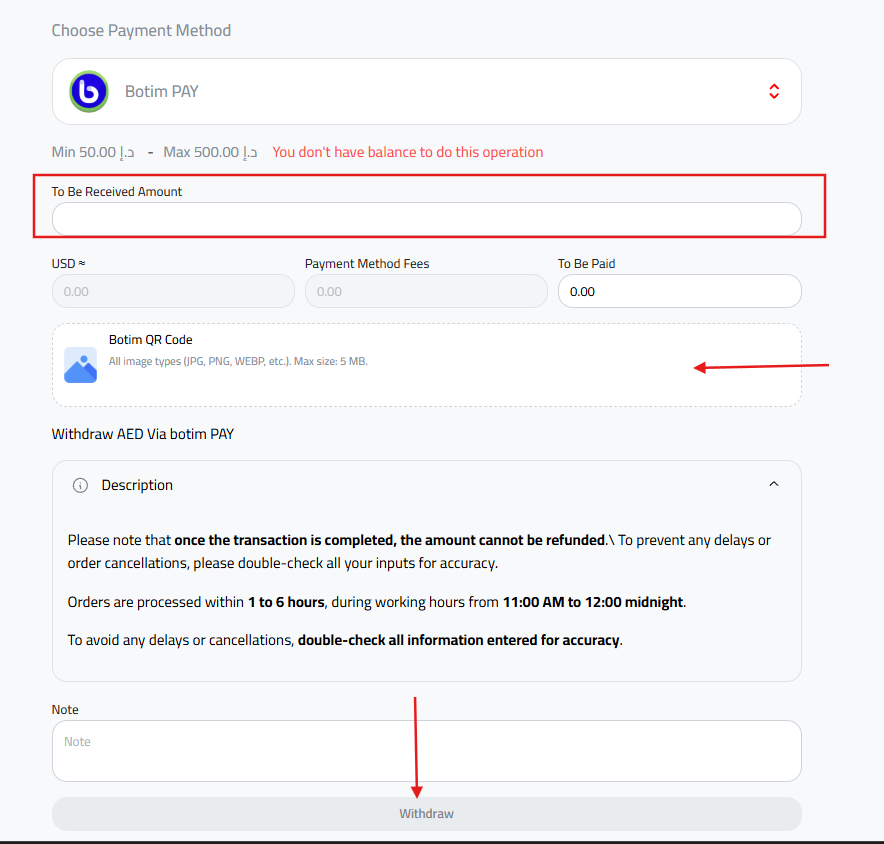
- Enter the amount you wish to withdraw in Dirhams.
- In the “Botim QR Code” field, upload the screenshot you took of your QR code from the Botim app.
- Review the fees and data carefully, then click the “Withdraw” button at the bottom of the page.
Important Notes:
- Please be aware that funds cannot be refunded once the transaction is successfully completed.
- To prevent any delays or cancellations, please double-check all your inputs for accuracy.
- Requests are processed within 1 to 6 hours during official working hours (from 11:00 AM to 12:00 Midnight).
Frequently Asked Questions (FAQ)
Can I withdraw funds to someone else’s Botim account?
Yes, you can! Unlike the deposit process, you can withdraw to another person’s account. Simply upload a screenshot of the QR code for the person you want to transfer to, and the amount will be sent directly to them.
How do I know when the withdrawal is complete?
The status of your request in the Kazawallet app will change to “Completed.” Additionally, the receiving Botim app will receive a notification confirming the arrival of funds in the Wallet Balance.
What should I do if I upload the wrong QR Code?
You must contact Kazawallet technical support immediately via support tickets or Telegram before the request is executed so they can cancel it and allow you to submit a new one.
Conclusion
Kazawallet provides its users in the UAE with complete flexibility in converting their digital assets into UAE Dirhams via Botim Pay. Follow the steps above carefully to ensure your funds arrive quickly and safely.