 Blog Kazawallet
How can you withdraw USDT to USDT-POLYGON from Kazawallet? Start by obtaining a USDT-Polygon deposit address from your external wallet. Then, select “Withdraw” in the Kazawallet app, choose the POLYGON network, and enter the address and amount. This method is characterized by its extremely low fees and rapid execution with instant notifications.
What is the Polygon Network?

The Polygon network (formerly known as Matic) is a cutting-edge, next-generation network designed as a scaling solution for the Ethereum blockchain.
- It was engineered to be exceptionally fast with significantly lower costs compared to traditional networks.
- As a digital infrastructure, it supports stablecoins like USDT and modern financial services, making it compatible with a vast array of global digital wallets and platforms.
Why is the Polygon Network a Popular Choice?
- Near-Zero Fees: The cost of transactions on the Polygon network is remarkably low and inexpensive compared to most other networks.
- High Execution Speed: Transactions are processed and confirmed within seconds, ensuring your funds arrive with an instant notification.
- Wide Compatibility: It operates seamlessly with famous decentralized wallets and Web3 applications, making it a flexible and convenient option.
What are the Benefits of Withdrawing USDT to the Polygon Network?
Withdrawing USDT to the Polygon network opens broad horizons in the world of digital finance:
- Access to Decentralized Finance (DeFi): The network allows you to participate in liquidity pools and trade on decentralized exchanges at the lowest possible cost.
- Massive Cost Savings: If you perform frequent transfers or deal with small amounts, the low fees will save you a significant amount in the long run.
Detailed Steps to Withdraw USDT to USDT-POLYGON
To withdraw USDT from Kazawallet, follow these steps:
- Prepare the Address: Obtain a USDT deposit address compatible with the Polygon network from your external wallet.
- Access the App: Log in to your Kazawallet account and navigate to the Wallet section.
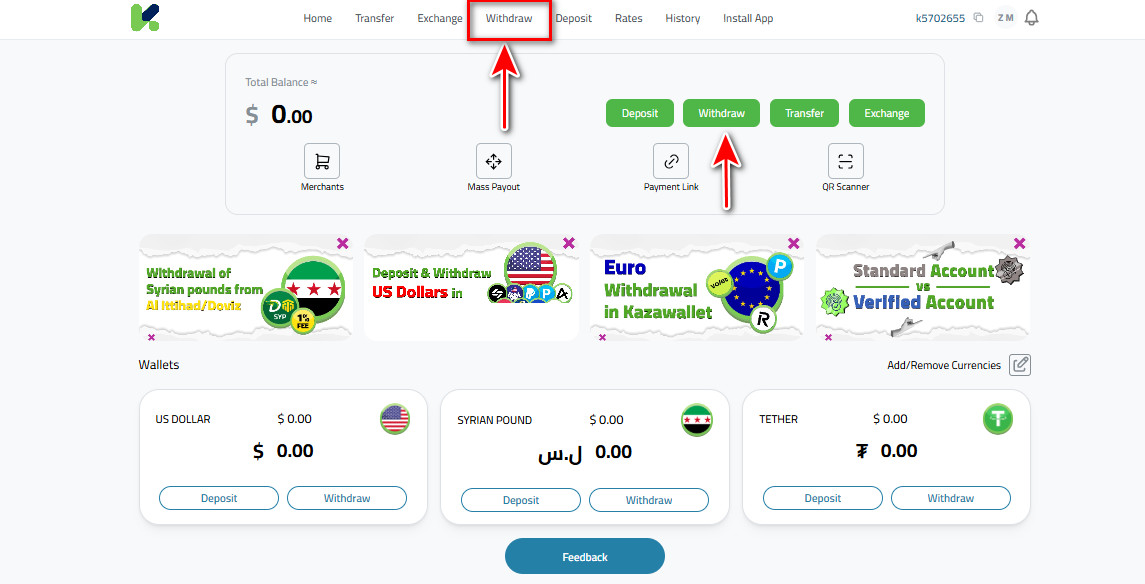
- Start the Withdrawal: Go to the “Withdraw” section.
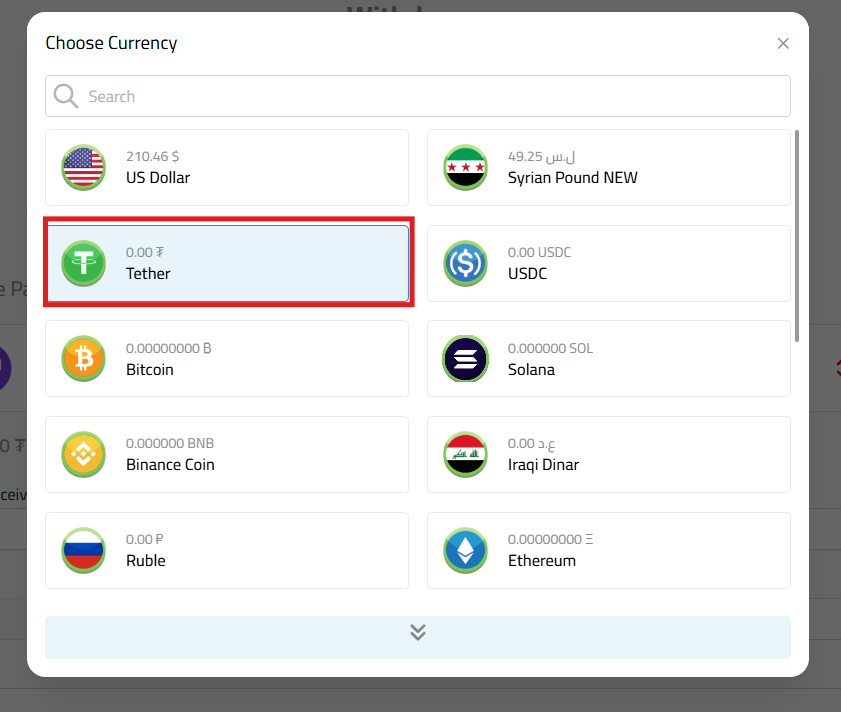
- Select Asset: Choose USDT.
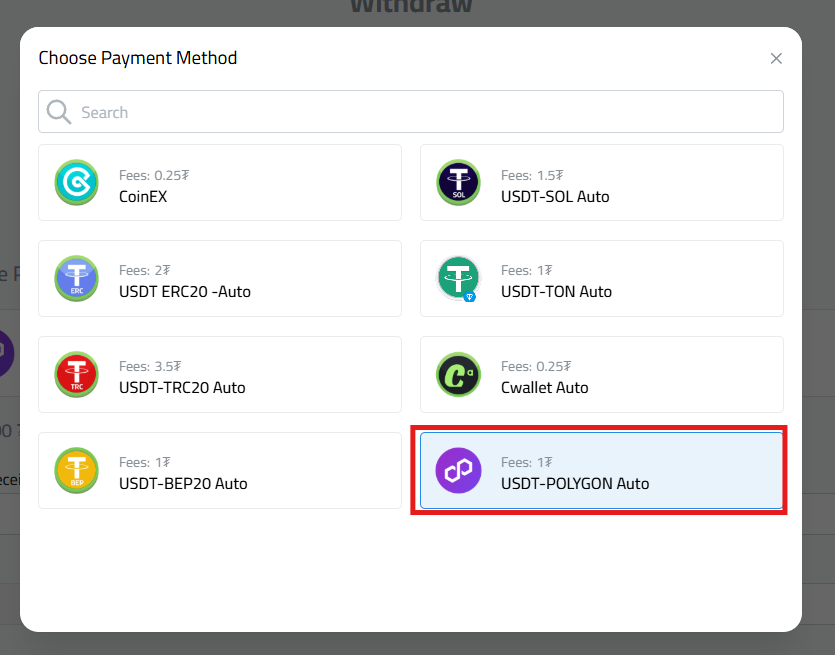
- Choose the Network: From the network list, select “USDT-POLYGON Instant”.
- Enter Data: Paste the address you copied and specify the required USDT amount.
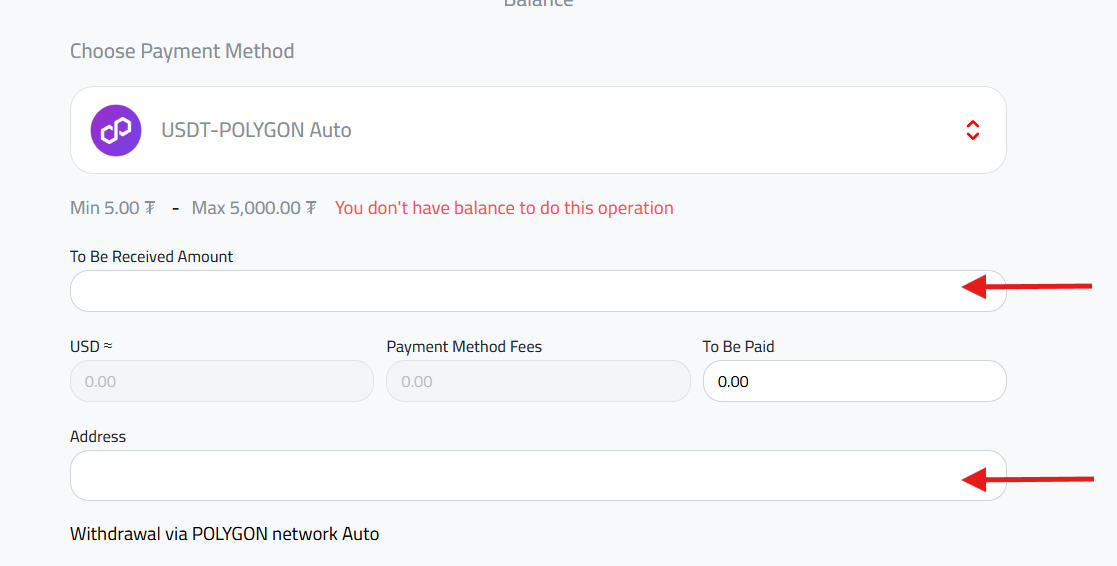
- Confirm and Track: Review the transaction summary and confirm the request.
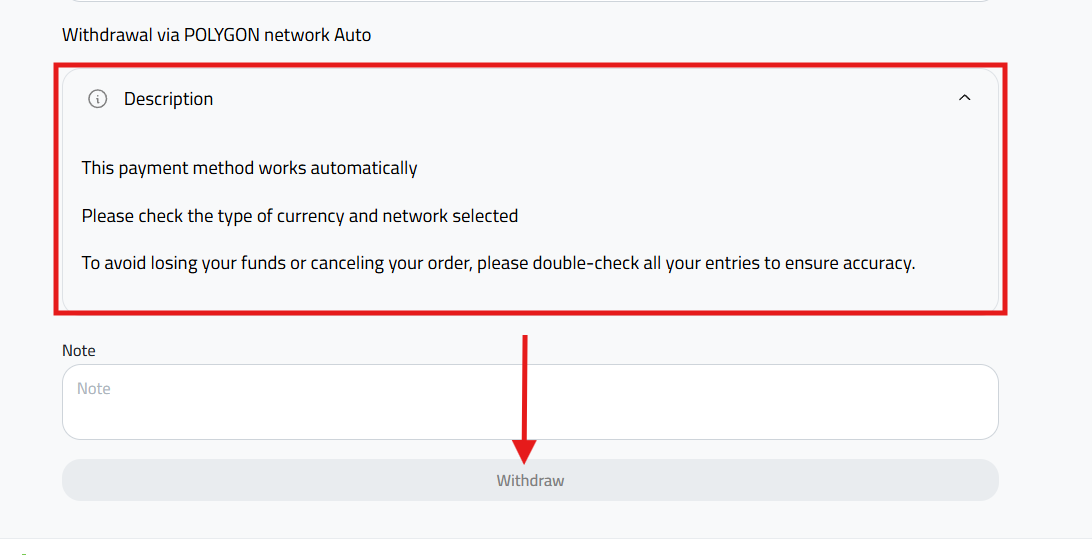
Note:
- This payment method operates automatically.
- Please verify the currency type and the specified network.
- To avoid losing your funds or having your request cancelled, please double-check all entries for accuracy.
Conclusion
If you already have a USDT balance in your Kazawallet, withdrawing to USDT-POLYGON is a simple process involving just a few steps.
By following the steps outlined in this article, you can maintain full control over your funds and ensure they move safely and swiftly to their intended destination.
Read more about Comprehensive Guide to Withdraw USDT from Kazawallet