Kazawallet allows its users in Syria to deposit and withdraw USD via Sham Cash app. The deposit feature requires a verified account, and transactions are typically processed within 1 to 6 hours.
Prerequisites Before You Deposit and Withdraw USD via Sham Cash
To ensure your Sham Cash deposit request isn't rejected, please make sure of the following:
Account Verification: The deposit service is exclusive to verified accounts. (Solution: Verify your account first).
Matching Names: Your name on Sham Cash must match your registered name on Kazawallet exactly. (Third-party transfers are strictly prohibited).
Dynamic Addresses: Always copy a fresh deposit address from the app for every single transaction. (Never reuse old, saved addresses).
How to Deposit USD via Sham Cash
Important Note: This deposit method is only available for verified accounts. If you haven't verified your account yet, check out our guide on how to verify your account and learn the difference between verified and limited profiles.
Log In: Open the Kazawallet app and log into your account.
Go to Deposits: From the main dashboard, navigate to the Deposit page.
Select Currency: Choose US Dollar (USD) as your deposit currency.
Choose Payment Method: Select Sham Cash Wallet as your preferred option.
Enter Amount: Type in the amount you want to deposit in USD.
Copy Address: Copy the unique deposit address that appears on your screen.
Switch to Sham Cash: Open your Sham Cash app and tap "Send".
Paste the Address: Tap "Paste Address" to insert the deposit address you copied from Kazawallet.
Show Account Details: Tap "Show Account" to view the Kazawallet account details, then tap "Send".
Note: Account details and deposit names change periodically. Always copy a new address directly from Kazawallet before sending funds, and never use saved favorites.
Send Funds: Select USD, enter the exact amount you want to deposit into Kazawallet, and tap "Send".
Save Transaction Info: Once the transfer goes through, save or copy the Transaction ID / Reference Number. You will also need your Sham Cash Account Name.
Confirm on Kazawallet: Head back to Kazawallet and fill in the details: enter the exact amount sent, your Sham Cash account name, and the Transaction ID.
Finalize: Read the description box carefully, then tap "Deposit".
Important Guidelines for Deposits:
Only verified profiles can make deposits.
The sender's name must match your Kazawallet name perfectly; third-party transfers will be automatically rejected.
Please send the exact amount entered without any changes.
Requests are processed within 1 to 6 hours during working hours (11:00 AM to 12:00 AM Midnight).
Double-check all inputs to avoid any delays or cancellations.
How to Withdraw USD via Sham Cash
Moving your USD back to Sham Cash is just as simple. Follow these steps:
Log In: Log into your Kazawallet account.
Go to Withdrawals: Navigate to the "Withdraw" section on your dashboard.
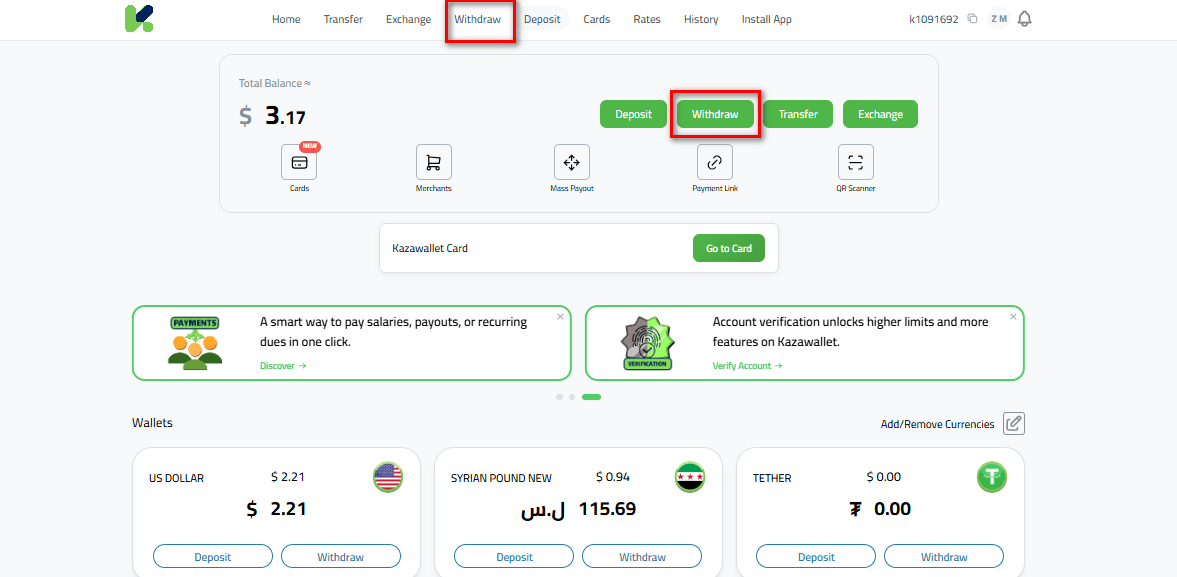
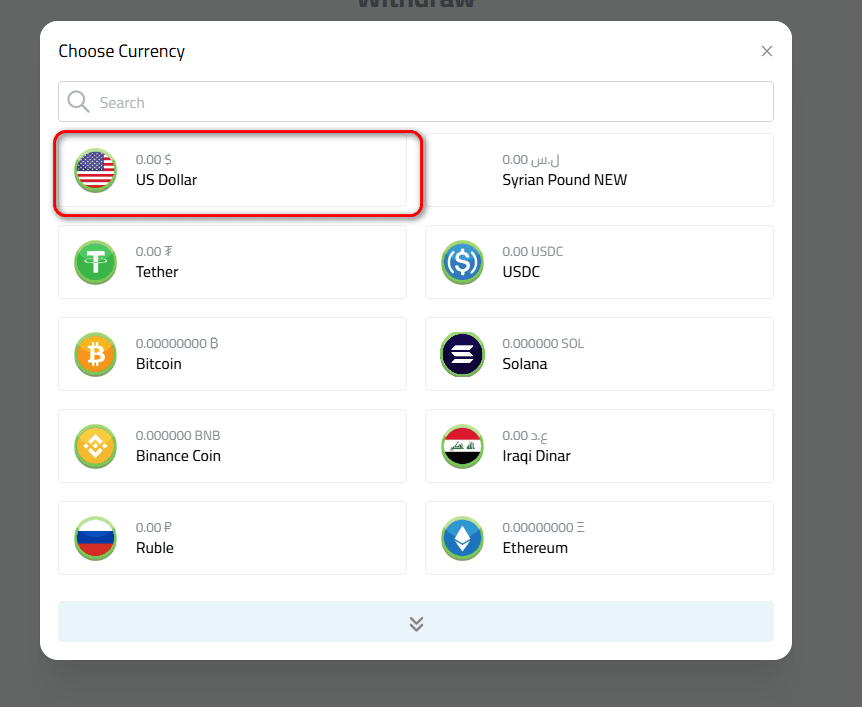
Select Currency: Choose US Dollar (USD).
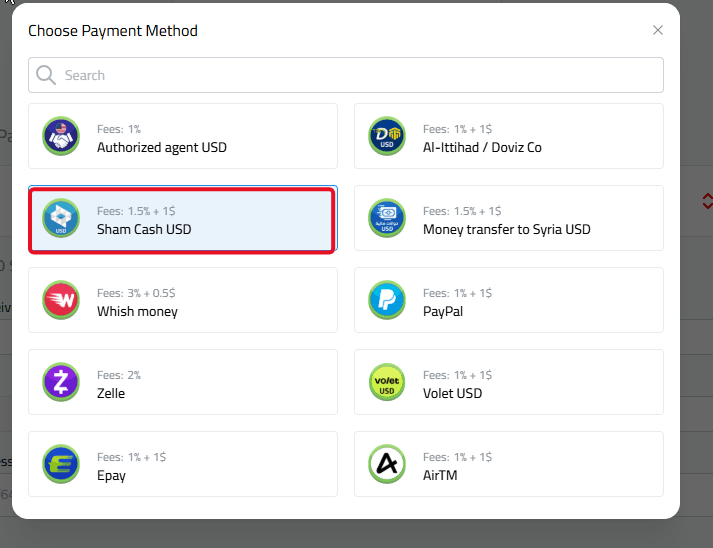
Choose Destination: Select Sham Cash USD to receive your funds.
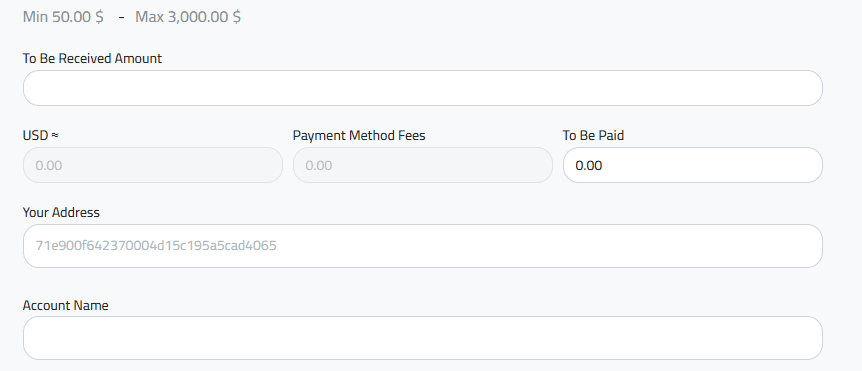
Enter Amount: Input the exact amount you wish to withdraw.
Enter Your Address: Paste your Sham Cash wallet address. (You can find this in your Sham Cash app under the "Receive" option).
Enter Account Name: Type your account name exactly as it appears in your Sham Cash profile.
Review and Submit: Review the description box carefully, then tap "Withdraw".
Once completed, your USD withdrawal request will be processed and sent directly to your Sham Cash wallet.
In Conclusion
Deposit and withdraw USD via Sham Cash with Kazawallet is completely secure as long as you use matching names and always copy a fresh address for each transaction.
Ready to start? Head over to the app and initiate your transaction now.