Kazawallet allows you to exchange Toncoin to USD at live market rates, completely free of hidden deposit or exchange fees.
The entire exchange process comes down to 3 simple steps: deposit your Toncoin, exchange it instantly to USD inside the app, and cash out your funds via local payment methods or cash-in-hand.
Why Choose Kazawallet to Exchange TON?

Securing a smart and fast exit path for your crypto assets requires a platform that offers low costs and complete freedom.
Kazawallet stands out in managing Toncoin with the following benefits:
Automated, Fee-Free Deposits: You can receive your TON balance from any external wallet (like Tonkeeper) or exchange. The process is fully automated and credited as soon as it's confirmed on the blockchain, with zero extra charges from the app.
Transparent Live Market Rates: The platform ensures your Toncoin is exchanged to USD using real-time, live market rates, keeping you safe from hidden trading commissions.
Multiple Off-Ramp Options: You aren't locked into a single withdrawal method. Instead, the app gives you the freedom to receive your profits as cash-in-hand or route your liquidity toward local e-wallets and bank accounts.
How to Exchange Toncoin to USD Step-by-Step
Phase 1: Depositing Toncoin (TON) into Kazawallet
Before starting the process, you must transfer your digital balance from global exchanges or external wallets to your Kazawallet account.
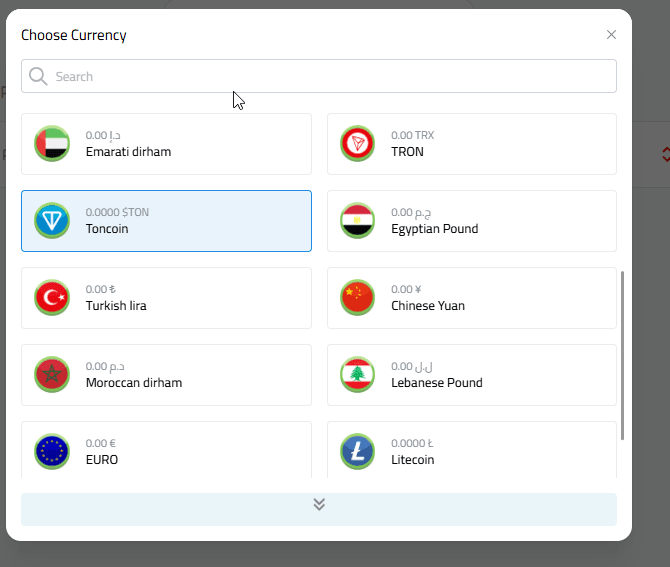
Choose Toncoin (TON).
Kazawallet provides a dedicated address available for copying, along with a QR Code to receive Toncoin directly, as shown in the deposit options within the app.
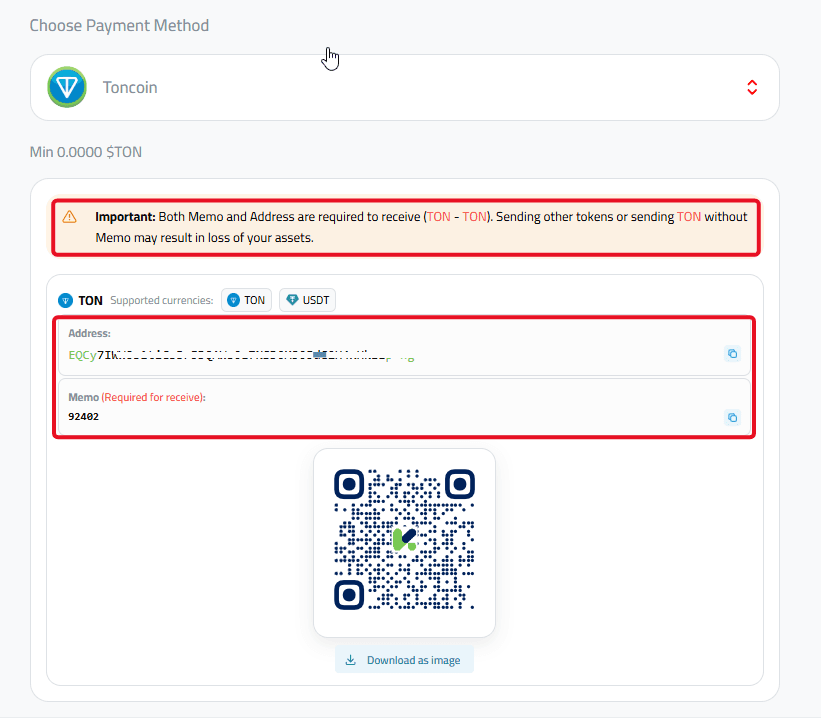
Important Warning: Always ensure network compatibility and copy the wallet address with absolute precision to guarantee your balance arrives safely. Deposits are completely free and instant once confirmed on the blockchain.
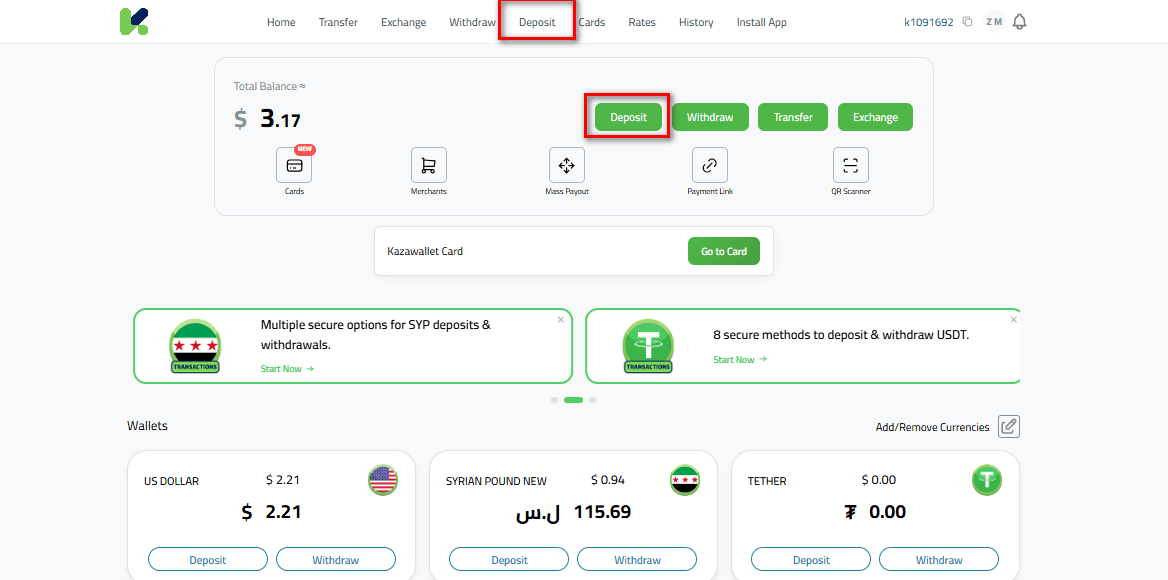
Read more on how to deposit TON into Kazawallet
Phase 2: Exchange Toncoin to USD
Once your digital balance arrives and is confirmed on the network, you can exchange it instantly to lock in its value and protect it from market volatility:
Navigate to Exchange from the main dashboard.
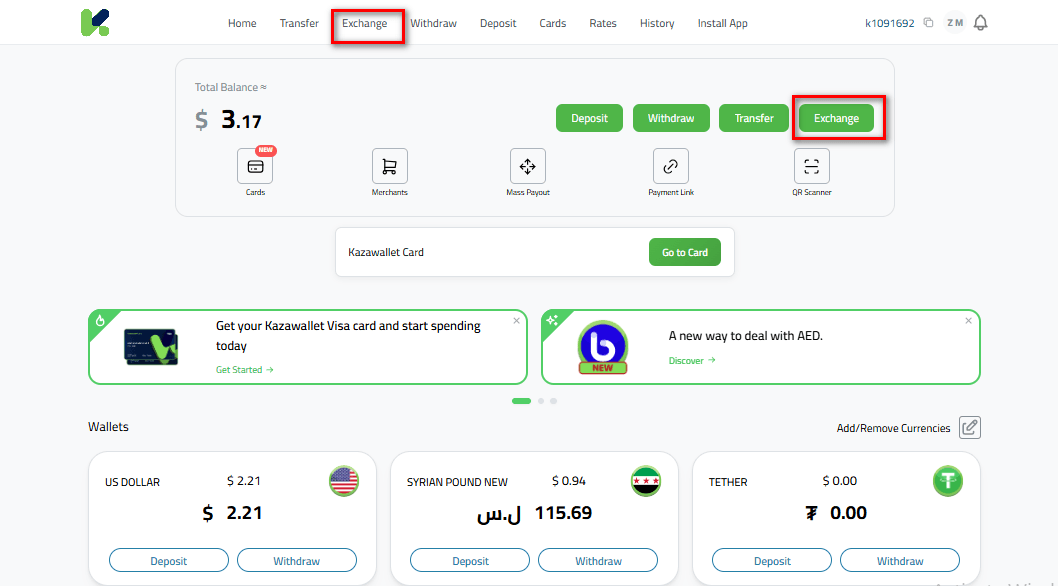
Select Toncoin (TON) in the "Give" column.
Select US Dollar (USD) in the "Get" column.
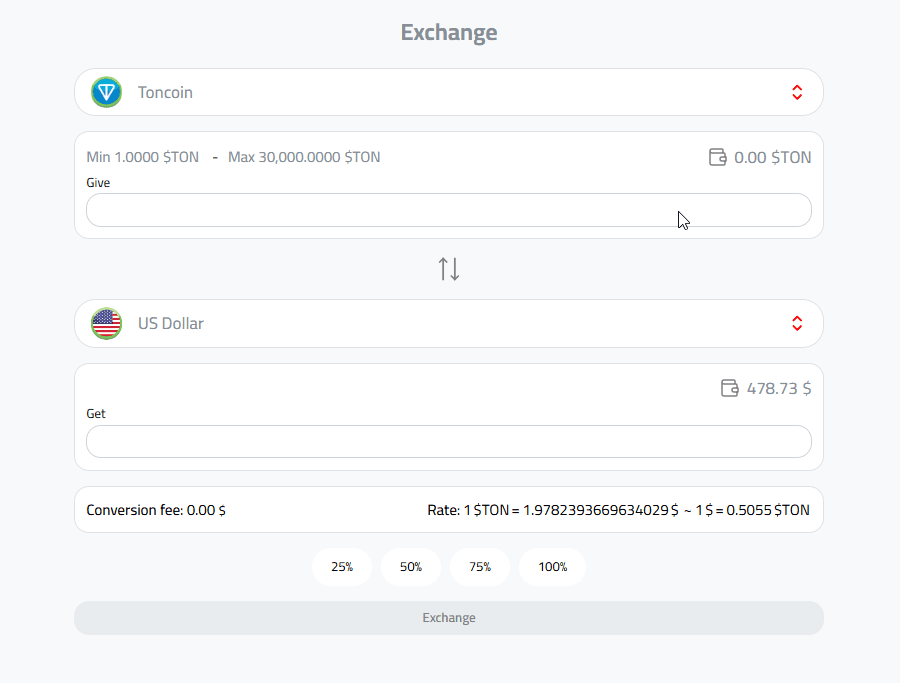
Enter the amount you wish to exchange, and the app will display the exact equivalent value instantly.
Transparency: The app will clearly display the real-time exchange rate and the final output amount before you confirm the transaction. The exchange is instant and free of hidden commissions.
For more details, check out the Currency Exchange Guide on Kazawallet
Phase 3: Withdrawing Your USD Balance
After completing the exchange and exchanging your assets to US Dollars, you can take advantage of the crypto cash-out feature to liquidate your funds:
Go to the Withdraw section inside the app.
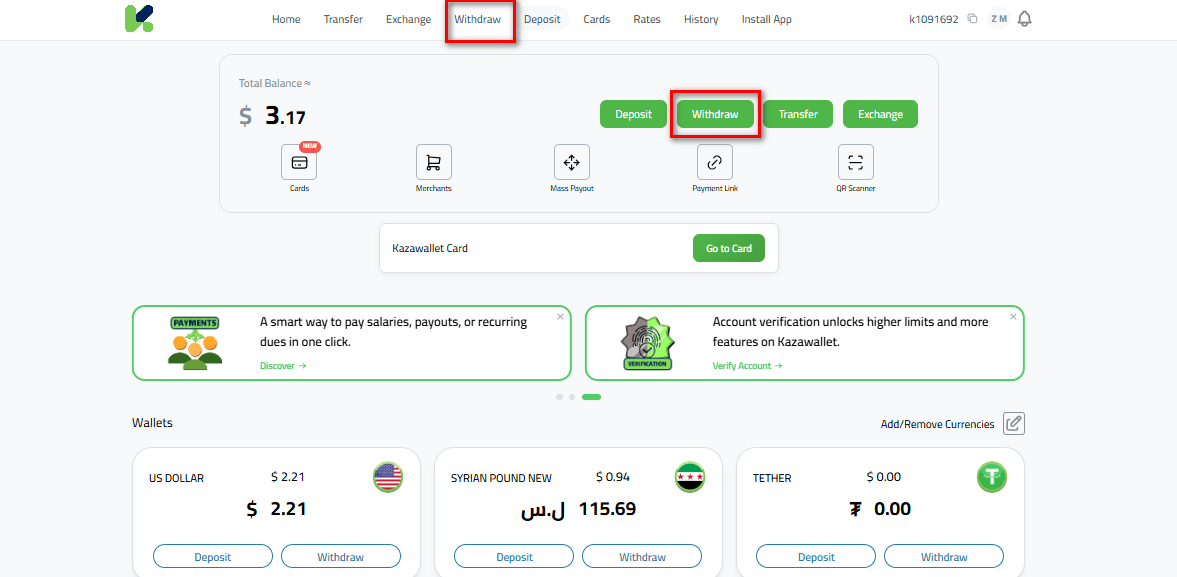
Choose US Dollar (USD) as your currency.
Select the withdrawal method that suits your preference.
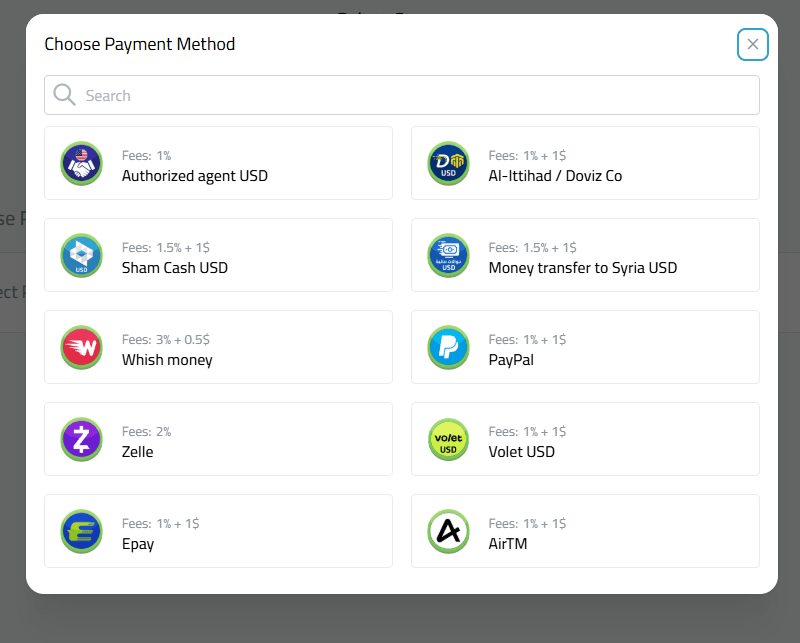
Fill in the required details and confirm your withdrawal.
FAQ
How long does it take to exchange TON to USD?
The deposit process and the transaction to exchange TON to USD inside the app are completed instantly and immediately without any waiting time.
Are there minimum limits for exchanges within the app?
There is no minimum limit for depositing Toncoin; the boundary here is zero (0), allowing you to send any amount of Ton you own, no matter how small, and benefit from free processing.
Is the Toncoin to USD exchange free, or are there fees?
Depositing Toncoin is 100% free on the app’s side, and exchanging TON for USD is done with zero commission. Small, transparent fees only apply when you select your final withdrawal method (such as cash or local transfers) and are always shown upfront before you confirm.
Which network is required for depositing TON?
Assets must be sent exclusively through the official TON Network. Please be careful and avoid using unsupported networks to prevent losing your digital assets.
How do I withdraw dollars after the exchange?
After exchanging your balance to USD, head to the withdrawal section and choose the method that fits your needs.
You can withdraw your money in cash by hand via Al-Ittihad/Deviz or local agents, transfer it to e-wallets like Sham Cash and Whish Money, or cash out globally via PayPal and Zelle.
Read more about the main ways to withdraw USD from Kazawallet
Conclusion
Kazawallet provides you with this all-in-one setup through a smooth user experience. It starts with free automated deposits, moves through instant exchange live market rates, and ends with total freedom to cash out your money in whatever way best handles your daily needs.