The store you shop from does not see your balance, your cryptocurrencies, or your primary account. However, it does see specific technical data you might not expect, some of which explains why certain websites occasionally decline your card.
Understanding what is visible to the merchant when paying with a virtual card gives you greater control over your privacy and spares you unexpected declines at checkout.
Quick Summary (TL;DR)
What a merchant sees when paying with a virtual card is standard payment transaction data: the card number, expiration date, the name and billing address you entered, the transaction amount, and the approval result.
The payment gateway also adds information read from the first six digits (BIN), including the issuing institution, its country, and the card type. In contrast, your actual balance, source of funds, and primary account remain completely hidden. Consequently, some merchants may block prepaid cards, or a transaction may be declined due to an address mismatch.
Always verify that your details match before completing a purchase.
What Data Is Visible to the Merchant When Paying with a Virtual Card?
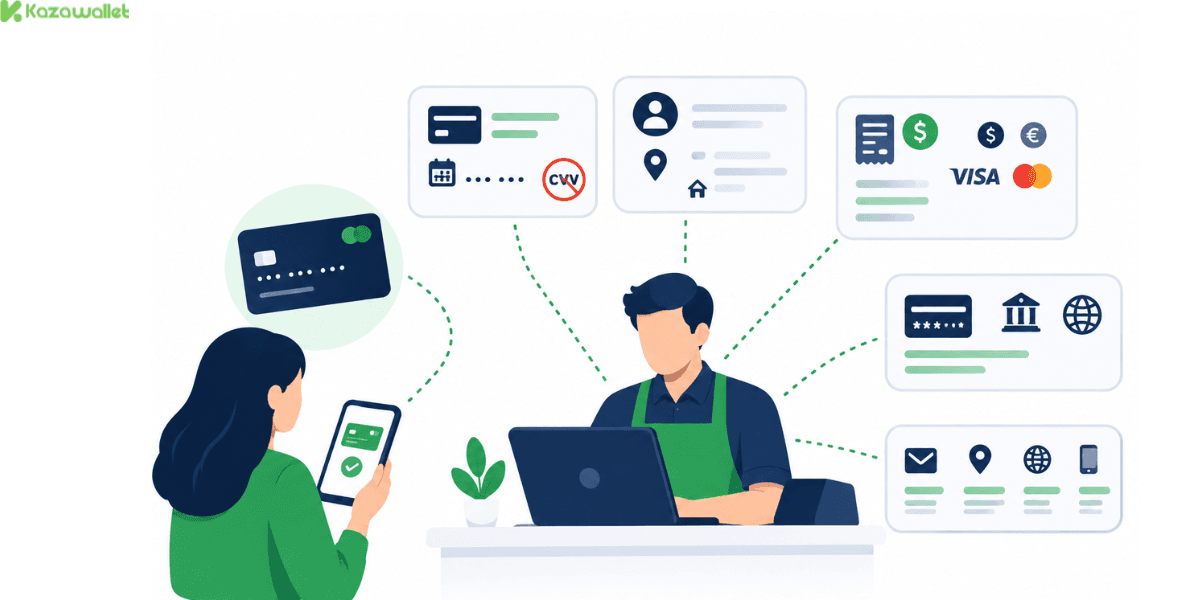
Card Details: The card number and expiration date. The security code (CVV), however, is used strictly for instant verification, and global security standards prohibit the merchant from storing it.
Your Entered Data: The name and billing address, which the system compares against the records held by the issuing institution via the Address Verification System (AVS).
Transaction Details: The amount, currency, authorization code, and payment network, such as Visa.
First 6 Digits Information (BIN): Payment gateways extract from this code the name of the issuing institution, its country, and the funding type—whether credit, debit, or a prepaid card.
Technical Order Data: Your email address, shipping address, IP address, and device type. This data reaches the merchant automatically to fulfill the order regardless of the payment method used.
What Financial Information Remains Hidden from the Merchant at Checkout?
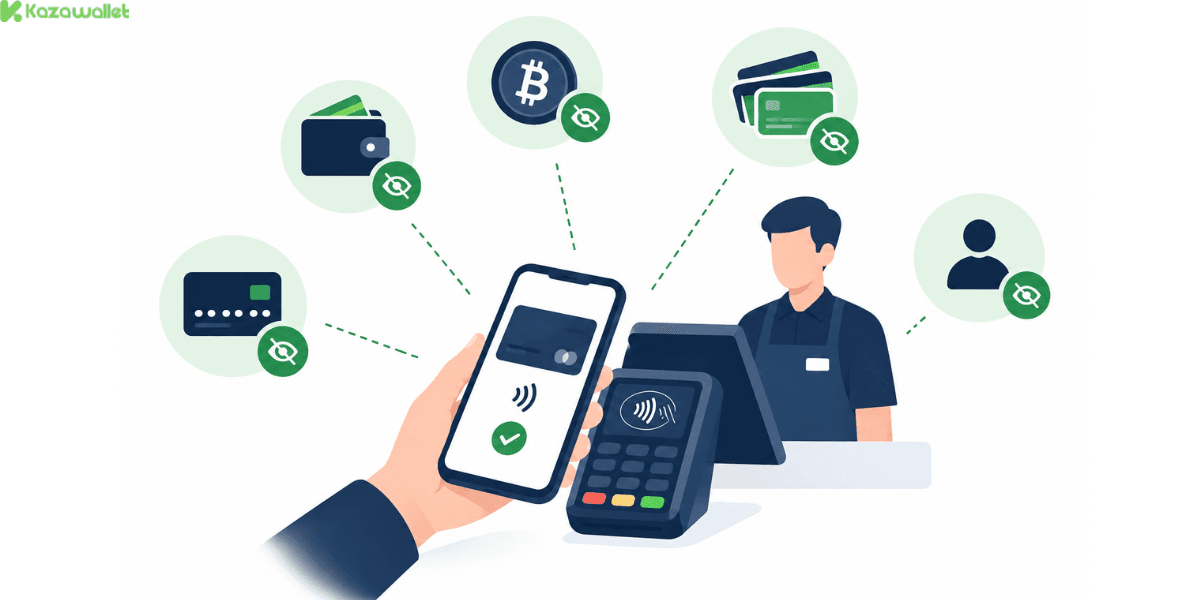
Your Actual Balance: The amount of money remaining on your card or in your account stays completely confidential.
Source of Funds: It does not appear to the merchant that you funded the card by exchanging cryptocurrencies.
Your Primary Account: Your main wallet details and your other cards are completely isolated from the store.
Your Real Card Number When Paying via Digital Wallets: The merchant sees an encrypted device-specific number (DPAN) and only its last four digits, while the original card number remains masked, as explained in Braintree's technical documentation.
Your Name in Tap-to-Pay Transactions: Merchants generally cannot access the cardholder's name during payments made through digital wallets like Apple Pay and Google Pay, according to Stripe's documentation.
Why Do Some Online Stores Decline Virtual Cards?
Most declines when paying with a virtual card stem from automated verification checks on the merchant's end:
Card Type (BIN): The BIN code may reveal that the card is prepaid. Some merchants program their systems to block this category, particularly for recurring subscriptions and reservations.
Address Mismatch (AVS): If the billing address you typed at checkout differs from what is registered with the card issuer, the system automatically declines the transaction.
Geographic Conflict: Fraud prevention systems may halt a transaction when the country of the card issuer differs from the country of the IP address or shipping destination.
Pre-Authorization Hold Margin: Hotels and car rental companies place a security hold higher than the initial bill. If the loaded balance only covers the base price, the transaction is declined.
Additional Security Verification (3D Secure): You may be asked to enter a verification code sent to your phone or email to confirm your identity, depending on the issuer's policy.
For more details on managing holds and refunds, check out our guide on How to Shop Safely on Black Friday Using a Virtual Card?.
How Do You Avoid Virtual Card Declines and Protect Your Data While Shopping?
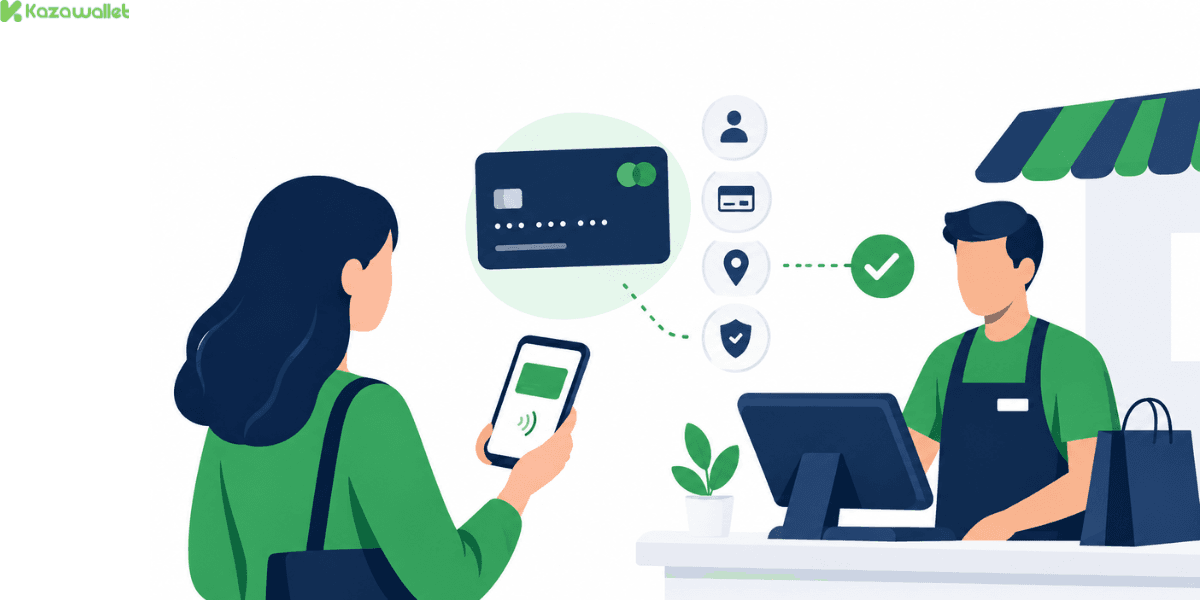
Match Your Billing Details: Enter your name and billing address at the store exactly as they are registered with the card issuer.
Add a Balance Buffer: Load the card with an amount slightly higher than the purchase value to cover any pre-authorization holds or currency conversion differences.
Use Digital Wallets: Pay via Apple Wallet or Google Wallet wherever supported to transact using an encrypted token.
Avoid Saving the Card: Refrain from enabling the option to save payment details on stores where you are making a one-time purchase.
Keep the Payment Receipt: It serves as your primary reference for tracking the order or opening a dispute if needed.
Mind Your Refunds: Refunded amounts are always returned to the same card, so keep the card active until you receive your funds in full.
How Does the Kazawallet Virtual Card Work at Checkout?
The Kazawallet card presents a standard, familiar Visa transaction to the merchant, while all funding and conversion steps are managed flexibly inside your account:
Crypto Funding: Deposit your cryptocurrency balance, or buy Bitcoin and Ethereum directly within the platform.
Direct Exchange: Swap the required amount into USDT or USD instantaneously to lock in the value of your purchases and prepare them for loading.
Card Loading and Payment: Load a virtual Visa card with your specified amount and pay wherever Visa cards are accepted globally. Full details are available in How to Pay with Crypto via the Kazawallet Virtual Visa Card.
Clear Management: To learn more about features and limits, review Everything You Need to Know About the Kazawallet Virtual Card, and always check the current fee schedule and terms of use before any transaction.
Frequently Asked Questions
Does the store know that I am paying using cryptocurrencies?
No, the card's funding source is completely isolated and never appears to the payment gateway. The merchant only sees a card issued on the Visa network, though they may identify it as a prepaid card through the BIN code.
Does the store see my real name when I use a virtual card?
The store sees the name you manually type into the online checkout form. When paying via tap-to-pay through smartphone wallets, the name is generally not shared with the merchant.
Can the store charge additional amounts from the card later without my permission?
The merchant is only permitted to collect amounts you previously authorized, such as recurring subscriptions. Loading a virtual card with a specific budget provides a practical safeguard that prevents charges exceeding the available balance—though you should always officially cancel unwanted subscriptions from your store account.
In Conclusion
When you understand what the merchant sees and what remains hidden, an unexpected decline shifts from a mysterious issue into a straightforward technical step you can easily resolve.
The store processes your virtual card just like any traditional card by verifying the address and available balance, while your digital wallet and primary assets stay completely isolated.
Between the transparency of standard checkout data and the privacy of your funding sources, you get a shopping experience that combines global acceptance with financial security.