Kazawallet Basic cards do not support Apple Pay. Therefore, the Kazawallet Plus Card tier was specifically designed to provide you with full compatibility with Apple Wallet.
You can create this standalone tier directly, fund it with crypto, and then add Kazawallet Plus Card to Apple Wallet for contactless payments at physical stores and global merchants in the blink of an eye.
What is Apple Wallet?
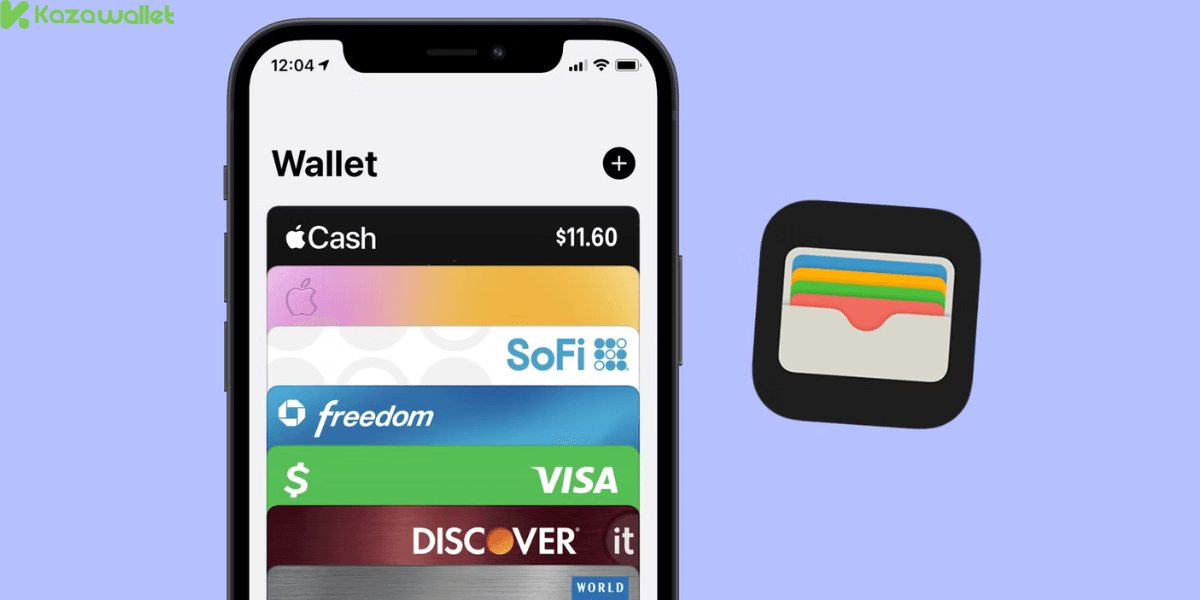
Apple Wallet is the official digital wallet built into Apple devices (iPhone and Apple Watch).
This wallet allows you to securely store your payment cards inside your phone, enabling you to use Apple Pay to check out at millions of stores, restaurants, and websites that support contactless (Tap-to-Pay) transactions.
Why Do You Need to Add Kazawallet Plus Card to Apple Wallet?
Once the connection is complete, your Virtual Plus Card transforms into a smart payment tool for your daily life and physical storefronts, offering the following advantages:
Contactless In-Store Payments: Settle your purchases at any physical store simply by holding your iPhone or Apple Watch near the point-of-sale (POS) terminal.
Ultra-Secure Biometric Protection: Transactions are instantly verified via Face ID or Touch ID. Your actual card details are never shared with merchants; Apple uses an encrypted token instead.
Speed and Convenience: Skip entering your card details manually every time you shop online.
What Do You Need Before Getting Started?
To complete the process successfully, ensure you have met the following requirements:
An Active Kazawallet Plus Card: This feature is exclusively supported on the Plus tier. If you haven’t done this yet, you can follow: Our guide on how to get a Kazawallet card step-by-step
A Compatible Apple Device: An iPhone or Apple Watch that supports NFC and runs on a stable, updated operating system.
Card Credentials: You will need the 16-digit Card Number, Expiry Date, and Security Code (CVV), available in the Kazawallet app under the "Details" section. For more details, read our guide about how to view Kazawallet Card Details.
Read more about how to add Kazawallet card to Google Wallet
Steps to add Kazawallet Plus Card to Apple Wallet
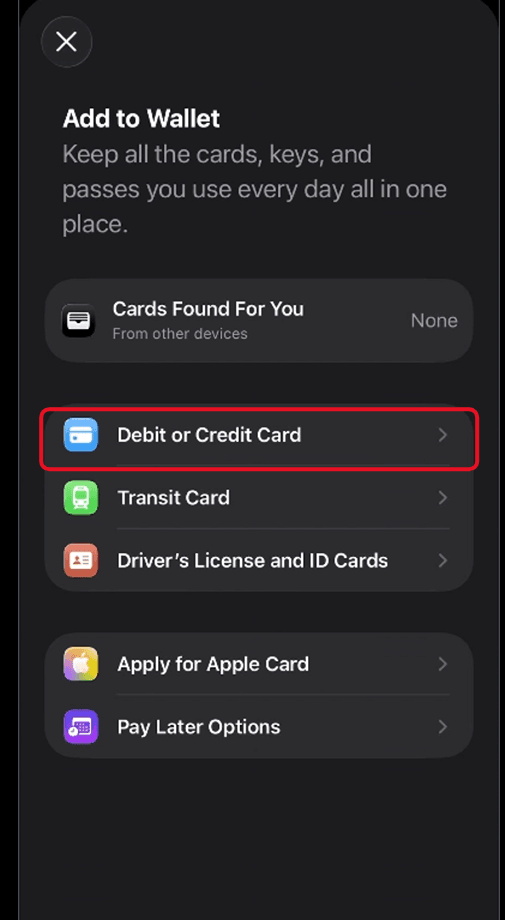
Open the Apple Wallet app pre-installed on your iPhone.
At the top of the screen, tap the plus sign (+).
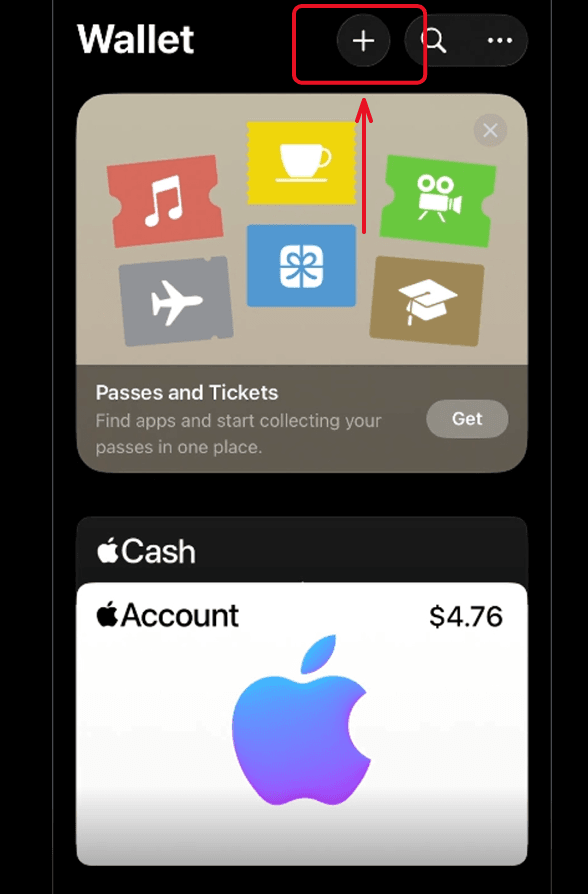
Select the "Debit or Credit Card" option, then tap "Continue."
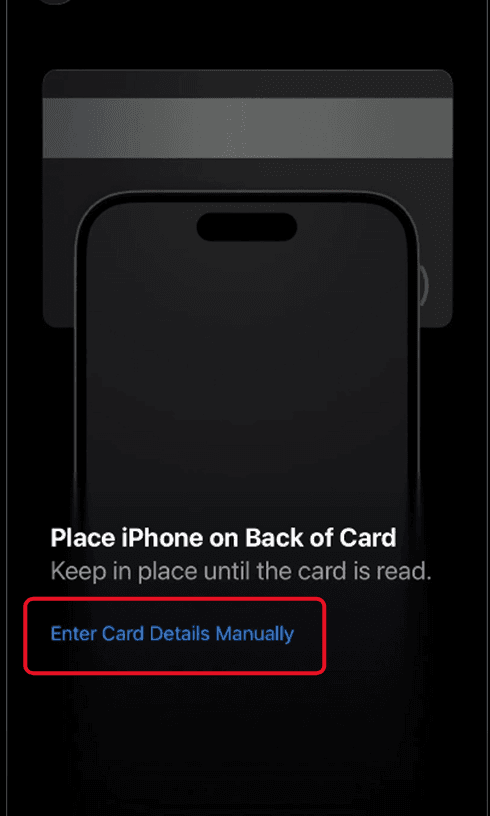
The app will open your phone's camera. Since your card is digital, tap "Enter Card Details Manually" at the bottom of the screen.
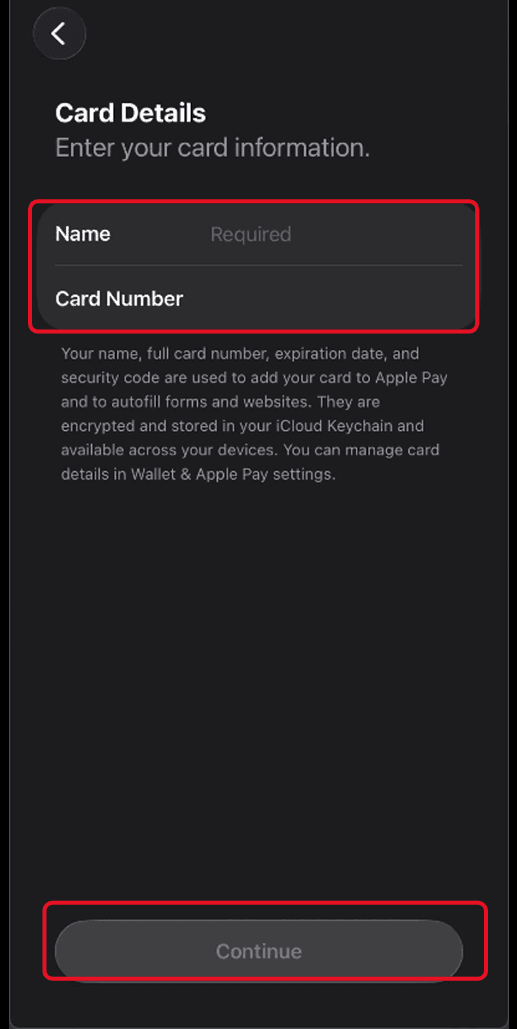
Enter your name exactly as it appears in your card details, copy the 16-digit Card Number, paste it into the designated field, and tap "Next."
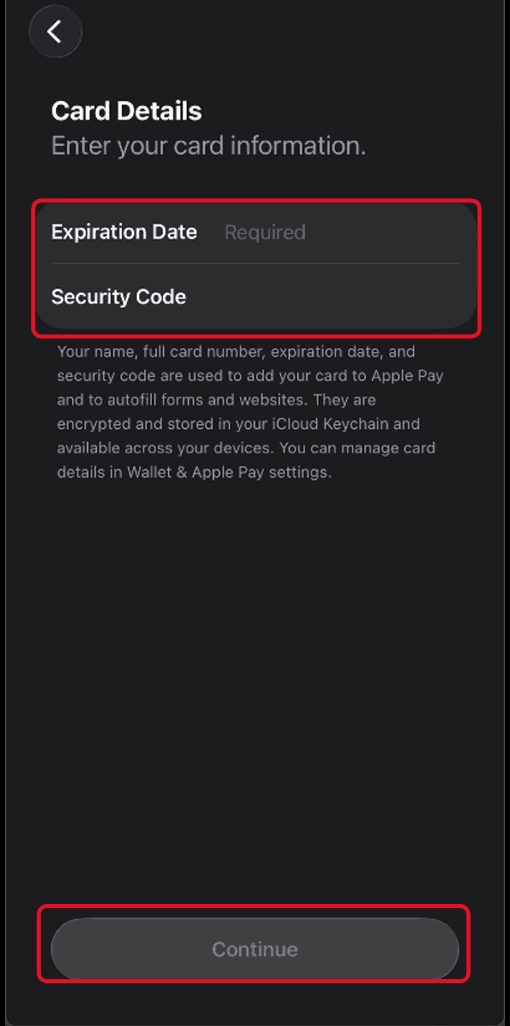
Enter your Expiry Date and the 3-digit Security Code (CVV/CVC), then tap "Next."
The service "Terms and Conditions" screen will appear; tap "Agree" at the bottom to proceed.
Choose your preferred verification method to activate the card (via an SMS text message sent to your number), then tap Continue.
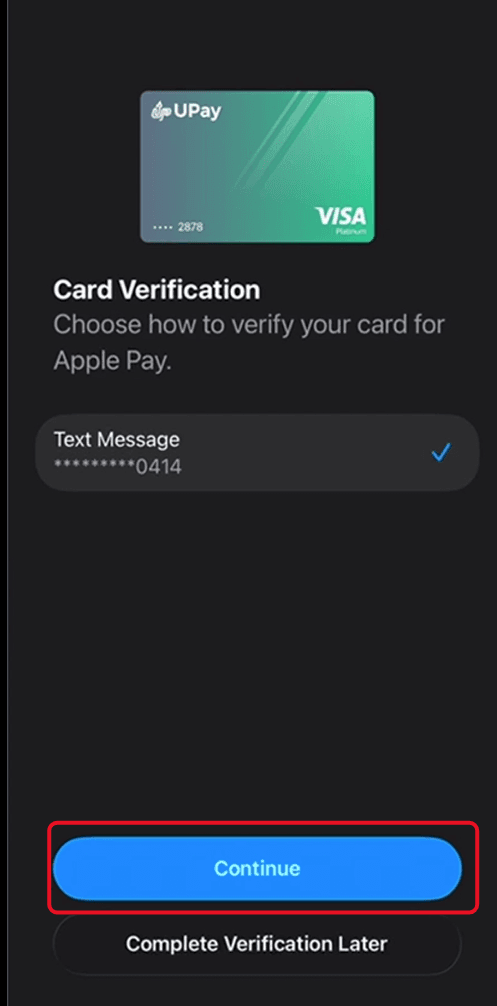
Enter the verification code you received in the designated field
A confirmation message will state "Card Activated" and note that it is ready to use. Tap "Done."
Your Kazawallet Plus Card is now safely stored inside your Apple Wallet, and you can set it as your default payment card with a single tap.
Alternatively, you can view the video below for the detailed steps:
Frequently Asked Questions (FAQ)
Is adding my Kazawallet Plus Card to Apple Wallet free?
Yes, the Kazawallet platform does not charge any additional fees for linking your card to smart wallets, and the service is entirely free from Apple.
Can I use the card via Apple Pay if I freeze it?
No. Once you freeze your card inside the Kazawallet app, the system automatically and instantly declines any new transactions, including purchases attempted via Apple Pay. The card must be Active to complete payments.
Does the card work on Apple Watch too?
Yes. Once you add the card to your iPhone's wallet, the app will automatically prompt you with the option to add and sync it to your paired Apple Watch so you can pay directly from your wrist.
In Conclusion
By completing these straightforward steps, you add Kazawallet Plus Card to Apple Wallet. Add your card now to enjoy a fast, secure, and contactless shopping experience directly from your iPhone