Have you ever sent a USDT transfer, waited for it to arrive, and nothing showed up?
Before you assume the transfer is lost, ask yourself one question: which network did you send it on? In most cases the cause is sending USDT on the wrong network, meaning the currency and the address are correct, but the road the transfer took is not the one the recipient is expecting.
Here we will explain what happens to your funds, when they can be recovered, and how to avoid the mistake from the start.
Quick Summary (TLDR):
Sending USDT on the wrong network means you chose a network in your wallet (such as ERC20) while the recipient is expecting the transfer on a different network (such as BEP20).
The currency is the same, but the road is different. Sometimes the funds remain and can be accessed, and sometimes they cannot be recovered; it depends on the type of the two networks and on who owns the receiving address.
The rule that protects you: match the network name on the sender's side and the recipient's side exactly, and test with a small amount before the full amount.
What is a USDT network, and why is there more than one?
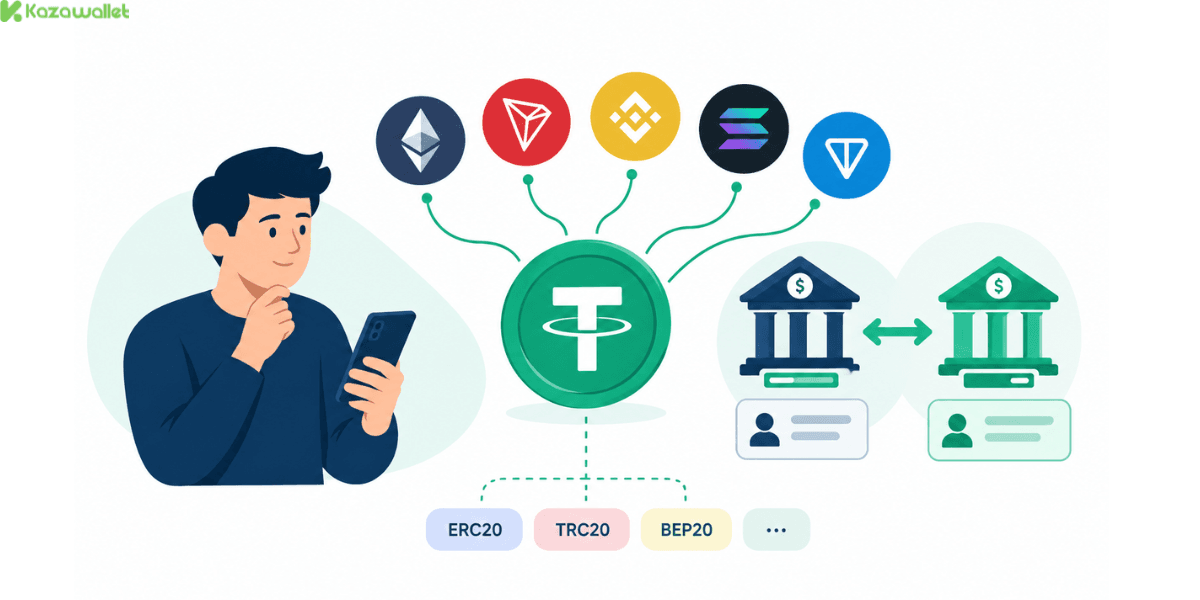
USDT is a stablecoin issued by Tether, and its value is supposed to stay close to one US dollar. The idea that confuses beginners is that this currency does not live on a single blockchain; it exists, with the same name and symbol, on Ethereum, Tron, BNB Smart Chain, Solana, TON, and others.
You can picture it like this: one person who has an account at two different banks. The same person and the same money, but each bank has its own account number and its own transfer system.
So if you send through the first bank's system to an account number that belongs to the second bank, the transfer may not arrive, or it may arrive at a place the account holder does not monitor. USDT networks work by the same logic, because each network is an independent system with its own ledger.
As for the names you see in apps, such as ERC20, TRC20, and BEP20, they are originally names of token standards on each network, but people have started using them to refer to the network itself.
Having more than one option has a practical reason: each network has its own fees, speed, and the wallets that support it, which is why some platforms adopt certain networks and not others.
How do I tell common USDT networks apart from the address format?
Before we talk about mistakes, it helps to know the common names and what distinguishes them. The following table summarizes what you need:
| Network |
Short name |
Fee currency |
Address format |
| Ethereum |
ERC20 |
ETH |
Starts with 0x |
| Tron |
TRC20 |
TRX |
Starts with the letter T |
| BNB Smart Chain |
BEP20 |
BNB |
Starts with 0x |
| Solana |
SOL |
SOL |
A long string of letters and numbers |
| TON |
TON |
TON |
A special address, and a memo (Memo) may be required with it |
Note an important point in the table: ERC20 and BEP20 share the same address format (0x). This means you cannot tell the network from the address alone, which is why most mistakes happen specifically between these two networks, because the wallet sees no problem with the address and lets you proceed.
What happens when sending USDT on the wrong network?
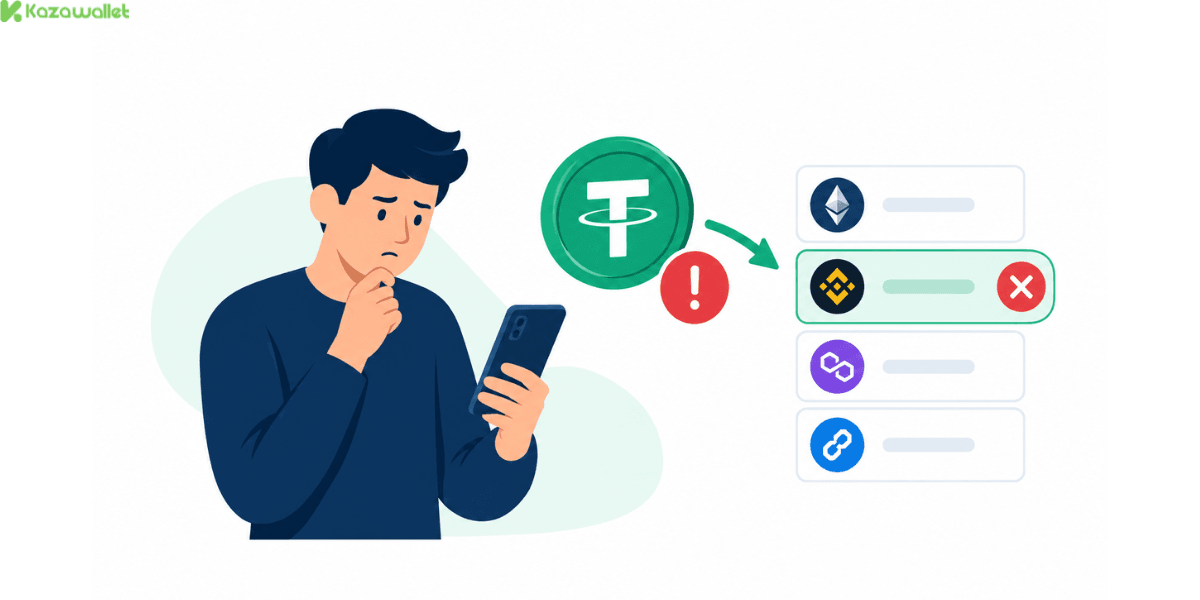
The result is not always the same, and it follows three main cases.
- Case one: two networks with different address formats. If you try to send USDT on the Tron network to an address that starts with 0x, the wallet will most likely reject the operation before it begins, because the address format does not suit the network.
That may seem annoying, but in fact it protects you from a mistake that would have cost you money. - Case two: two networks that share the address format. Here the transfer goes through, because the wallet sees a valid address. The funds go to the same address but on the wrong network.
If the address belongs to a wallet whose key you hold, the funds exist and can be accessed. If it is a deposit address at a platform, it depends on the platform. - Case three: the platform does not support the network you used. In this case the balance will not be added to your account automatically.
The platform may agree to open a manual recovery request, and it may charge fees for it, and it may decline altogether. Some platforms state explicitly that recovery is not possible for funds sent over networks such as Tron and Solana.
Can USDT that was sent on the wrong network be recovered?
The short answer: sometimes, and it depends on two factors. The first is who holds the key to the address the funds arrived at, and the second is whether the two networks belong to the EVM family (that is, Ethereum and similar networks such as BNB Smart Chain) or not.
If the address belongs to your personal wallet and you sent over a wrong EVM network, the solution is usually simple: add the network you sent on to your wallet, and you will see the balance appear there at the same address. After that you can move or convert it as you wish.
Do not import a recovery phrase (Seed Phrase) except into a trusted wallet that you know well.
But if the address belongs to a platform or to another person, you do not hold its key, and everything depends on the other party's response and policy.
The more the network is unsupported on their side, or outside the EVM family, the lower the chances of recovery. So you should not base any decision on the assumption that the funds will come back.
What should I do immediately if I sent USDT on the wrong network?
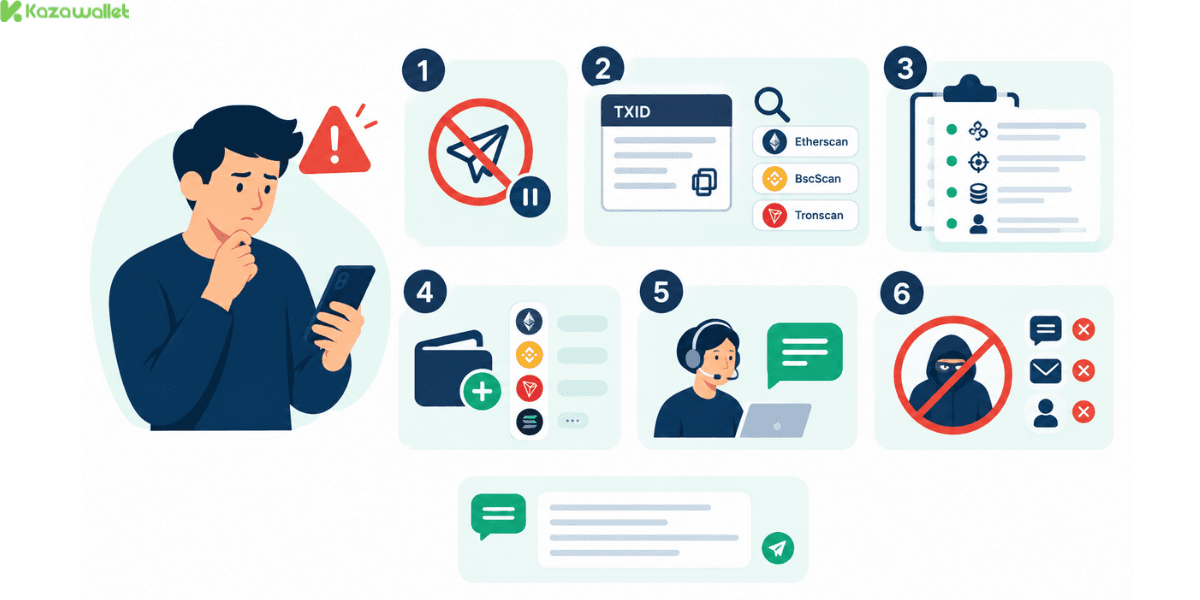
Staying calm in the first minutes saves you a lot. These are the steps, in order:
- Stop sending. Do not repeat the transfer and do not send another test amount before you understand where the funds went.
- Copy the transaction ID (TXID). You will find it in the history of your wallet or the platform you sent from. Open it in the appropriate network explorer (such as Etherscan for the Ethereum network, BscScan for the BNB network, and Tronscan for the Tron network) to confirm whether the transaction completed and which address it reached.
- Write down the basic information: the network you sent on, the network you intended, the amount, and the recipient's address.
- If the address belongs to your wallet, add the network to the wallet as explained above.
- If the address belongs to a platform, open a support request through the platform's official channels only, and attach the details above.
- Beware of «recovery services». Scammers appear in comments and private messages claiming to be official support or specialists in recovering funds. Do not give anyone your recovery phrase, private key, or verification codes, whatever the pretext.
You can use a ready-made message like this when contacting support:
Hello, I sent [amount] USDT over the [network used] network to the deposit address [address], and I intended the [correct network] network. Transaction ID (TXID): [number]. Please let me know whether the case can be reviewed, and what fees or conditions apply, if any.
How do I avoid the mistake before pressing the send button?
Most cases of sending USDT on the wrong network can be prevented with simple habits that take one minute of your time:
- Read the network name exactly. When asking for a deposit address, it is not enough to write USDT. Look at the name that appears next to it (TRC20, BEP20, or others) and choose the same network in the wallet you will send from.
- Ask the sender or the recipient for the network name along with the address. If your family is the one sending to you or receiving from you, ask them for a screenshot of the receiving page, because it shows the address and the network together.
- Copy and paste the address; do not type it by hand. Then compare its first and last characters with the original address before confirming.
- Test with a small amount first. Send a small amount, wait until it appears in the receiving account, then send the rest. Do not make the test amount lower than the minimum deposit set by the platform, because it may not be credited at all.
- Calculate the fees. If the minimum deposit is 25 USDT and the network fee is 1 USDT, send 26 so that 25 actually arrives. And make sure you have enough of the fee currency (such as TRX on the Tron network).
- Do not ignore the Memo. Some networks, such as TON, require writing the address together with the memo (Memo), and without it the funds may arrive while the platform does not know which account to credit them to.
What if you deal in USDC instead of USDT?
The same logic applies to USDC; it also exists on more than one network, and each network has its own addresses. This means the checking rules mentioned above work for it as they are.
A practical example of this is how networks are displayed on a platform like Kazawallet. You first choose the currency (USDT or USDC), then choose the network, then create a permanent deposit address for that network, only once.
Where each address is dedicated to a specific network, and sending assets from another network to this address may lead to their loss.
USDC has the ERC20, TRC20, BEP20, and Solana networks, and USDT has additional networks such as TON, which requires entering the Memo along with the address.
The supported networks and conditions may change over time, so check the deposit page in your account before every operation.
Read more about depositing crypto on the Kazawallet platform.
Frequently Asked Questions
Is USDT on the TRC20 network the same as on the BEP20 network?
In terms of value, yes, both are USDT. But they are two versions living on two separate networks, and each version has its own addresses and its own ledger. So they are not treated as one thing when sending and receiving.
Can USDT be converted from one network to another?
This is not done by changing an option inside the wallet. The usual way is to deposit the balance on a platform that supports the current network, then withdraw it to the network you want. There are also bridges (Bridges) and swap services that do this, but they are more complex and may raise the cost, so it is better to start with the simpler method.
Is it enough to just copy the address?
No. The address alone does not determine the network, especially since ERC20 and BEP20 addresses are identical in format. Copy the address, then manually verify the network name on the receiving page and on the sending page.
Should I always choose the network with the lowest fees?
Fees are an important factor, but they come after compatibility. The cheaper network does not help you if the recipient does not support it. Ask first about the networks supported on their side, then choose among them what suits you in fees and speed.
Can I cancel the transfer after sending it?
Blockchain transactions cannot be canceled once confirmed. What can be done is to try to recover the funds if they are at an address you own or that the receiving platform supports, not to cancel the operation itself.
Can the support team always recover the funds?
This cannot be asserted. It depends on the platform's policy, on the network used, and on the technical capabilities available on their side. Open the request early and with full details, but do not consider recovery guaranteed.
In Conclusion
Avoiding sending USDT on the wrong network does not require deep technical knowledge, but attention to three things: the network name, the address, and a test with a small amount.
And if the mistake happens despite that, staying calm is what matters most: keep the transaction ID, verify the identity of the address owner, and contact official support only. And every time you need to send a stablecoin to your family or to yourself, make «on which network?» the first question you ask.