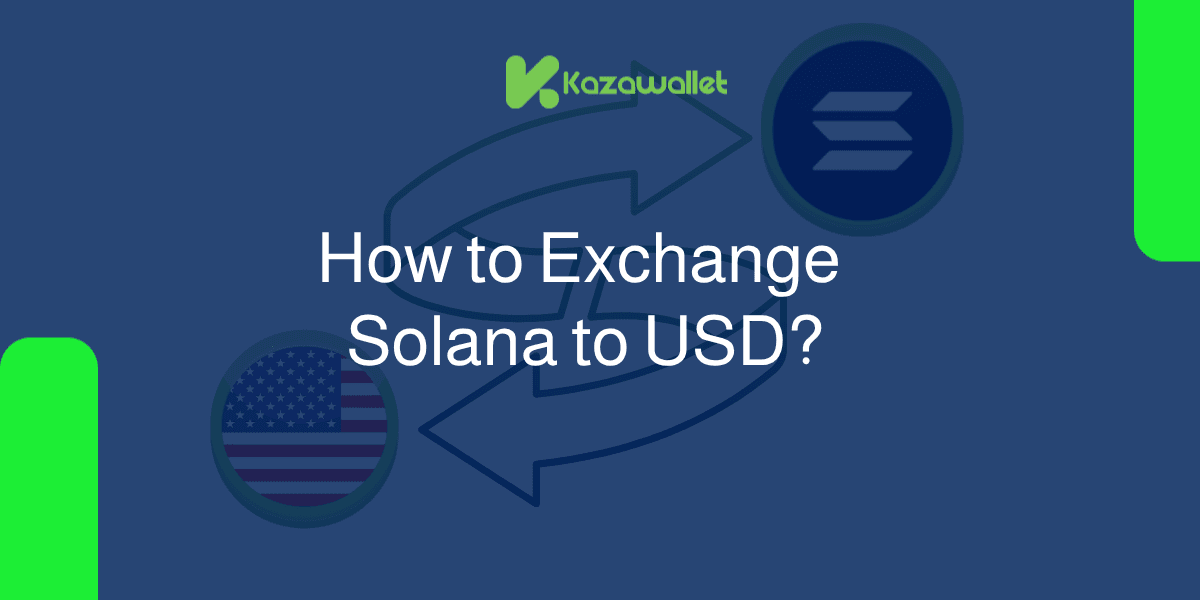
When you decide to exchange Solana to USD, Kazawallet allows you to complete the process smoothly through simple and easy steps:
It begins with transferring your SOL balance to your wallet with zero deposit fees, followed by instantly exchanging your digital asset to US Dollars based on its real-time, direct market value.
The process wraps up by choosing the local withdrawal method that best suits you to receive your cash and cover your daily expenses.
How Does Exchanging Crypto for Cash Work?
Accessing cash liquidity from your digital assets goes through two interconnected pathways that complement each other:
The First Stage (Funding and Entry): Represents the process of funding your wallet with digital currencies. For more details on this, you can read our article: What is an On-Ramp? Your Comprehensive Guide to Entering the Crypto World.
The Second Stage (Liquidation and Exit): This means selling the digital currency and receiving cash, which is explained in the article: What is an Off-Ramp? Your Guide to Exchanging Crypto for Cash.
The Integrated Vision: To connect both sides and know how transactions proceed financially, follow this guide: What are Crypto On-Ramps and Off-Ramps and How Do They Work?
Why Choose Kazawallet to Exchange Your SOL?

Securing a transparent and low-cost gateway to cash out your digital assets is essential to enjoying your earnings.
Kazawallet provides this solution based on key advantages:
100% Free Deposits: You can transfer your Solana balance from any external wallet or global exchange and it will be credited to your account automatically without any deduction of commissions.
Direct exchange at Spot Market Rates: When you exchange your crypto balance to USD, the app provides you with the real-time, actual exchange rate without imposing hidden exchange fees that eat into your funds.
Flexible Withdrawal Options: The app does not force you into a specific withdrawal method; instead, it allows you to receive your money as cash in hand, or direct it to local bank accounts and e-wallets as you prefer.
What are the Steps to Exchange Solana to USD?
Your financial flow inside the app boils down to the following quick steps:
Deposit: Send your Solana balance to your Kazawallet account address.
Exchange: Go to the exchange section, select "Give" SOL, and "Get" USD.
Withdraw: Choose the best withdrawal method available in your region to receive your cash or electronic funds.
How to Exchange Solana to USD Step-by-Step
Phase 1: Depositing Solana into Kazawallet
Before starting the process, you must transfer your digital balance from global exchanges or external wallets to your Kazawallet account.
Choose Solana.
Choose the Method
Kazawallet provides a dedicated address available for copying, along with a QR Code to receive Solana directly, as shown in the deposit options within the app.
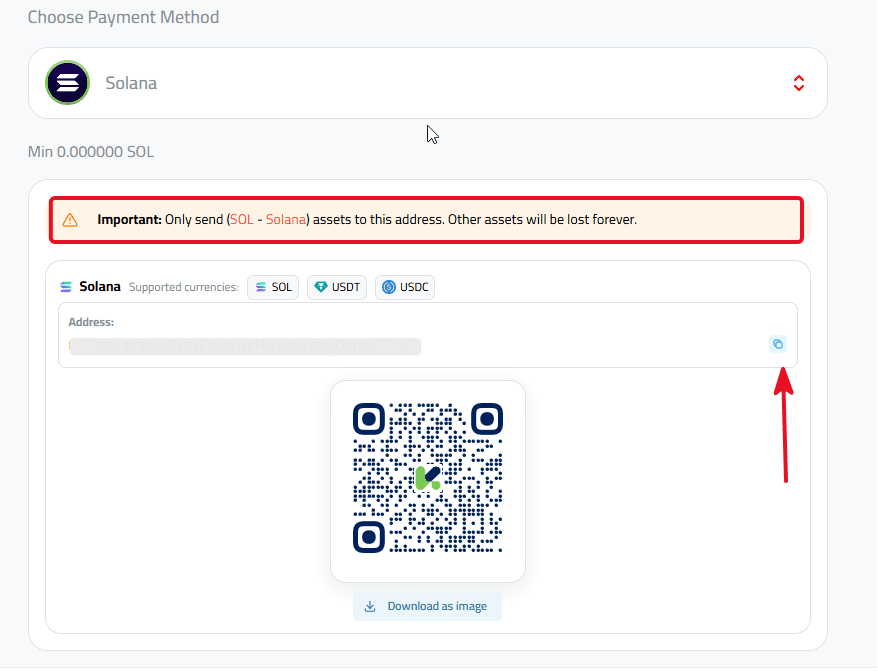
Important Warning: Always ensure network compatibility and copy the wallet address with absolute precision to guarantee your balance arrives safely. Deposits are completely free and instant once confirmed on the blockchain.
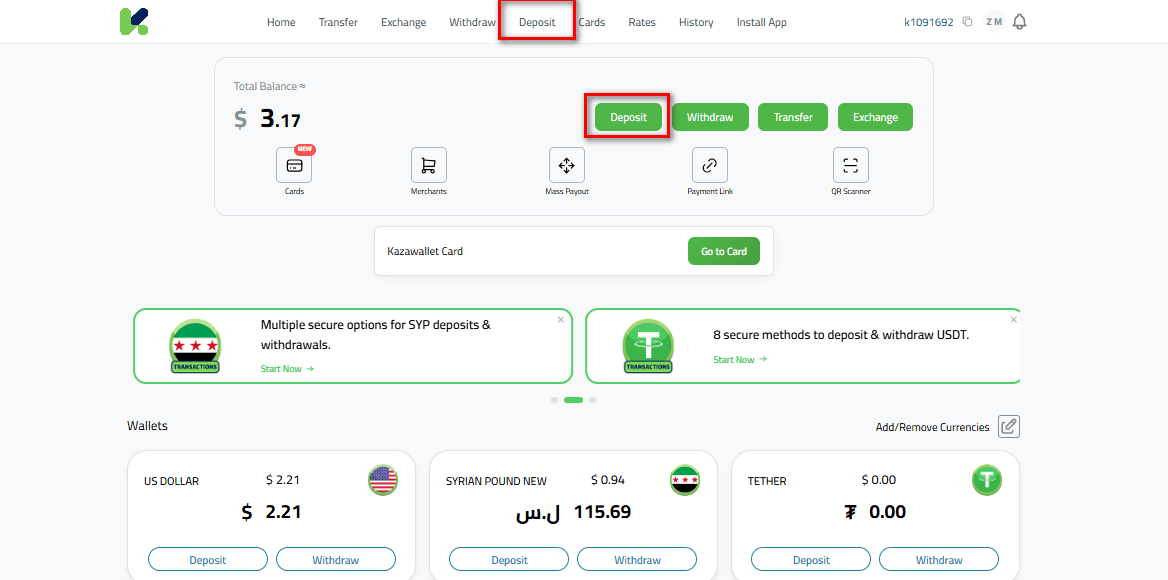
Read more on how to deposit Solana into Kazawallet
Phase 2: Exchanging Solana to US Dollars (USD)
Once your digital balance arrives and is confirmed on the network, you can exchange it instantly to lock in its value and protect it from market volatility:
Navigate to Exchange from the main dashboard.
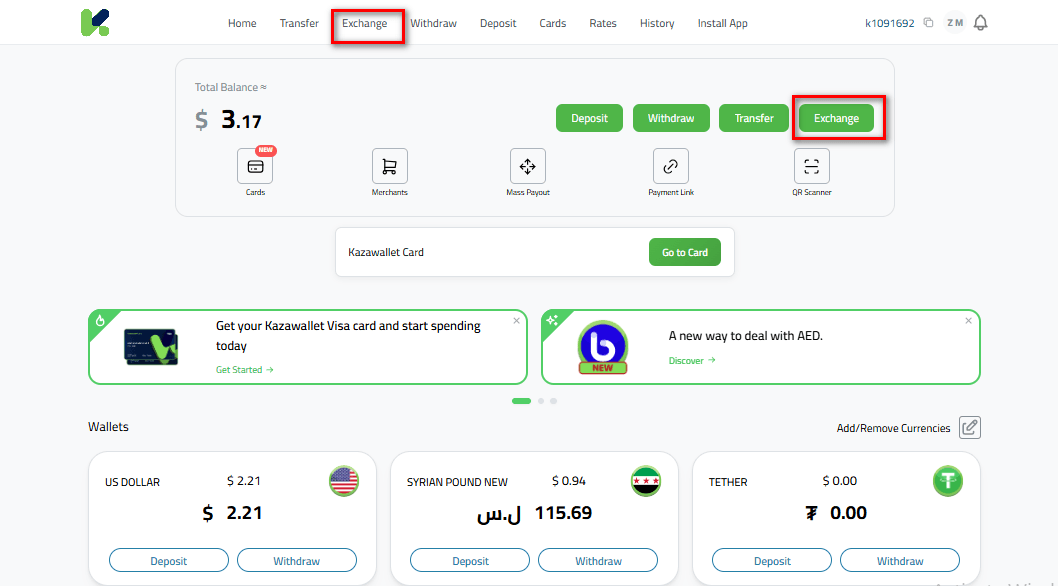
Select Solana in the "Give" column.
Select US Dollar (USD) in the "Get" column.
Enter the amount you wish to exchange, and the app will display the exact equivalent value instantly.
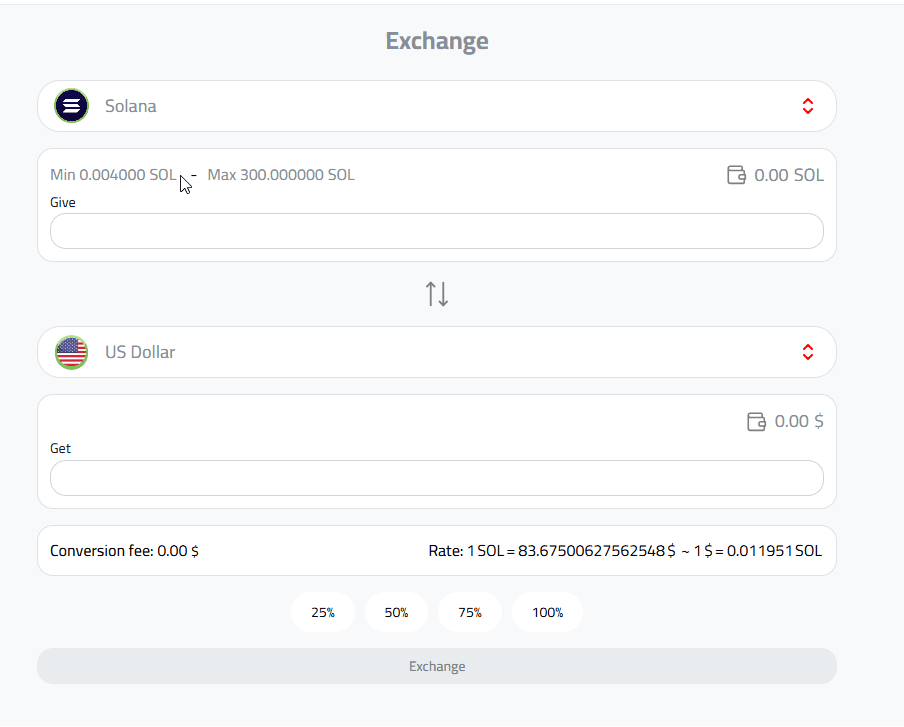
Transparency: The app will clearly display the real-time exchange rate and the final output amount before you confirm the transaction. The exchange is instant and free of hidden commissions.
For more details, check out the Currency Exchange Guide on Kazawallet
Phase 3: Withdrawing Your USD Balance
After completing the exchange and exchanging your assets to US Dollars, you can take advantage of the crypto cash-out feature to liquidate your funds:
Go to the Withdraw section inside the app.
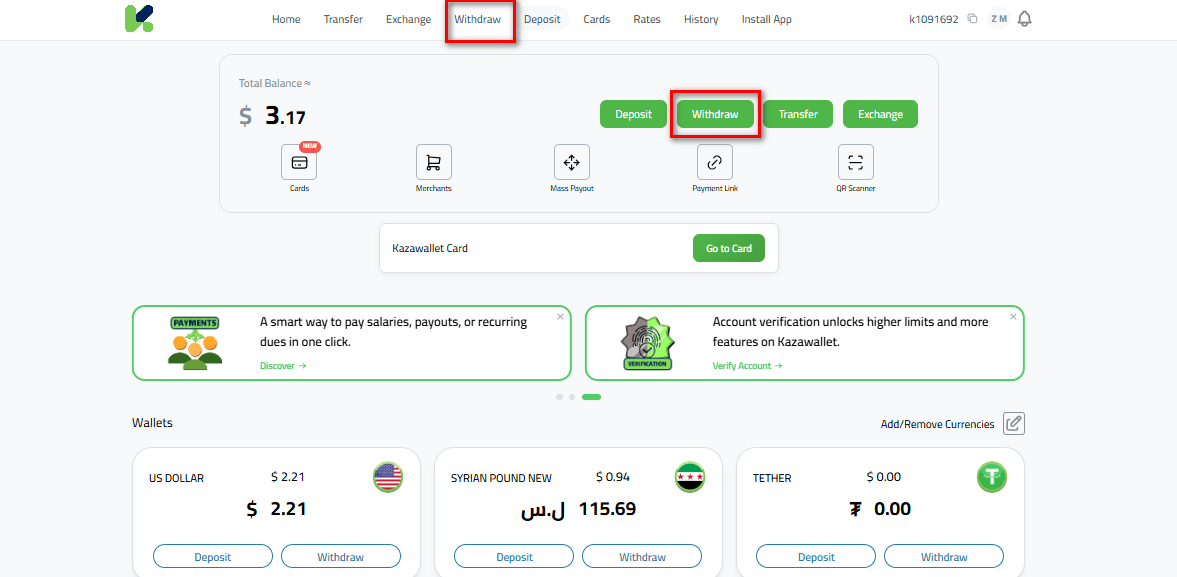
Choose US Dollar (USD) as your currency.
Select the withdrawal method that suits your preference.
Fill in the required details and confirm your withdrawal.
FAQ
How long does it take to exchange Solana (SOL) to USD?
The deposit processing time depends on the speed of the Solana network and is fully automated. However, the actual exchange from SOL to USD inside the app is instantaneous and happens in real-time with zero waiting time.
Are there minimum limits for funding my account with SOL?
Kazawallet does not set complex restrictions or high minimum limits for deposits; you can send any amount of SOL you own and enjoy free deposits within the wallet.
Does exchange SOL involve any fees or deductions?
Depositing and exchanging SOL for USD within Kazawallet is completely free of commissions. Fixed and transparent operational fees apply only during the final withdrawal step (such as cash-out or local transfers) and are fully visible to you before execution.
What is the correct network to use when sending Solana?
Transactions must be routed exclusively through the official Solana Network. Always make sure to double-check the network when transferring from any external platform to prevent losing your funds.
How can I use the USD balance after completing the exchange?
After exchanging your balance to USD, head to the withdrawal section and choose the method that fits your needs.
You can withdraw your money in cash by hand via Al-Ittihad/Deviz or local agents, transfer it to e-wallets like Sham Cash and Whish Money, or cash out globally via PayPal and Zelle.
Read more about the main ways to withdraw USD from Kazawallet
In Conclusion
The primary goal of trading and holding Solana is the ability to leverage its value and easily exchange it into real-world liquidity whenever needed.
Kazawallet grants you this financial flexibility through a simple system: starting with automated free deposits, moving through instant exchange at true market value, and ending with the complete freedom to choose how you want to receive your funds, whether in cash or digitally.