Buying the new World of Warcraft expansion or topping up Overwatch coins requires an instant, globally accepted payment method.
However, the problem always arises when trying to use digital currencies; the Battle.net platform does not accept direct crypto payments.
This guide explains how the Kazawallet card allows you to exchange your digital assets into purchasing power via a Visa card, enabling you to buy Blizzard games using crypto with ease.
This guide explains how the Kazawallet virtual card allows you to convert your digital assets into purchasing power via Visa, enabling you to buy Blizzard games and subscriptions with ease, whether you use the Basic Card or the Plus Card.
Why Choose the Kazawallet Card to Pay with Crypto on the Blizzard Store?
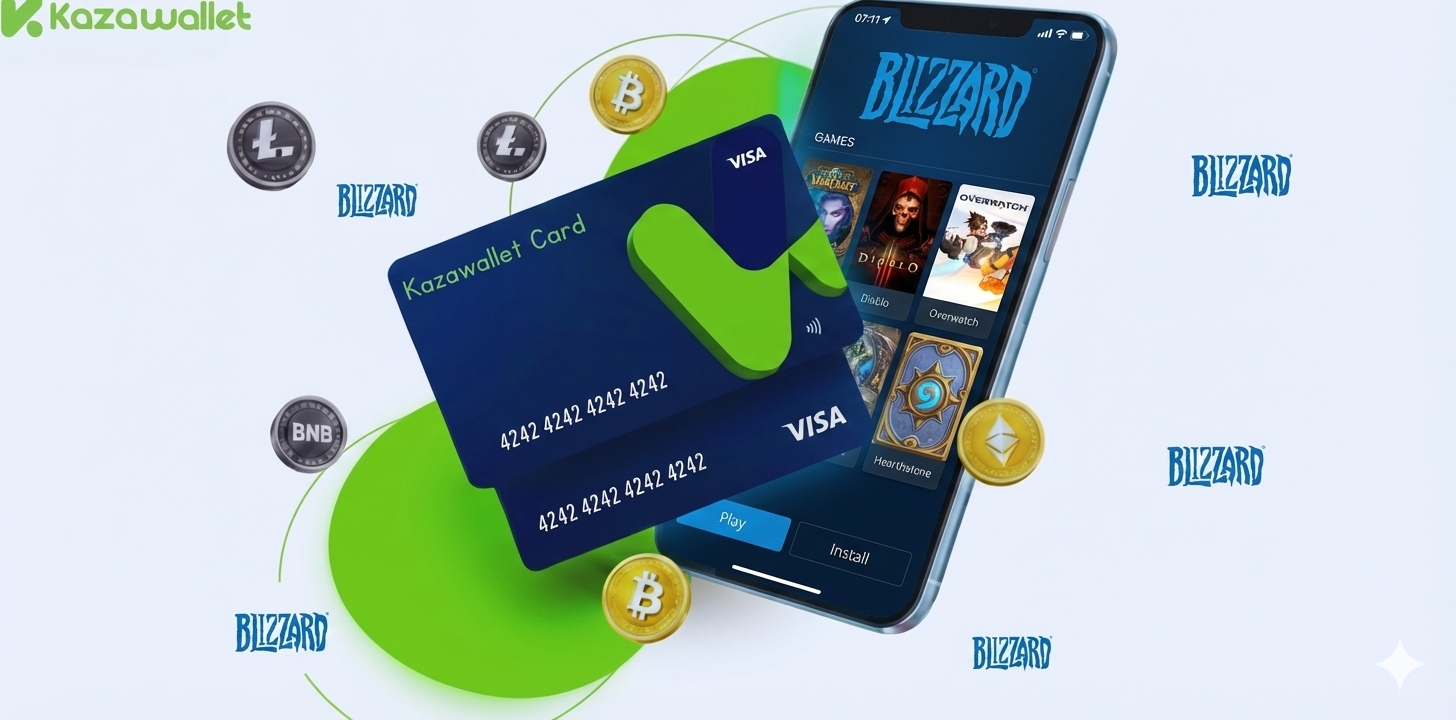
Because you need a card that solves the difficult equation: utilizing your digital balance to pay on a platform like Battle.net, while getting a Visa card that accepts crypto top-ups. Kazawallet offers the solution:
- Convert Crypto to Gaming Balance: You can deposit any digital currency for free (USDC, LTC, BNB, TRON, BTC, ETH, SOL, USDT, Toncoin) into your Kazawallet, then convert it with a click to a balance (USD/USDT/USDC) ready to top up the card.
- Limits for Pro Gamers: Fees are low and clear (1.5% upon top-up), and daily limits are high (up to $200,000), covering the cost of any full game, annual subscriptions, or even bulk top-ups of game currency.
- Security and Protection: The card supports the 3D Secure system, ensuring you receive a verification code (OTP) for every purchase within the store to protect your balance.
- Full Control: You can freeze the card immediately after completing a purchase to ensure no unwanted subscriptions are deducted, and unfreeze it whenever you wish.
You can read the full guide on Kazawallet card features, fees, and limits
What Do You Need to Start the Process?
To turn crypto into Blizzard games, you need the following essentials:
- A verified Kazawallet account: To use deposit and card services, your account must be fully verified (KYC).
- Crypto balance: Whether this balance is already in your Kazawallet (like BTC, ETH, SOL…), or you have crypto in an external wallet that you will deposit now for free.
- Kazawallet card: The virtual card must be issued. (If you don’t have one, follow the guide on how to issue a Kazawallet card.)
- Battle.net Account.
How to Buy Blizzard Games Using Crypto?
The process is summarized in a simple 3-step cycle: Deposit crypto, convert it, then pay with the card.
Phase One: Preparing and Topping Up the Kazawallet Card with Crypto
Here, you will convert the digital currencies you own into a balance ready for use in the store.
- Deposit: Deposit the crypto you own (USDC, LTC, BNB, TRON, BTC, ETH, SOL, USDT, Toncoin) into your Kazawallet account. (Read How to Deposit Crypto into Kazawallet)
- Exchange: Go to the “exchange” section and exchange this crypto into a (USDT, USDC, or USD) balance.
- Top-up the Card: Top up your Kazawallet card with the balance you got from the previous conversion.
Now, your card is charged with crypto-sourced funds and ready for use.
Phase Two: Purchasing from the Battle.net Store
You can use the card in two ways: Direct game purchase, or topping up the account balance (Blizzard Balance).
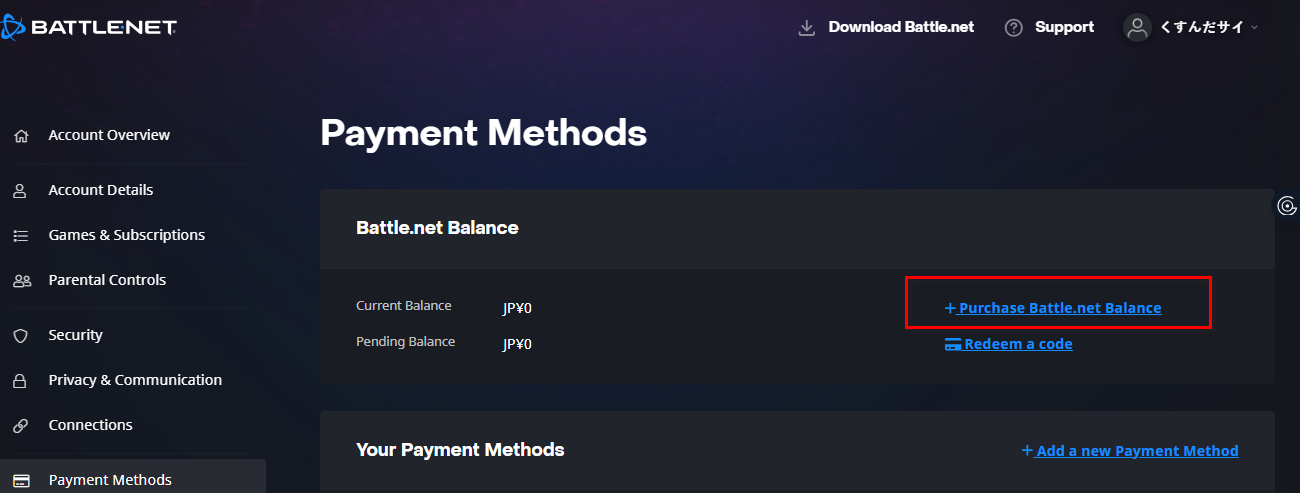
- Go to your account, then Payment Methods.
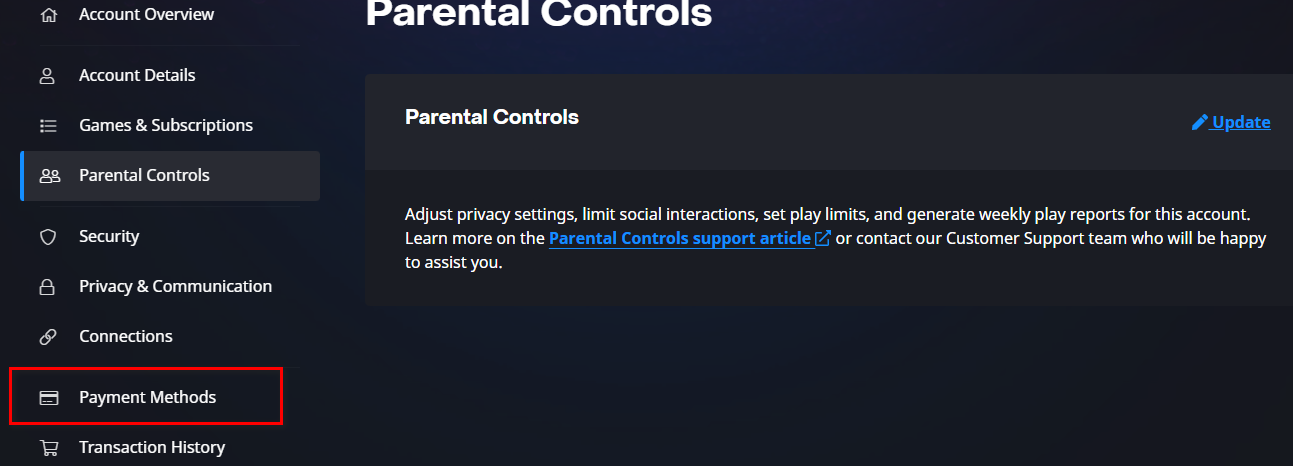
- Select Purchase Battle.net Balance.
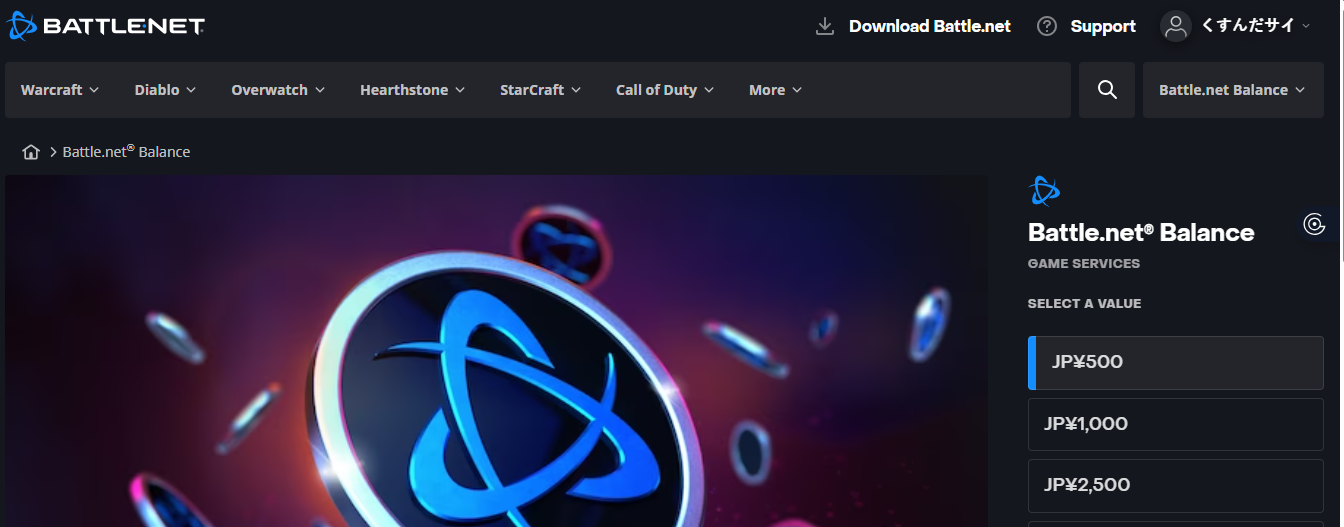
- Select the amount you want to top up in the currency specific to the country.
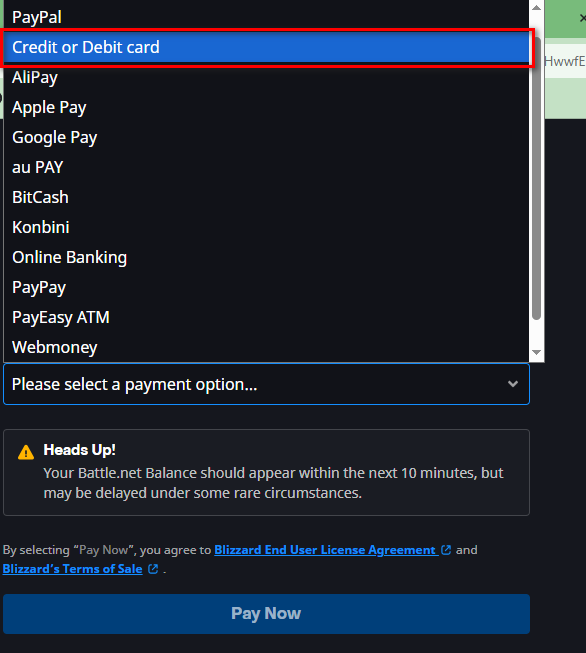
- Select Cards as the payment method.
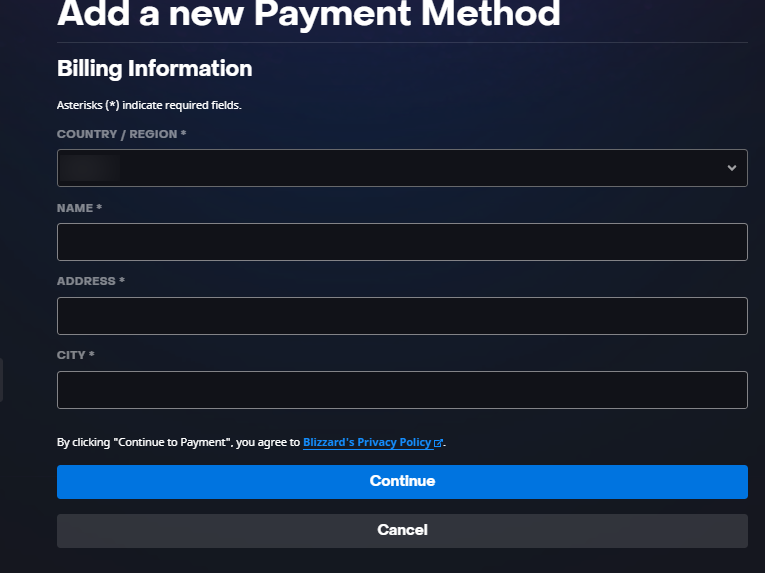
- Review our guide on how to fill in the Kazawallet card billing address to ensure the process is successful.
- Go to the Kazawallet app and copy your card details (Number, Expiry Date, CVV). (For more details, read: How to show Kazawallet card details).
The balance will transfer instantly to your wallet on the site, and you can use it later without needing to use the card every time.
Frequently Asked Questions (FAQ)
How can I top up my Blizzard account with Bitcoin or Ethereum?
You cannot pay with them directly on the site, but via Kazawallet the solution is simple:
- Deposit Bitcoin into the app.
- Convert it to USD balance.
- Top up your Visa card.
- Use the card on Battle.net like any regular bank card.
What currencies can I use?
Kazawallet supports a wide range of currencies for top-ups, most notably: USDT, USDC, BTC, ETH, SOL, BNB, TRON, LTC, and Toncoin.
Are there extra fees when paying on Battle.net?
From Blizzard’s side, there are usually no extra fees and you pay the listed game price. When using Kazawallet, you are paying with dollars funded by crypto. The only additional costs are the crypto transfer fees (if any) and the card top-up fee (1.5%), which are transparent and clear before every transaction.
Can I use the Kazawallet card to purchase in a different currency (like Turkish Lira, Dinar, Ruble, Euro)?
Yes, the card is a global Visa card. You top up in (USDT or USDC or USD) and can pay in any currency. However, note that in this case, a foreign transaction fee (FX Fee 2.5%) will apply if the payment is not in US Dollars.
In Conclusion
Do not let the inability to pay with crypto stop you. With Kazawallet, you possess the full freedom to turn your digital crypto profits into real fun and endless gaming.