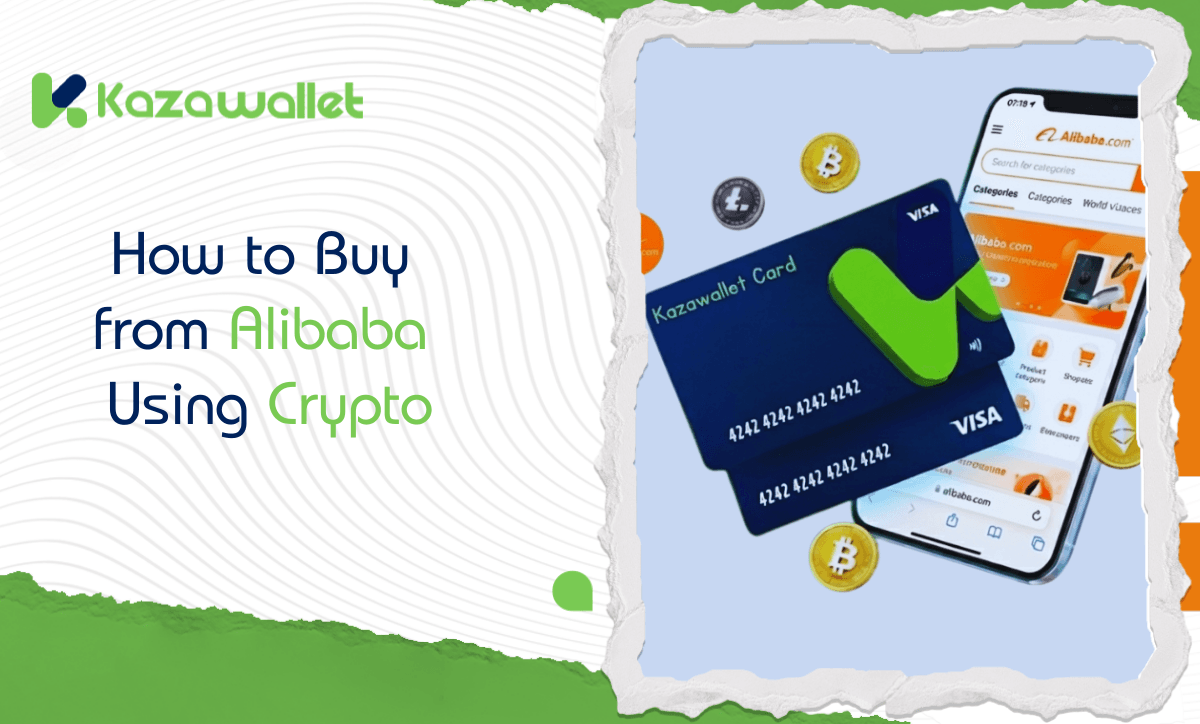
Alibaba is the premier import gateway for merchants and business owners worldwide. However, when it comes to paying for goods, you might consider leveraging your crypto balance for the payment.
But the catch is that Alibaba does not accept direct crypto payments; it requires a Visa card.
This guide explains how to use the Kazawallet virtual card as a financial bridge to exchange your digital balance into an authorized Visa payment source, enabling you to seamlessly buy from Alibaba using crypto, whether you own the Basic Card or the Plus Card.
Why is the Kazawallet card the best solution for merchants and importers?
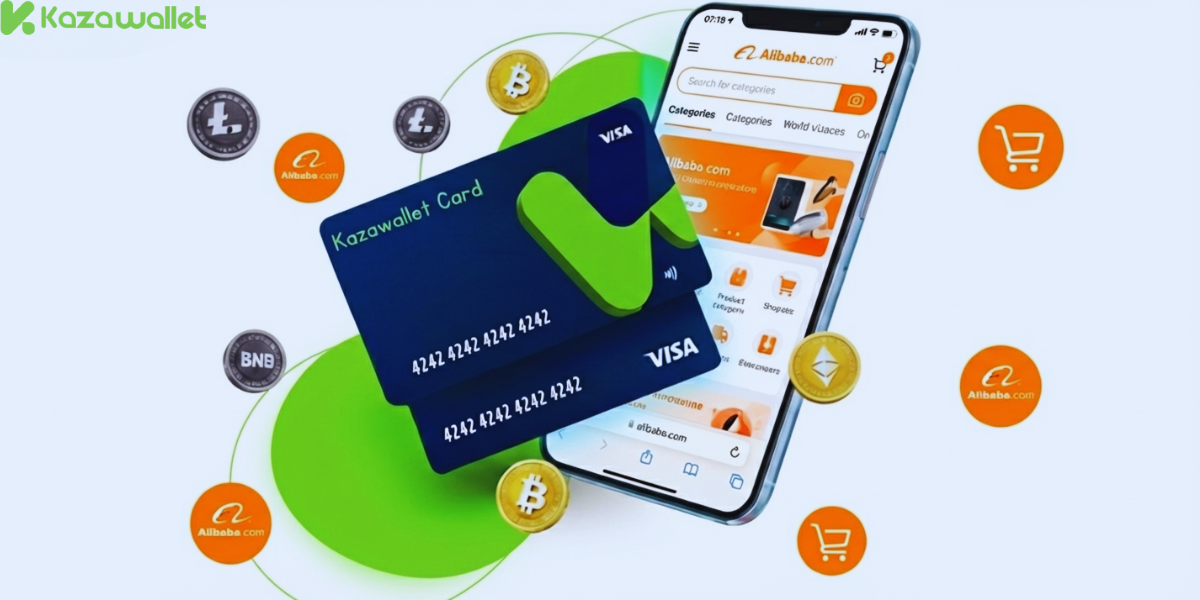
To complete commercial transactions using crypto, you need a card that handles large amounts, accepts digital currency top-ups, and ensures your money is protected. Kazawallet provides all of this:
- Convert digital capital into inventory: You can deposit your crypto earnings (USDT, BTC…) into Kazawallet, convert them to a (USD/USDT/USDC) balance, and use it directly to fund your trade.
- High limits for importing: The Kazawallet card gives you a daily spending limit of up to $200,000. This means you can pay for entire shipments (Bulk Orders) at once without worrying about the card being stopped.
- Speed in shipping goods: Payment with the card is instant, meaning the process of preparing and shipping your goods starts immediately.
- Added Protection: The card is protected by (3D Secure), which means when you pay, you’ll receive an (OTP) code to your registered email to confirm the transaction and prevent fraud.
You can read the full guide on Kazawallet card features, fees, and limits
What do you need to start?
- A verified Kazawallet account: To use deposit and card services, your account must be fully verified (KYC).
- Crypto balance: Whether this balance is already in your Kazawallet (like BTC, ETH, SOL…), or you have crypto in an external wallet that you will deposit now for free.
- Kazawallet card: The virtual card must be issued. (If you don’t have one, follow the guide on how to issue a Kazawallet card.)
-
An Alibaba account.
How to pay on Alibaba using crypto
To be able to pay on Alibaba using crypto, you will fund your Kazawallet card with the digital currencies you own, and then use it directly in the payment process.
Stage 1: Prepare Your Kazawallet Card
In this stage, you will exchange the crypto you own and want to spend into a (USD/USDT/USDC) balance ready for top-up.
- Deposit: Deposit the crypto you own (USDC, LTC, BNB, TRON, BTC, ETH, SOL, USDT, Toncoin) into your Kazawallet account. (Read How to Deposit Crypto into Kazawallet)
- Exchange: Go to the “exchange” section and exchange this crypto into a (USDT, USDC, or USD) balance.
- Top-up the Card: Top up your Kazawallet card with the balance you got from the previous conversion.
This way, your card is loaded with a balance that came from your crypto, ready to pay.
Stage 2: Paying on Alibaba
- Log in to your Alibaba account.
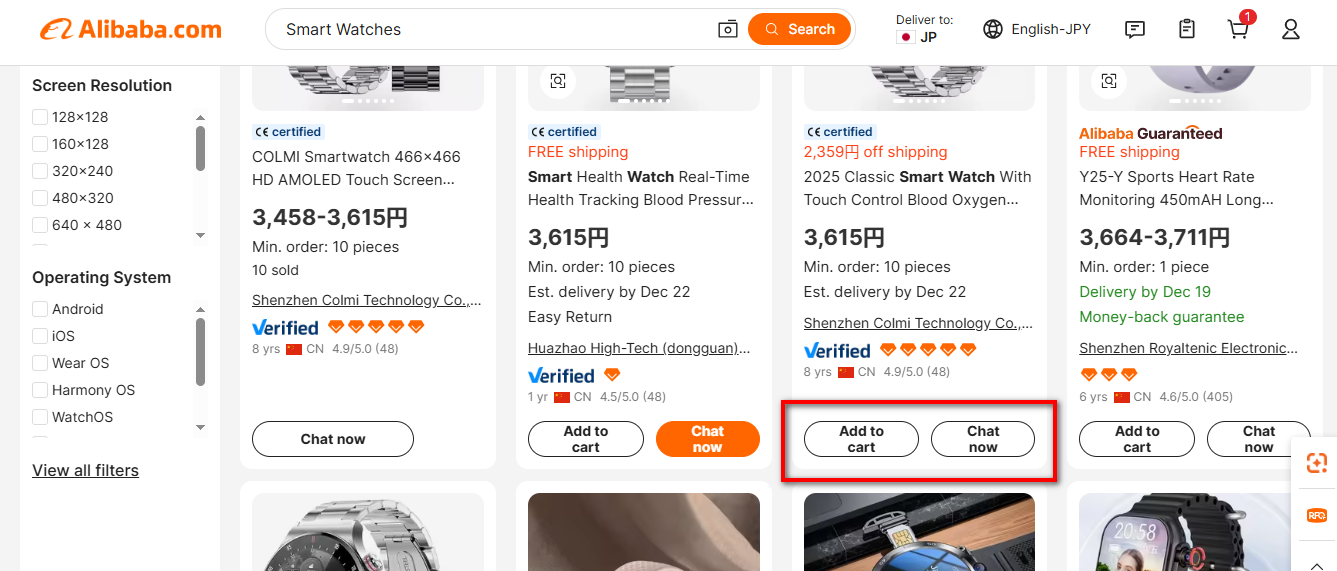
- Search for the product and click “Add to Cart”.
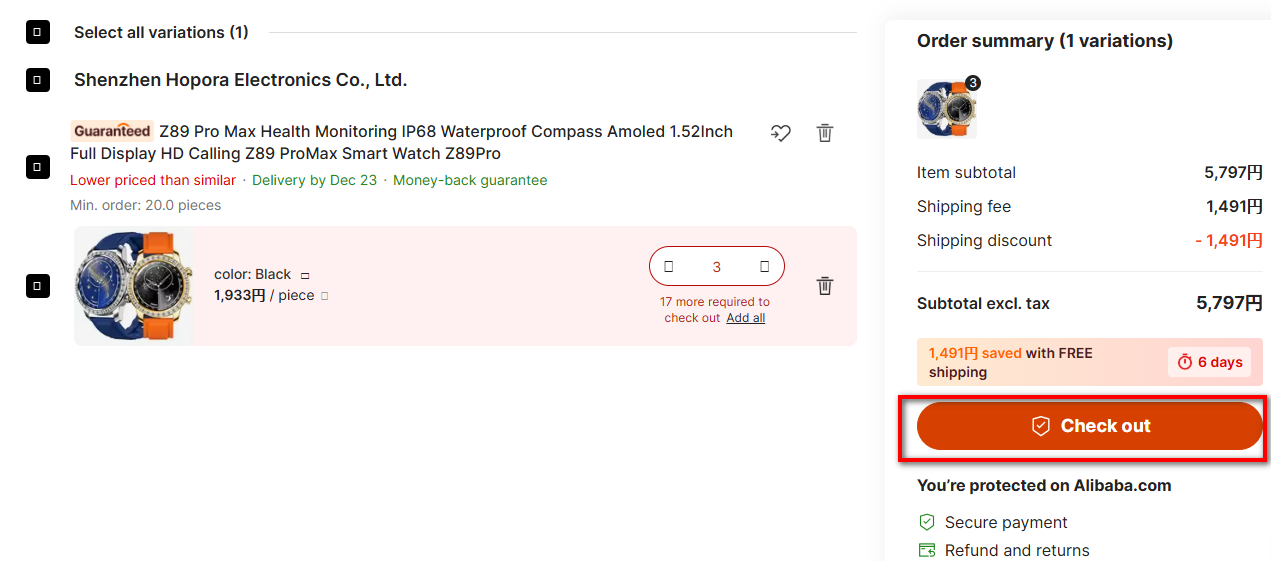
- Go to the Shopping Cart.
- Click on “Check out”.
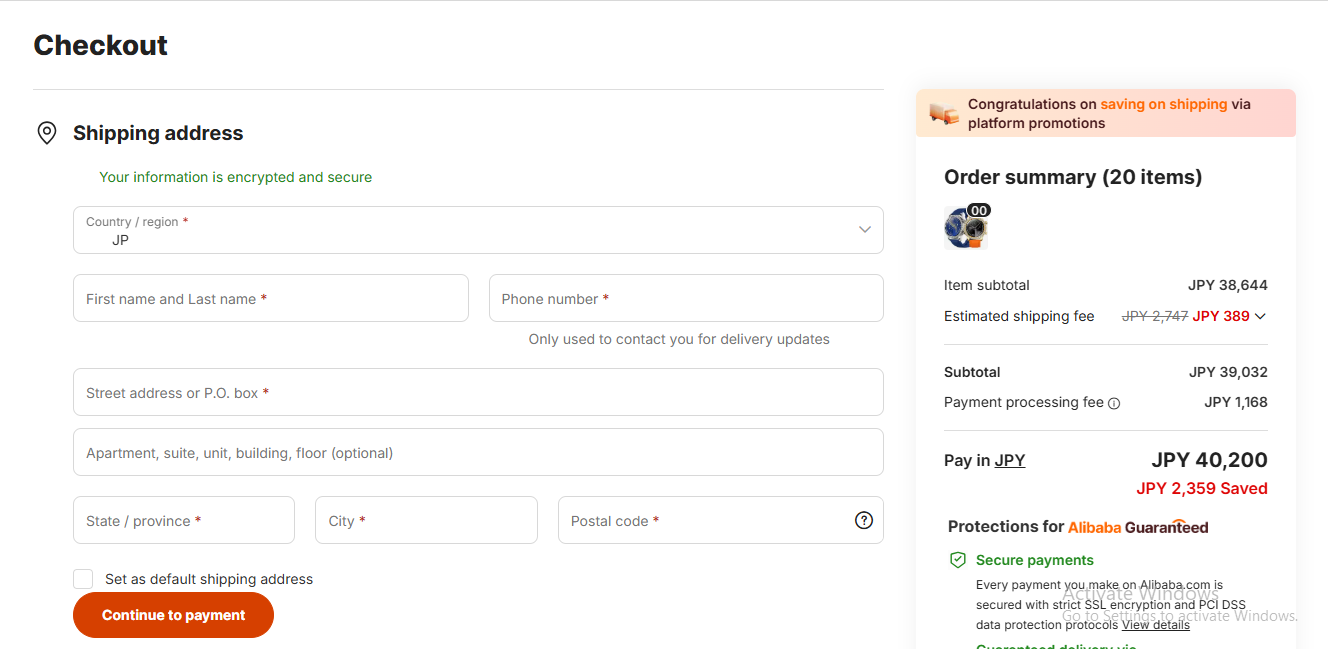
- Fill in the Billing Address. Review our guide on how to fill in the Kazawallet card billing address to ensure the process is successful.
- In the payment options, select “Credit/Debit Card”.
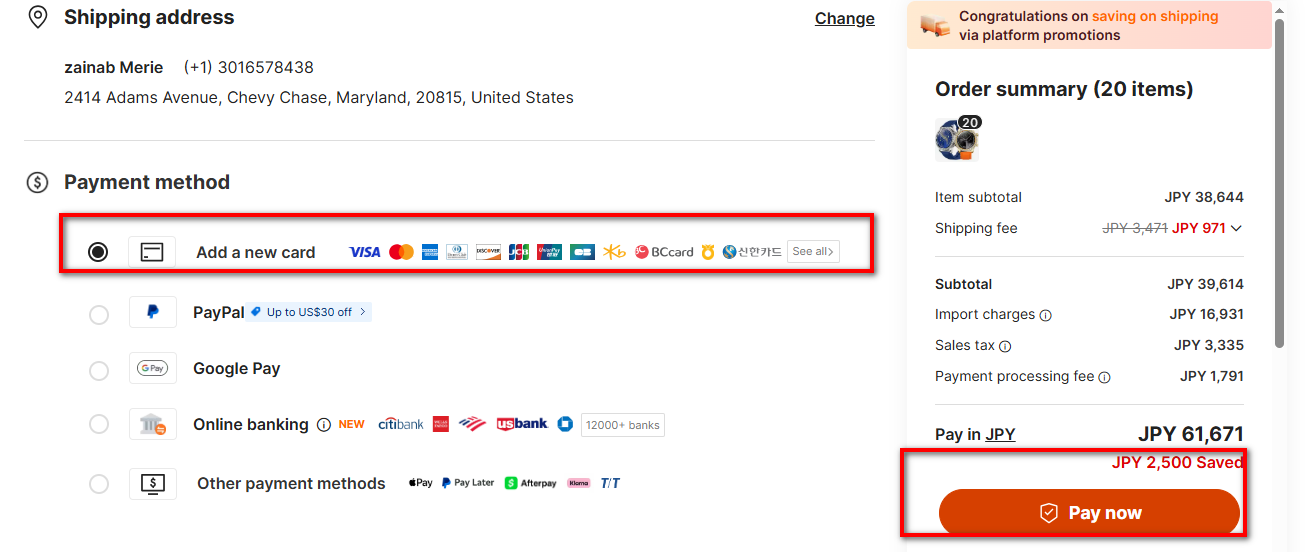
- Go to the Kazawallet app and copy your card details (Number, Name, Date, CVV). For more details, read: How to display Kazawallet card details.
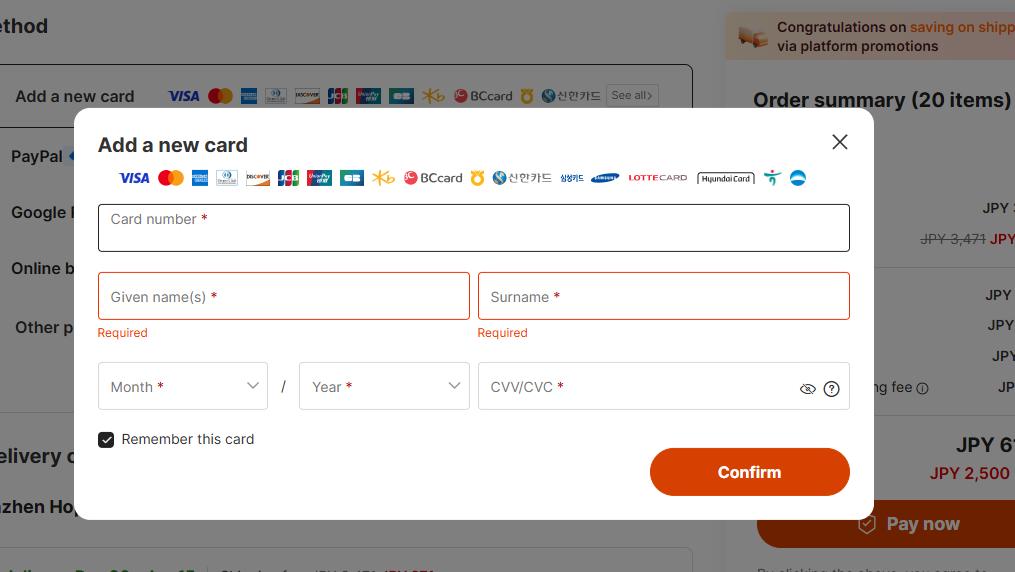
- Confirm the payment.
Frequently Asked Questions
Can I pay on Alibaba with Crypto directly?
No. Alibaba does not accept crypto. The method is to deposit crypto into Kazawallet, load your Visa card, and then pay with the card.
Is the card safe to use on Chinese sites?
Yes, because it works like a prepaid card. You only load it with the amount you want to spend, and you can freeze it immediately from the app after the purchase is complete, making it a safer option than using your main bank card.
What cryptocurrencies are supported for deposit in a Kazawallet account to load the card?
Kazawallet supports many major currencies like Bitcoin, Ethereum, USDT, USDC, SOL, BNB, LTC, and others. You can deposit any of these and exchange it to a (USD/USDT/USDC) balance and then load the card.
Can I use the Kazawallet card to pay in a different currency (like Euro)?
Yes, the card is a global Visa. You load it with dollars (USDT or USDC or USD), and you can pay in any currency. However, be aware that in this case, a foreign transaction fee (FX Fee 2.5%) will be applied if the payment is in a currency other than US Dollars.
In Conclusion
By completing these steps, you have converted your crypto balance into a paid commercial order.
The card provided you with an accepted payment method, and the Alibaba system provided you with protection. You are now waiting for your shipment to arrive.