Take your e-commerce business to the next level and pay for a Shopify subscription using crypto.
This is executed by funding your account with your digital assets (such as USDT, Bitcoin, Binance, TRON, and others)
exchanging them within the wallet into a stable dollar-backed balance (USDT, USDC, or USD), loading your card, and subsequently adding it directly as the primary payment method inside your Shopify admin dashboard to activate your store and start selling instantly with minimal fees.
Whether you hold the Basic Card tier or the advanced Premium Plus Card tier, both options grant you full operational capacity to manage your online business expenses and bypass local billing barriers and banking restrictions.
Why Choose the Kazawallet Visa Card to Manage a Shopify Store with Crypto?
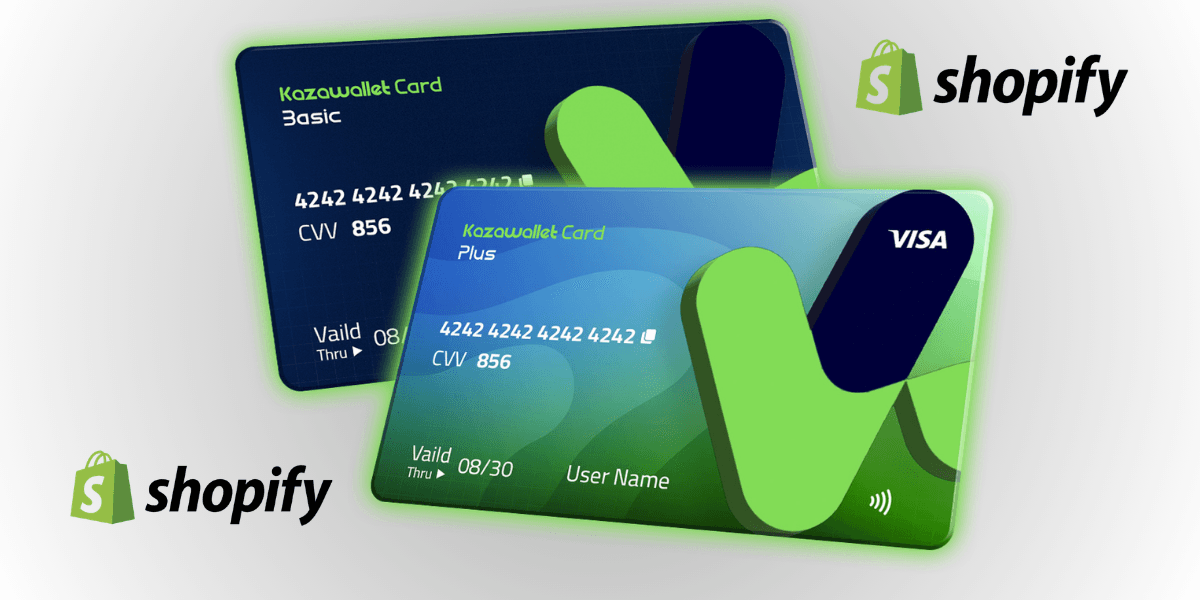
As a digital merchant, you require a flexible international Visa asset that accepts ongoing crypto top-ups to seamlessly cover your online business overheads without needing to link complex local bank accounts.
Kazawallet bridges this exact framework:
Fund Your Business Overhead via Your Crypto Revenue: If you receive your freelance earnings, store payouts, or digital revenue in USDT or cryptocurrencies, you can deploy this digital income directly to sustain your store plans, subscriptions, and ad spend without passing through tedious cash-out procedures.
Comprehensive SaaS Payment Support: Shopify natively accepts Kazawallet virtual cards issued under the international Visa network, ensuring your online store subscription renews automatically without service interruptions or temporary storefront freezes.
Flexible App Store and Theme Purchases: Beyond baseline plans, you can utilize your card balance to seamlessly purchase premium helper applications (Apps) and specialized storefront designs (Themes) directly from the official Shopify ecosystem.
Fee Transparency and Ironclad Protections: Loading fees are minimal and fixed (1.5%), paired with elevated daily spending caps engineered to scale alongside your expanding trade volume. The card layout is fully reinforced by the 3D Secure framework to lock down your business transactions.
You can read the full guide on Kazawallet card features, fees, and limits
What You Need Before You Start
To pay for a Shopify subscription using crypto, the process passes cleanly on the first attempt, verify the readiness of the following:
- A verified Kazawallet account: To use deposit and card services, your account must be fully verified (KYC).
- Digital currency balance: Whether this balance is already in your Kazawallet (like BTC, ETH, SOL…), or you have digital currencies in an external wallet that you will deposit now.
- Kazawallet card: The card must be ready to use. If you don’t have one, follow the guide on how to issue a Kazawallet card.
An Active Shopify Store Account: The specific merchant profile you wish to upgrade onto a paid subscription tier.
What are the Steps to pay for a Shopify subscription using crypto?
The payment and store activation flow condenses into a clear, two-phase setup: funding your virtual card with crypto, then linking it inside your Shopify admin billing console.
Phase 1: Setting Up Your Card Profile and Loading Crypto Balances
Transform your cryptocurrency into Visa purchasing power optimized for commercial deployment:
- Deposit: Deposit the crypto you own (USDC, LTC, BNB, TRON, BTC, ETH, SOL, USDT, Toncoin) into your Kazawallet account. (Read How to Deposit Crypto into Kazawallet)
- Exchange: Go to the “exchange” section and exchange this crypto into a (USDT, USDC, or USD) balance.
- Top-up your Card: Top up your Kazawallet card with the balance you got from the previous conversion.
Your virtual merchant card is now fully funded and primed to power your online business checkouts.
Phase 2: Activating Billing Parameters Inside Shopify Admin
Log in to your official Shopify store dashboard.
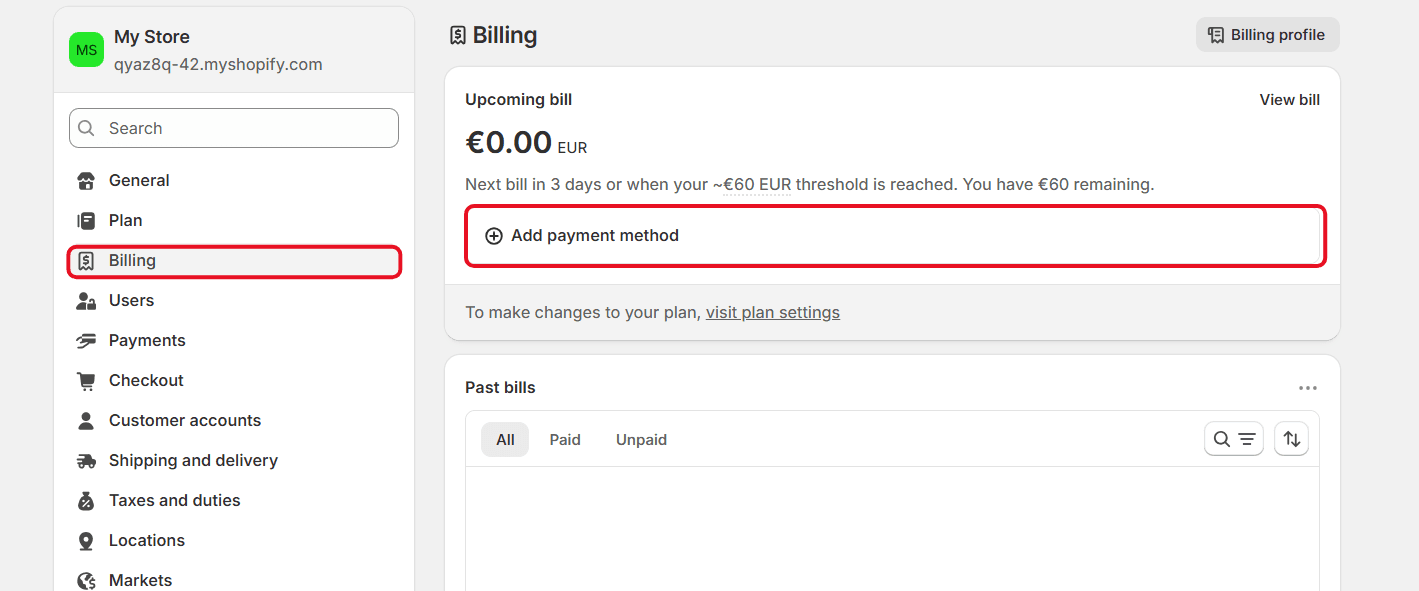
From the bottom-left sidebar menu, click on Settings.
Select the Billing section.
Under the Payment Methods segment, click on Add Payment Method
Select credit card.
Go to your Kazawallet app and copy your card details to enter them (Number, Name, Expiry Date, and CVV).
For more specific details, you can read: How to show Kazawallet card detailsEnter the “Billing information” (Check our guide on how to fill in the billing address for your Kazawallet card to ensure the transaction succeeds).
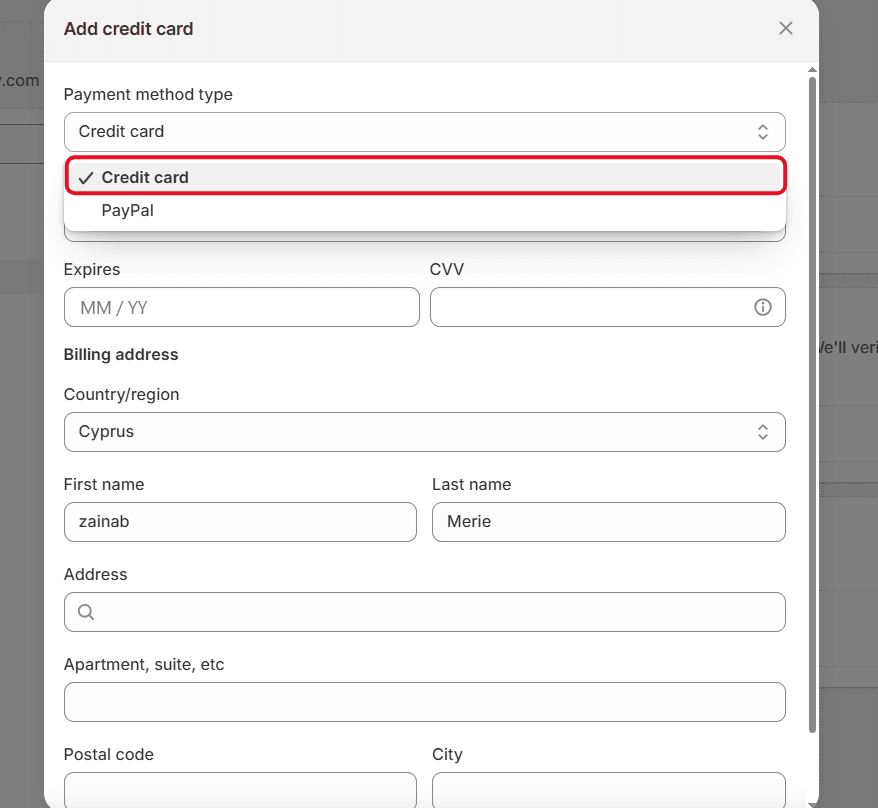
Click Save or Confirm to secure the billing parameters; your selected plan will activate, and invoices will clear automatically and safely.
Frequently Asked Questions (FAQ)
Does the Kazawallet virtual card successfully operate inside Syria to pay for Shopify plans?
Yes, Kazawallet enables you to generate an international virtual Visa card accepted across Shopify's global billing network. You can configure your store architecture, buy plug-ins, and launch campaigns from Syria, leveraging your digital crypto assets without traditional local bank accounts.
Which cryptocurrencies are supported to load my Kazawallet card?
Kazawallet natively accommodates major blockchain assets, including Bitcoin, Ethereum, USDT, USDC, SOL, BNB, LTC, TRON, and Toncoin. You can deposit any of these tokens for free, swap them into a stable USD position inside the app, and reload your card immediately.
Can I link the virtual card to Google Wallet to process the payment?
Yes, absolutely. Kazawallet virtual cards link seamlessly with mobile wallet frameworks; you can easily add your card to Google Pay and use it to manage and fund your app store checkouts easily.
Can I link the virtual card to Apple Wallet to process the payment?
Yes, absolutely. Kazawallet virtual cards link seamlessly with smart mobile wallet ecosystems; you can easily link your card to Apple Pay and deploy it to manage and clear your app store checkouts smoothly.
Next Step
Launch your e-commerce brand globally and manage your business expenses with complete financial sovereignty free from traditional banking boundaries.
Order your Kazawallet Visa card, top it up with crypto, and clear your Shopify bills with total ease.