You can easily pay for a Vimeo subscription using crypto with the Kazawallet virtual Visa card.
This is done by depositing your cryptocurrencies (such as USDT, Bitcoin, Tron, etc.) into your account, exchanging them for a dollar balance, and then topping up the card to use it directly on the Vimeo website to upgrade your account to any paid plan with the lowest commission.
Whether you are using the Basic Card or the Plus Card, Kazawallet gives you the full ability to bypass payment restrictions and access the professional video tools offered by Vimeo.
Why Choose Kazawallet Visa to Pay Vimeo Subscription With Crypto?
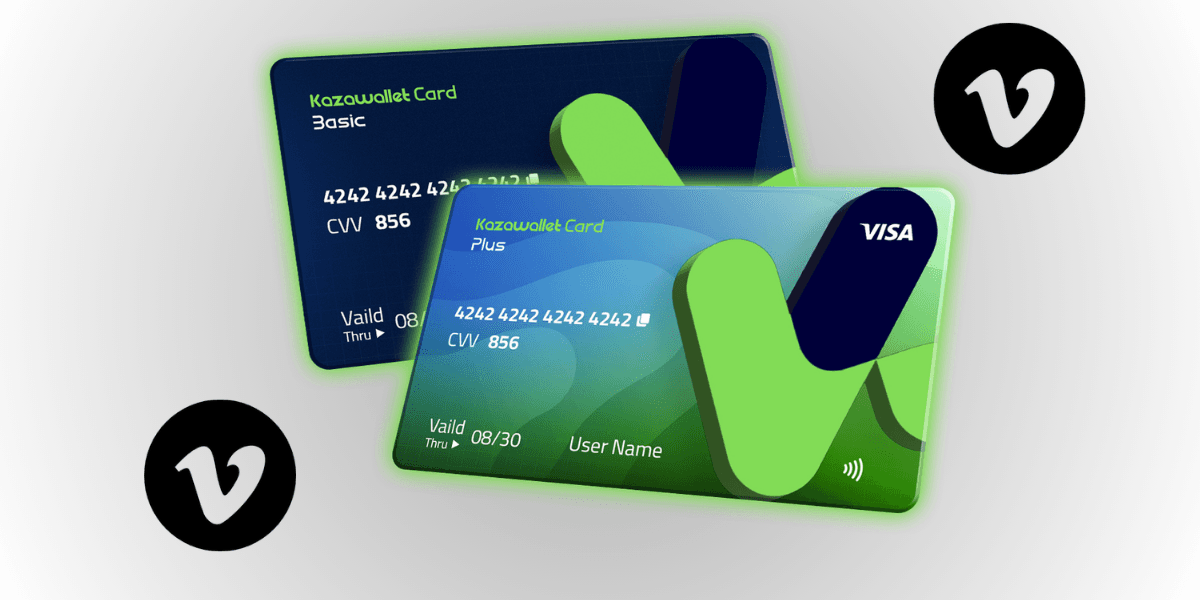
You need a flexible international Visa card that accepts crypto top-ups to bypass local payment restrictions, with funding coming directly from your digital wallet.
The Kazawallet platform combines both and offers you a Virtual Visa card for crypto:
Exchanging your digital earnings into professional tools: The Kazawallet card is a Visa card that accepts cryptocurrency top-ups. If you get paid in USDT, you can directly exchange this income to cover your professional subscriptions (like Vimeo) without needing to withdraw cash or search for financial brokers.
Save money through annual plans: Thanks to the card's flexible limits, you can pay for Vimeo's annual subscription plan all at once (which saves you a significant portion of the cost compared to the standard monthly billing).
Low commission and full transparency: Fees are clear and fixed (only 1.5% when topping up the card balance), with high daily limits that cover all your tech subscriptions without complex calculations.
Instant control and security: The card is protected by the 3D Secure system; you will receive an OTP code to your email to confirm the payment process and prevent any fraud. You can also freeze the card instantly from the app after completing the activation to ensure no additional amounts are withdrawn for unwanted renewals.
You can read the full guide on Kazawallet card features, fees, and limits
Prerequisites Before Getting Started
To pay for a Vimeo subscription using crypto on your first try, make sure the following points are ready:
- A verified Kazawallet account: To use deposit and card services, your account must be fully verified (KYC).
- Digital currency balance: Whether this balance is already in your Kazawallet (like BTC, ETH, SOL…), or you have digital currencies in an external wallet that you will deposit now.
- Kazawallet card: The card must be ready to use. If you don’t have one, follow the guide on how to issue a Kazawallet card.
Registered Vimeo account: The free account you wish to upgrade to one of the paid plans (Starter, Standard, Advanced).
What Are the Steps to Pay for a Vimeo Subscription Using Crypto?
The payment and activation process comes down to a simple two-phase cycle: preparing and funding the card with crypto, then completing the billing on the Vimeo website.
Phase 1: Preparing and Funding the Kazawallet Card with Crypto
In this phase, you will exchange your cryptocurrency into a balance (USD/USDT/USDC) ready to fund the card.
- Deposit: Deposit the crypto you own (USDC, LTC, BNB, TRON, BTC, ETH, SOL, USDT, Toncoin) into your Kazawallet account. (Read How to Deposit Crypto into Kazawallet)
- Exchange: Go to the “exchange” section and exchange this crypto into a (USDT, USDC, or USD) balance.
- Top up your Card: Top up your Kazawallet card with the balance you got from the previous conversion.
This way, your card is funded and ready for international use.
Phase 2: Activating the Vimeo Subscription
Now, we will move to the Vimeo platform to complete the purchase:
Open your browser, navigate to the official Vimeo website, and log in to your account.
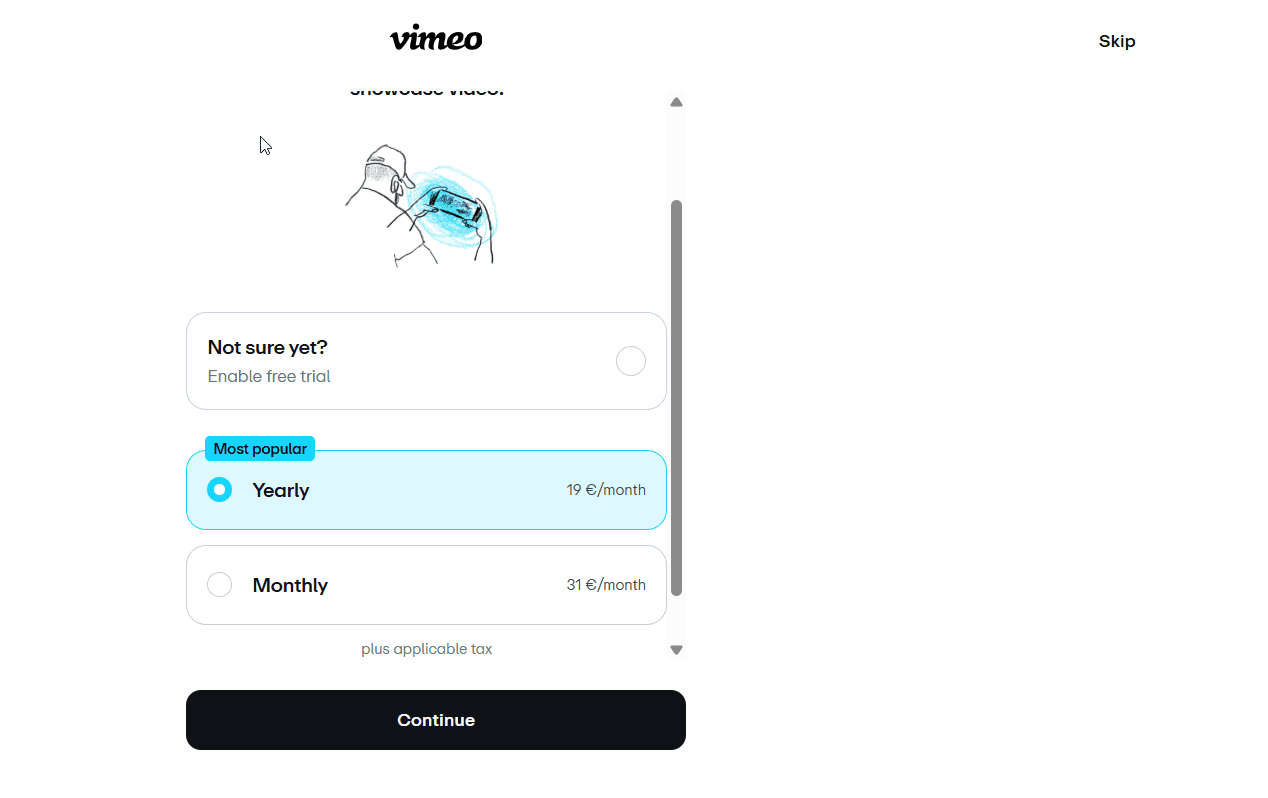
Click on the Upgrade option found in your account interface, or head to the plans and pricing page.
Choose the plan that suits your needs (whether monthly or annual) and click to continue with the purchase.
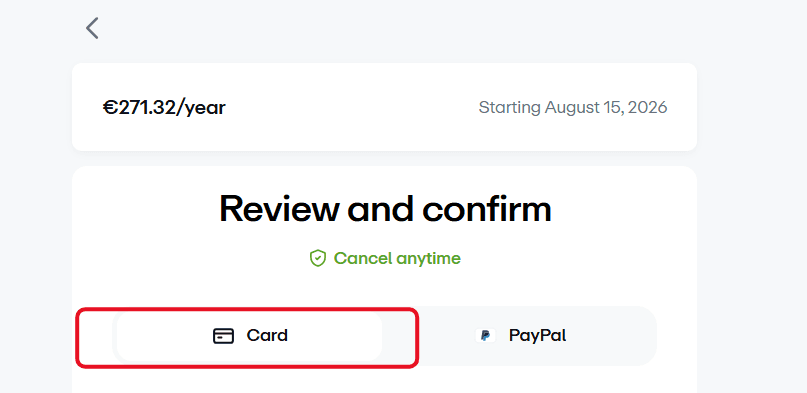
On the checkout page, select Card as your payment method.
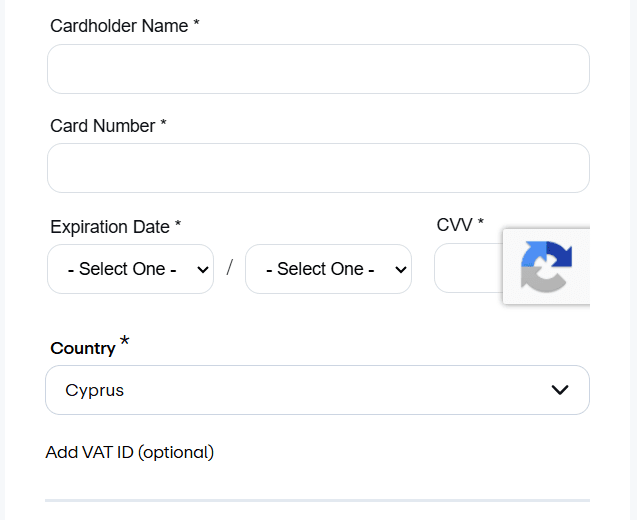
Open the Kazawallet app and copy your virtual card details (card number, expiration date, and CVV security code). For more details, read our guide: How to View Kazawallet Card Details
Paste the card details onto the Vimeo payment page, and ensure you enter the Billing Address accurately to match the address registered on your card. Review our guide on how to fill in the Kazawallet card billing address to ensure the process is successful.
Confirm the transaction; you will receive an OTP code in your email to complete the secure payment. Enter it to activate your professional subscription instantly!
Frequently Asked Questions (FAQ)
Does the Kazawallet card work in Syria to pay for a Vimeo subscription?
Yes. Once the card is issued and funded with crypto (or via local funding methods available through agents), you can use its details to activate your Vimeo subscription directly from within Syria or any other country, without the need for a traditional bank account.
What cryptocurrencies are supported for funding the Kazawallet card?
Kazawallet supports a wide range of major currencies such as Bitcoin, Ethereum, USDT, USDC, SOL, BNB, LTC, TRON, and Toncoin. You can deposit any of them for free, exchange them into a dollar balance within the app, and then instantly fund your card.
Are there extra fees if the Vimeo subscription currency is not in US dollars?
The Kazawallet card is a global Visa card priced in dollars. If you are paying for your Vimeo subscription in US Dollars, there are no additional fees on the transaction. However, if the Vimeo platform displays the price in a different local currency (such as the Euro), the system will automatically exchange the currency while applying the standard foreign exchange fee (a 2.5% FX Fee).
The Next Step
Don't let payment restrictions hinder your production and creativity. Get Vimeo's professional video tools and host your work in the highest quality. Request your Kazawallet Visa card now, fund it with your crypto balance, and start growing your business instantly and with ease.