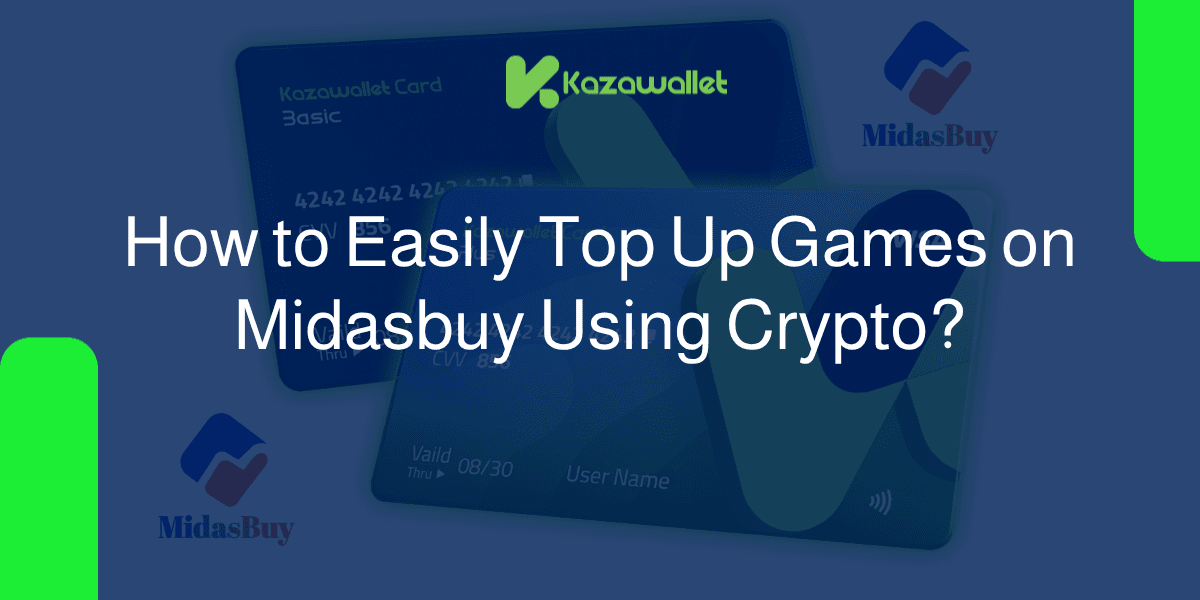
You cantop up games on Midasbuy using crypto using the Kazawallet virtual Visa card. This is executed by funding your account with your digital assets (such as USDT, Bitcoin, Binance, TRON, and others)
exchanging them within the wallet into a dollar-backed balance (USDT, USDC, or USD), loading your card, and subsequently deploying it directly on the Midasbuy website to purchase virtual in-game currencies and start playing instantly with the lowest processing fees.
Whether you hold the Basic Card tier or the advanced premium Plus Card tier, both options grant you full operational capacity to clear your bills and enjoy a fast, secure, and unrestricted top-up experience.
Why Choose the Kazawallet Visa Card for Midasbuy Top-Ups with Crypto?
To top up games on Midasbuy using crypto, you require a flexible, globally accepted international Visa asset that accepts crypto funding, powered by capital sourced directly from your digital currency wallet.
Kazawallet bridges this exact framework:
Exchange Your Crypto Earnings into Your Favorite Games: If you accumulate your revenue in cryptocurrencies like USDT, you can exchange these funds directly to top up your game balances without passing through tedious exchange procedures or high broker transfer commissions.
Capture Exclusive Top-Up Promos and Extra Bonuses: Midasbuy regularly launches promotional offers that reward you with extra bonus items or currency when checking out with card payments. Kazawallet ensures you capture these deals with a single tap from anywhere.
Transparent and Cost-Effective Fees: Zero hidden costs. Card loading operations are fixed and minimal (1.5%), paired with robust daily limits designed to match the needs of casual and hardcore gamers alike.
Sovereign Control and Absolute Privacy: You can freeze and unfreeze your virtual card with a single tap inside the app dashboard after every purchase to block unwanted automated checkouts. The card is fully protected by the 3D Secure framework, which dispatches an immediate OTP to your registered email to validate transactions and eliminate fraud.
You can read the full guide on Kazawallet card features, fees, and limits
What You Need Before You Start
To ensure your gaming top-up transaction completes flawlessly on your first attempt, verify that the following are ready:
- A verified Kazawallet account: To use deposit and card services, your account must be fully verified (KYC).
- Digital currency balance: Whether this balance is already in your Kazawallet (like BTC, ETH, SOL…), or you have digital currencies in an external wallet that you will deposit now.
- Kazawallet card: The card must be ready to use. If you don’t have one, follow the guide on how to issue a Kazawallet card.
Your Player ID: A unique ID mapped to your target game account (e.g., PUBG Mobile) to guarantee the top-up assets reach the correct profile.
Steps to Top Up Games on Midasbuy Using Crypto
The process scales through two straightforward phases: loading your virtual card balance with crypto, then deploying it to complete the top-up.
Phase 1: Funding Your Virtual Visa Card with Digital Assets
During this phase, you will deposit the cryptocurrency you hold and wish to spend into a flexible dollar balance (USD/USDT/USDC) optimized for loading:
- Deposit: Deposit the crypto you own (USDC, LTC, BNB, TRON, BTC, ETH, SOL, USDT, Toncoin) into your Kazawallet account. (Read How to Deposit Crypto into Kazawallet)
- Exchange: Go to the “exchange” section and exchange this crypto into a (USDT, USDC, or USD) balance.
- Top-up your Card: Top up your Kazawallet card with the balance you got from the previous conversion.
Through this workflow, your virtual Visa card stands fully loaded and primed for checkouts on Midasbuy.
Phase 2: Checkout and Payment on Midasbuy
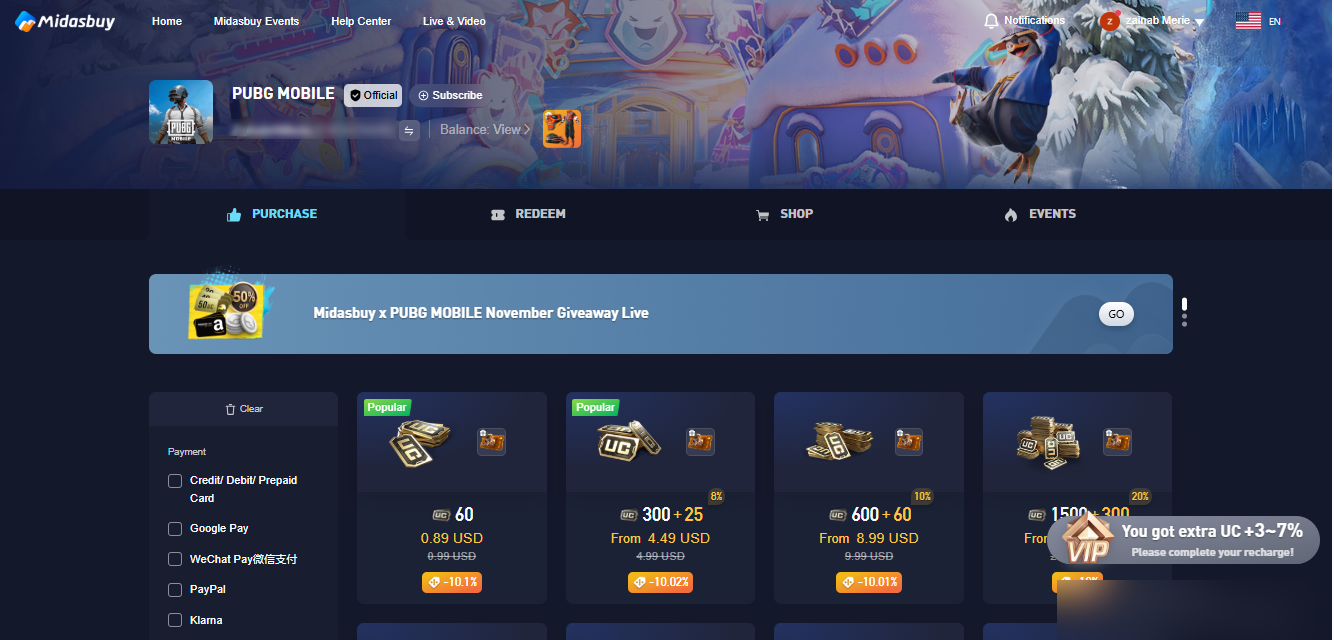
Navigate to midasbuy.com and select the game you wish to top up (e.g., PUBG Mobile).
- Select your country from the list to ensure the correct payment options are available and log in.
- Choose the UC package you want.
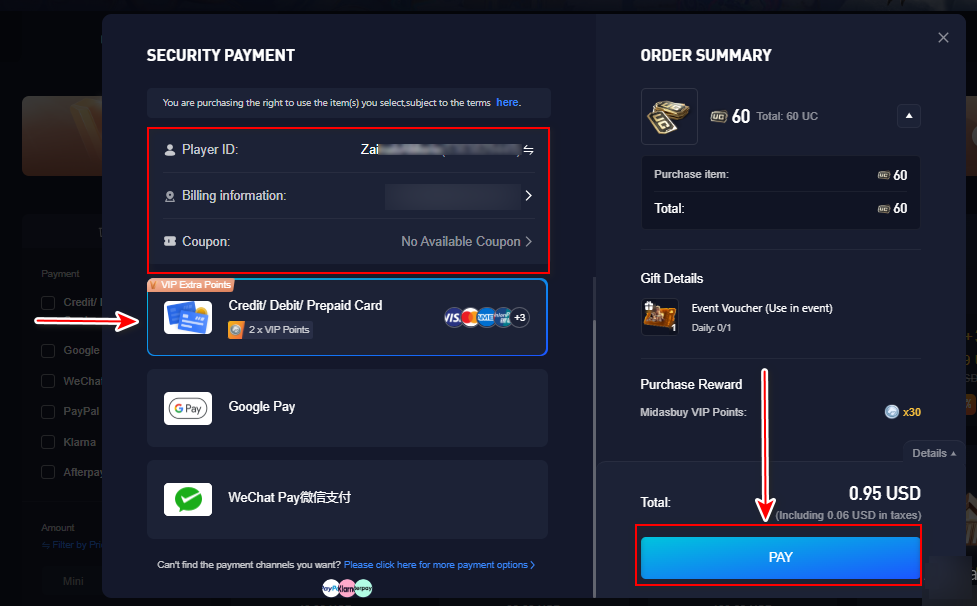
- Under payment methods, choose to pay using “Cards”.
- Enter your Player ID for PUBG Mobile.
- Enter the “Billing information” (Check our guide on how to fill in the billing address for your Kazawallet card to ensure the transaction succeeds).
- When you click “Pay,” a page will appear asking for card information.
- Select Credit/Debit Card as your preferred payment method.
- Go to your Kazawallet app and copy your card details to enter them (Number, Name, Expiry Date, and CVV).
For more specific details, you can read: How to show Kazawallet card details
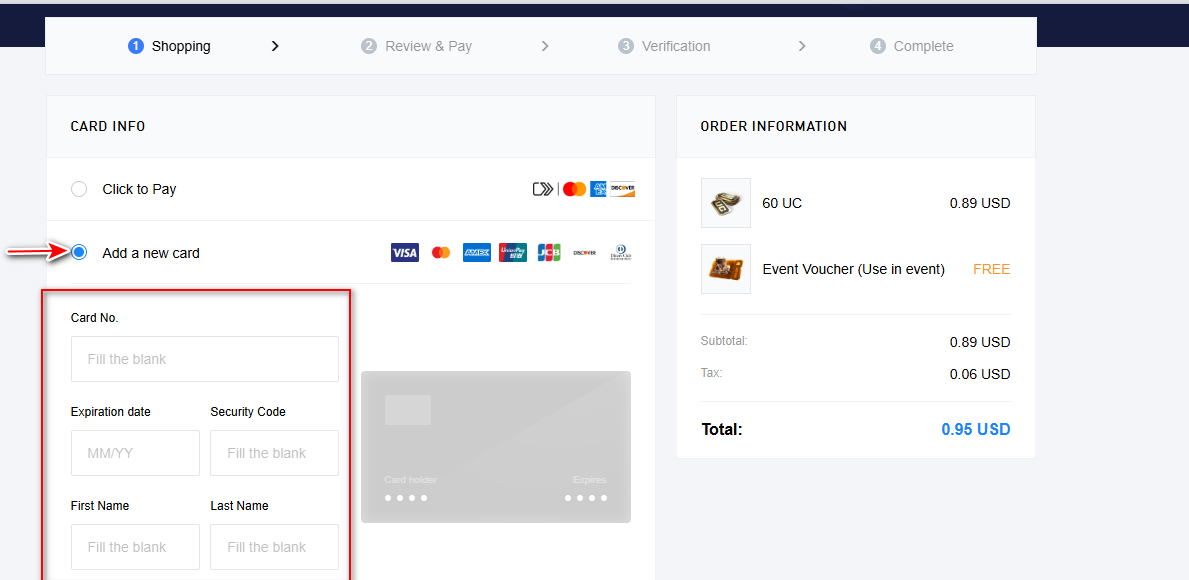
- Confirm the payment.
Frequently Asked Questions (FAQ)
Does the Kazawallet virtual card operate in Syria to buy PUBG UC from Midasbuy?
Yes, perfectly. Kazawallet provides you with an international Visa card that can be funded with crypto to purchase directly on Midasbuy from within Syria, eliminating the need to look for manual brokers or maintain standard banking access.
Which cryptocurrencies are supported to load my Kazawallet card?
Kazawallet natively accommodates major digital assets, including USDT, USDC, Bitcoin, Ethereum, SOL, BNB, TRON, Litecoin, and Toncoin. You can deposit any of these tokens for free, exchange them into a USD balance inside the app, and reload your card instantly.
Can I complete checkouts on Midasbuy in a non-USD currency?
Yes, the card operates as a globally recognized international Visa asset. If the transaction is processed in US Dollars (USD), no extra fees apply. If the transaction bills in an alternative local currency, the network handles the conversion automatically, applying a standard foreign transaction fee (FX Fee of 2.5%).
Next Step
Level up your gaming profiles and secure your in-game assets safely and instantly without paying expensive markup rates.
Order your Kazawallet Visa card now, top it up with crypto, and start your Midasbuy checkouts today.