Editor's Pick

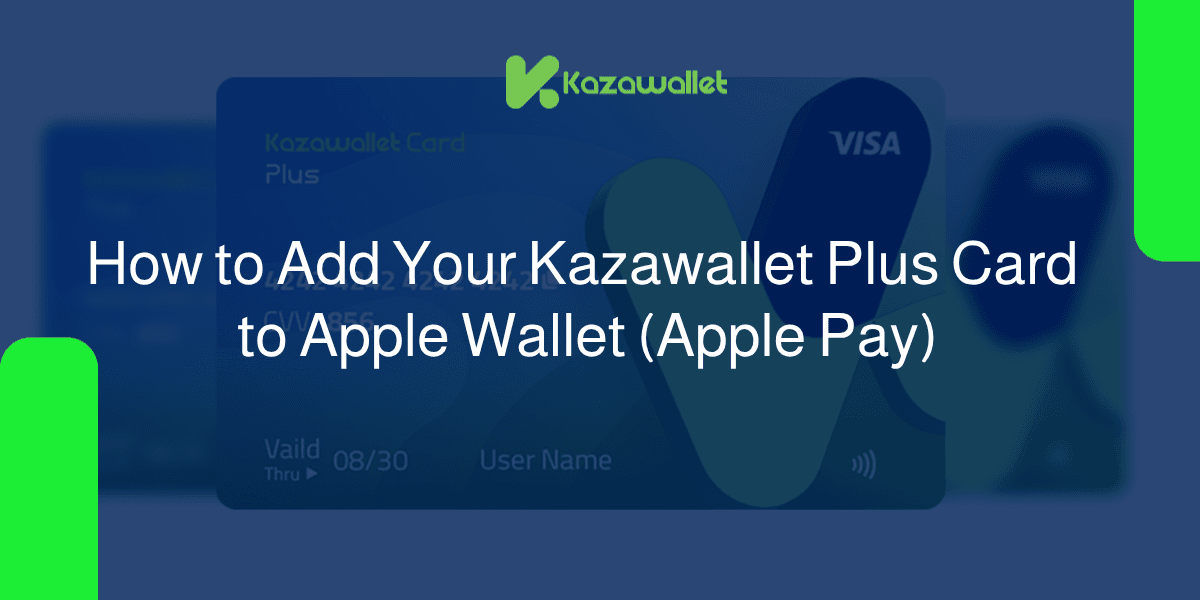
How to Add Your Kazawallet Plus Card to Apple Wallet (Apple Pay)

Kazawallet Basic cards do not support Apple Pay. Therefore, the Kazawallet Plus Card tier was specifically designed to provide you with full compatibility with Apple Wallet.You can create this standal...

Read Article4 min read
1 / 3
How to Add Your Kazawallet Plus Card to Apple Wallet (Apple Pay)

Latest Stories

Join our community

Get exclusive content and behind-the-scenes updates. No spam, just quality reading.

Join our community of readers.

Latest by Category

Beginners Guide

View all
How to Withdraw Gram (TON) in Syria?

How to Withdraw Gram (TON) in Syria?

Steps to withdraw Gram coin in Syria are straightforward. You start by depositing currency into your Kazawallet, followed by exchanging your balance within the app for Syrian Pounds (SYP) or USDand finally receiving your cash manually through authorized agents or remittance companies.Why Choose Kazawallet for Gram coin Withdrawals in Syria?Gram coin (TON) has become a preferred choice due to its integration with Telegram, ultra-fast network speed, and low fees. Kazawallet provides the best path to turn your earnings into liquid cash in Syria:100% Free Deposit: Receive Gram from any platform or wallet (like Tonkeeper) with zero internal commissions.Instant Automated Deposit: Once Gram is sent from any wallet, the transaction is automatically recognized and added to your account.Real-time Swap: Exchange Gram coin to Syrian Pounds or USD instantly at real-time exchange rates.Extensive Withdrawal Network: Receive cash via a reliable network of agents or established exchange companies such as Al-Haram, Al-Fouad, and Doviz.Read more about TON Network in Syria: Why is it the Preferred Choice for Syrians and the Fastest Way to Cash Out?How to withdraw Gram coin in Syria?Phase 1: Depositing Gram into Your Kazawallet AccountBefore starting the withdrawal process, you must transfer your balance from other platforms or wallets to your Kazawallet account.Go to Wallet > Deposit > Gram.Kazawallet provides a dedicated address for receiving Gram coin as shown in the deposit options within the app.Note: Always ensure you copy the wallet address with total accuracy to guarantee the balance arrives safely.For more details, read the detailed guide on How to Deposit Gram coin in Kazawallet.Phase 2: Exchange Gram to SYP or USDOnce your digital balance arrives, you can exchange it immediately to avoid price fluctuations:Exchange Gram to Syrian Pounds (SYP): To cover your daily expenses at the real-time updated rate in the app.Exchange Gram to USD: If you wish to save the balance or withdraw it as USD cash.Go to Exchange > Choose Gram in the "Give" field > Choose SYP (or USD) in the "Get" field.Transparency: The app will show the exchange rate and final amount accurately before confirming the transaction.For more details, see the Guide to Currency Exchange on Kazawallet.Phase 3: Withdraw Gram coin in SyriaAfter exchanging the balance, you can now receive actual money:Go to Withdraw > Choose the currency (SYP or USD) > Choose the withdrawal method.Kazawallet Agents: To receive USD manually within minutes at the highest speed.Exchange Companies (Al-Haram, Al-Fouad, Doviz): Receive an official remittance from the centers of these companies in any Syrian city.Read more about Methods for withdrawing USD from Kazawallet.Schedule and Pickup Options in SyriaPickup MethodExecution TimeWorking HoursNotesAuthorized AgentsInstant notification (10 mins)11:00 AM – 04:00 PMHand-delivered USD cash (1% fee, min $2)Al-Ittihad / DovizInstant (within working hours)11:00 AM – 05:00 PMUSD cash pickup from branchesAl-Haram CompanyWithin 1 business dayCompany hoursStandard withdrawal fees applySham Cash Wallet3 to 6 hours11:00 AM – MidnightDigital transfer between walletsFee Examples (Full Transparency)To ensure you know all the details before transferring, here is how fees are calculated:Withdrawal via Agent: Hand-delivered USD cash with a commission of (1%, minimum $2). For example, if you withdraw $100, the fee will be only $2, and the recipient receives it within minutes of the instant notification.Al-Ittihad and Doviz: Hand-delivered USD or SYP with a commission of (1.5% + $1). For example, if you withdraw $200, the fee will be $4 ($3 for the 1.5% + $1 fixed), and USD cash is delivered directly from branches.Withdrawal via Al-Haram/Al-Fouad: If you wish to receive the amount in SYP, exchange company fees start from 11,000 SYP and increase gradually based on the transferred amount.Areas and Cities Covered by Kazawallet in SyriaKazawallet features a vast pickup network covering all Syrian geography:Damascus & its Countryside: (Old Damascus, Mazzeh, Jaramana, Sahnaya, Qudsaya, Al-Tall, Yabroud, Al-Nabk).Northern Region: (Aleppo, Idlib, Afrin, Al-Bab, Azaz, Manbij, Jarabulus).Central & Coastal Region: (Homs, Hama, Lattakia, Jableh, Tartous, Baniyas, Masyaf, Salamiyah).Southern Region: (Daraa, As-Suwayda, Quneitra).Eastern & North-Eastern Region: (Qamishli, Al-Hasakah, Raqqa, Deir ez-Zor, Al-Mayadin, Al-Bukamal).Frequently Asked Questions (FAQ)What is the deposit fee for Toncoin? Depositing is completely free (0% commission) with Kazawallet. You only pay the standard TON network fee.Can I swap small amounts of Gram? Yes, Kazawallet offers high flexibility, allowing you to swap small amounts at competitive and instant rates.How long do Gram confirmations take? Deposits and swaps are nearly instantaneous once confirmed on the network.ConclusionGram coin (TON) is currently the smartest and fastest solution for digital earnings. Through Kazawallet, you can turn your digital assets into real cash anywhere in Syria with just a few clicks and total security.

Crypto News & Market Analysis

View all
What are Cryptocurrencies and How do they work?

What are Cryptocurrencies and How do they work?

We hear about it in the news, friends talk about it, and we see the logos everywhere: Cryptocurrencies, Bitcoin, Crypto, Blockchain! For many, this world seems technically complex and scary. Is it real money? Where is it kept? And is it legal? Let’s put the complex terminology aside. In this guide, we will explain the story from the beginning with a simple tour to help you understand what are cryptocurrencies, how they work, and why the world considers them the “future of money”—without exaggeration or complexity. What are Cryptocurrencies? Cryptocurrencies are entirely digital money; they have no physical existence (you cannot touch them). They are not issued by a central bank or a government. Instead, they rely on a technology called “encryption” to secure transactions and run on a decentralized system called the Blockchain. Think of it like your bank balance that you see in your banking app—just numbers on a screen. The core difference is that the bank controls your bank balance, while cryptocurrencies are controlled by a network of computers around the world, and no one can freeze or cancel them as long as you own the private key. How Does Crypto Work? To understand crypto, you must understand the Blockchain. Don’t worry, it’s simpler than you might imagine. Imagine we have a giant notebook (ledger) where we record every single financial transaction. In Traditional Banks: This notebook exists only in the bank’s vault. The bank is the only one who sees who sent money to whom, and only they can edit it. In Cryptocurrencies: This notebook (the Blockchain) is copied and distributed across millions of computers worldwide. When you send Bitcoin to a friend: This information is broadcast to the entire network. The computers (validators) verify that you have the funds. The transaction is recorded in everyone’s notebook at the exact same moment. Because the copy exists with everyone, no one can tamper with the ledger or erase an old transaction. This is called Decentralization, and this is the secret behind the power of cryptocurrencies. Blockchain technology is much deeper than this. Read more about Blockchain Technology What Are the Types of Cryptocurrencies? (It’s Not Just Bitcoin!) Some people think crypto is just Bitcoin. In reality, there are thousands of coins, and the most important ones can be classified into 4 main families, each with a different function: 1. Store of Value The most famous is Bitcoin (BTC). It is the first and most famous currency. It was designed to be scarce (limited to only 21 million coins). People mostly buy it for investment and to preserve wealth for the future, just like buying gold. 2. Functional Currencies (App Platforms) The most famous is Ethereum (ETH). This is not just a currency; it is a platform where programmers can build and run complex applications and services on its network, such as Smart Contracts and Decentralized Finance (DeFi). Many people confuse these two giants, so we prepared a special guide explaining the Difference between Bitcoin and Ethereum and which one suits your goals. 3. Stablecoins The most famous are (USDT) and (USDC). These coins were designed to solve the problem of price volatility. Their value is always fixed and equals 1 US Dollar. They are the best currency for commercial use and payments (like using them to load your Kazawallet card), because they give you the speed of crypto with the stability of traditional currency. Read: What are Stablecoins and how do we use them? 4. Meme and Community Coins This type started as a joke and turned into a massive financial phenomenon driven by internet communities, like Dogecoin. Despite their risk, they sometimes yield astronomical profits. To explore this strange world, read: Meme Coins: How a Digital Joke Became an Investment Tool? With thousands of currencies, choosing can be difficult. If you are thinking of entering the market for profit, we recommend reading our analytical guide on The Best Cryptocurrencies for Investment How Do You Get Crypto and Where Do We Keep Them? To enter this world, you need two simple steps: Get the currency, and a place to store it. First: How to Buy Crypto? In the past, this required complex trading platforms. Today, the process is much easier. You can buy cryptocurrencies instantly using safe, local payment methods through our app. Second: Where Do You Store Crypto? (Digital Wallets) Since currencies are digital, you need a Digital Wallet. There are multiple types: Cold Wallets: External devices (like a USB drive) not connected to the internet, used to store millions with total security. Hot Wallets: Apps on your phone connected to the internet for easy daily use. Kazawallet: Kazawallet is a comprehensive financial platform that allows you to securely store and manage both your traditional money and cryptocurrencies without the need to deal with technical complexities. It gives you the option to exchange your balance into traditional currency for withdrawal via various methods, or instantly convert it for spending via a Visa card. What Can You Do with Crypto Today? Investment: Preserving value for the future. Money Transfer: Sending huge amounts anywhere in the world in minutes at a negligible cost, without passing through banks. Shopping and Payment: Thanks to solutions like the Kazawallet Card, you can now use your crypto balance (especially USDT) to pay at supermarkets, buy airline tickets, or shop on Amazon, just like any regular currency. Are Cryptocurrencies Safe? Technically speaking (Blockchain), they are extremely secure, and hacking the network itself is impossible. The risk usually comes from human error: Forgetting your password (or recovery phrase). Sharing your data with scam websites. The golden rule in crypto is: “You are your own bank.” This is great freedom, but it is also a great responsibility. Crypto FAQ Are cryptocurrencies legal? The legal status varies from one country to another. However, in most countries, holding and trading are permitted, though regulatory restrictions may apply to exchange platforms. Can my coins be stolen? The blockchain network itself is extremely secure. However, you can lose your coins if you share your private keys or use untrusted platforms. What is the minimum amount I need to start? You can start with very small amounts to experience buying and storing. On the Kazawallet platform, you can buy digital currencies starting from as low as $1. Can I buy using my local currency? Yes, through intermediary solutions like Kazawallet, which allow you to pay using local methods and receive crypto directly in your wallet. What is the quick difference between Bitcoin and Stablecoins? Bitcoin is a volatile investment asset, whereas stablecoins are designed for short-term storage and payments with a fixed value (typically pegged at $1 per coin). In Conclusion: Cryptocurrencies are not just a bubble! They are the natural evolution of the concept of “money” in the internet age, offering you full ownership, speed, and financial freedom. Now that you understand the basics and know the types of currencies and wallets, you stand on solid ground to begin. Browse the related articles we mentioned to deepen your knowledge in every area that interests you. Buy your first cryptocurrency with your local currency via Kazawallet today!

Currency news

View all
AE Coin: Empowering Financial Inclusion in the UAE

AE Coin: Empowering Financial Inclusion in the UAE

In a world rapidly embracing digital finance, stablecoins have emerged as a bridge between traditional banking and decentralized technologies. While global stablecoins like USDT and USDC dominate international markets, the real power of digital currency lies in local relevance and accessibility. Enter AE Coin — the first UAE-backed stablecoin, designed to serve not just investors, but the everyday people who are often left behind by the formal financial system. With a mission to promote financial inclusion across the Emirates, AE Coin aims to transform how individuals — particularly migrant workers and underbanked populations — access, save, and transfer money. By leveraging the stability of the UAE Dirham and the efficiency of blockchain technology, AE Coin offers a fast, secure, and affordable solution for digital transactions, empowering users with true financial autonomy. This article explores how AE Coin is more than just a crypto asset — it’s a social tool driving economic empowerment and inclusive financial growth across the UAE. The Need for Financial Inclusion Despite the UAE’s reputation as a global financial hub, a significant portion of its population remains underbanked, especially among low-income workers and expatriates. Many of these individuals face barriers such as high minimum balance requirements, limited access to digital banking tools, or a lack of official documentation. This exclusion from the formal financial system creates challenges in managing salaries, sending remittances, and saving securely. Financial inclusion is not just a luxury — it’s a necessity for economic stability and personal empowerment. Without access to affordable, secure, and transparent financial services, vulnerable communities are more likely to rely on risky, informal methods to handle their money. In a country where millions depend on cross-border payments to support families, the lack of inclusive financial infrastructure reinforces inequality and economic vulnerability. AE Coin enters this landscape as a transformative tool, offering an accessible entry point into digital finance for those who need it most. By enabling secure, AED-backed transactions without the need for a traditional bank account, AE Coin represents a major step forward in democratizing financial access across the UAE. AE Coin Role AE Coin isn’t just another digital token—it’s a purpose-built solution that directly addresses the financial challenges faced by underbanked populations in the UAE. Pegged 1:1 to the UAE Dirham (AED) and built on secure blockchain infrastructure, AE Coin combines stability with innovation, making it both trustworthy and technologically advanced. By eliminating the dependency on traditional banking systems, AE Coin enables users to send, receive, and store value securely and instantly, even without a formal bank account. This is especially vital for blue-collar workers, domestic helpers, and small business owners who often face hurdles when accessing financial services. With AE Coin, they can make low-fee remittances, store earnings safely, and engage in everyday transactions using only a mobile device. AE Coin also lays the groundwork for financial empowerment through decentralization. Its transparent and regulated nature encourages wider adoption among merchants, remittance providers, and digital service platforms. In doing so, AE Coin plays a crucial role in making financial tools more inclusive, convenient, and adaptable to real-life needs—especially for communities that have long been underserved by traditional banking. Government Support One of the most significant strengths behind AE Coin is the regulatory clarity and institutional backing it receives within the UAE. Unlike many global crypto projects that struggle with uncertain legal environments, AE Coin operates under a framework aligned with the UAE’s progressive stance on digital assets. The Emirates have consistently demonstrated a forward-thinking approach to blockchain technology, with government bodies like the UAE Central Bank and ADGM (Abu Dhabi Global Market) actively supporting innovation in fintech and decentralized finance. This regulatory endorsement not only enhances trust and credibility but also encourages broader adoption among businesses and individuals who may be wary of unregulated cryptocurrencies. It signals that AE Coin is not a speculative tool, but a recognized financial instrument designed to improve accessibility, transparency, and efficiency in the country’s digital economy. By working in tandem with national financial policies, AE Coin sets a precedent for how governments can collaborate with blockchain technology to promote financial inclusion, paving the way for a future where stablecoins become part of everyday life—especially for those traditionally excluded from the system. Future Prospects AE Coin stands at the beginning of what could become a broader movement toward localized, socially impactful stablecoins. With its foundation firmly rooted in financial inclusion and government alignment, AE Coin is well-positioned to expand its use cases beyond remittances and daily transactions. In the near future, we could see AE Coin integrated into payroll systems, microfinance platforms, government subsidies, and e-commerce ecosystems—giving users a fast, stable, and transparent way to interact with money. Moreover, AE Coin’s model could inspire other Gulf nations and emerging economies to launch their own regionally-pegged digital currencies, tailored to local needs and backed by trusted regulatory bodies. As the adoption of blockchain grows, stablecoins like AE Coin will play a critical role in ensuring that the digital financial revolution leaves no one behind. For AE Coin, the vision isn’t just about technology—it’s about impact. And if its trajectory continues, it may very well redefine financial access across the Middle East and beyond, offering a replicable blueprint for inclusive, government-aligned digital finance. Conclusion AE Coin is more than just a digital currency—it’s a step toward a fairer, more inclusive financial future in the UAE. By bridging the gap between innovation and accessibility, it empowers individuals who have long been left on the margins of finance. 🌍 At Kazawallet, we believe in this vision. Ready to explore stablecoins like AE Coin and manage your money with freedom and security? 👉 Join the movement with Kazawallet—where financial inclusion meets powerful, borderless technology.

How to Send Money from the UAE to Syria via Kazawallet

How to Send Money from the UAE to Syria via Kazawallet

The cheapest and fastest way to Send Money from the UAE to Syria is through Kazawallet. It allows you to deposit UAE Dirhams (AED) via bank transfer, exchange them instantly to Syrian Pounds (SYP) or USD, and withdraw them via cash-out networks like Al-Haram, Al-Fouad, United, Dovez, or authorized agents.Withdrawal Options and Timing in SyriaMethodExecution TimeWorking HoursNotesAuthorized AgentsInstant Notification (10 min)11:00 AM – 04:00 PMHand-delivered USD (1% fee, min $2)United / DovezInstant (within hours)11:00 AM – 05:00 PMCash USD pickup from branchesAl-Haram CompanyWithin 1 Business DayCompany HoursStandard company fees apply upon withdrawalSham Cash Wallet3 to 6 Hours11:00 AM – MidnightDigital transfer between walletsKazawallet vs. Western Union and Traditional MethodsFeaturesKazawalletWestern UnionTraditional MethodsExchange RateClose to Real Market Rate (Best for recipient)Bank Rate (Often much lower than market)Unstable and RiskyRecipient CurrencySYP, USD, Hand-delivered, Bank DepositMostly SYP CashMostly SYPSpeedInstant Notification (Minutes)Minutes (May delay due to conditions)Hours to DaysCoverageRural Areas, Cities, Remote RegionsSpecific Centers OnlyLimited geographicallyTransparent Fee Examples (Full Clarity)To ensure you know every detail before transferring, here is how fees are calculated:Withdrawal via Agent: USD hand-delivery at a 1% fee (minimum $2). For example, if you withdraw $100, the fee is only $2, and the recipient receives it within minutes.United & Dovez: USD or SYP cash delivery at a 1.5% + $1 fee. For example, if you withdraw $200, the fee is $4 ($3 for the 1.5% + $1 fixed fee).Al-Haram / Al-Fouad: If receiving in Syrian Pounds, exchange fees start from 11,000 SYP and increase gradually based on the amount.Comprehensive Coverage Across SyriaKazawallet covers all Syrian geography, ensuring your transfer reaches the recipient wherever they are:Damascus & Countryside: (Old Damascus, Mezzeh, Jaramana, Sahnaya, Qudsaya, Al-Tall, Yabroud, Al-Nabk).Northern Region: (Aleppo, Idlib, Afrin, Al-Bab, Azaz, Manbij, Jarabulus).Central & Coastal: (Homs, Hama, Latakia, Jableh, Tartous, Baniyas, Masyaf, Salamiyah).Southern Region: (Daraa, Sweida, Quneitra).Eastern & North-Eastern: (Qamishli, Hasakah, Raqqa, Deir ez-Zor, Mayadin, Bukamal).How to Send Money from the UAE to Syria (3 Simple Steps)Deposit AED into Kazawallet: Use options like Bank Transfer, Botim Pay, USDT, or international platforms like Revolut and Airtm.Exchange AED: exchange Dirhams to Syrian Pounds or USD within the app.Withdraw: Select your preferred withdrawal method in Syria.Read more about How to deposit AED via Botim payDetailed Steps to Send Money from the UAE to Syria1. Deposit AED into KazawalletImportant Note Before You Begin Depositing AED into Kazawallet: This method is available only to verified accounts. If your account is not yet verified, you can review our guide on how to verify your account and learn about the difference between verified and limited accounts.Log in to KazawalletGo to "Deposit" Select AEDSelect Bank Transfer or Botim Pay. Copy the unique deposit address and transfer from your local UAE bank.For more details, see: How to Deposit AED via Bank Transfer2. Exchange AED to Syrian Pounds (SYP)Go to "Wallet" > "Exchange". Select AED as the source and SYP as the destination currency.Enter the amount, review the details, and confirm.3. Withdraw SYP or USD in SyriaGo to "Wallet" > "Withdraw".Choose SYP or USDselect the withdrawal company (e.g., Al-Haram or Authorized Agent).Enter recipient details and click "Withdraw" to complete the transaction.Why Kazawallet is the Safest Way to Transfer?Expats in Dubai and Abu Dhabi choose Kazawallet for sending money to Syria because of:Fee Transparency: Unlike apps with confusing rates, we provide the best unified exchange rate for all regions.Real Market Rates: We offer rates significantly better than banks (e.g., if Western Union is 10,900 SYP, our rate can reach 11,630 SYP).Instant Tracking: Track your transaction status live: Processing ➔ Pending ➔ Approved (Ready for pickup).Security: Multi-factor authentication (2FA) and payment passwords ensure only you control your account.Frequently Asked Questions (FAQ)What is the fastest way to send money from Dubai to Syria? The fastest methods are via Authorized Agents or United/Dovez, offering nearly instant delivery during working hours. Transfers via Al-Haram or Al-Fouad take one business day.Can I receive the transfer in Syria in USD? Yes, Kazawallet offers flexible options, including SYP or USD hand-delivery via authorized agents and exchange companies like United.Can I fund my account with USDT instead of a bank transfer? Yes, Kazawallet supports USDT, Airtm, and Revolut for account funding, although direct bank transfer is preferred by UAE users.Are Kazawallet transfers secure? Absolutely. We use advanced encryption and strict KYC (identity verification) to protect cross-border transactions.What’s Next?Start your transfer from the UAE to Syria via Kazawallet now and benefit from speed, security, and the best rates. For more inquiries, visit our FAQ Page.
Financial Tips

View all
How to Exchange USDC  to USD With Ease?

How to Exchange USDC to USD With Ease?

If you own the digital currency USDC, executing an exchange USDC to USD via Kazawallet is done directly without any complexity, and through three simple steps: It begins by sending USDC to your account without any deposit fees, followed by replacing your digital balance with US Dollars based on its fixed and direct market value, and concludes by withdrawing your cash funds through the local payment method most suitable for your daily needs.How Does Exchanging Crypto for Cash Work?Accessing cash liquidity from your digital assets goes through two interconnected pathways that complement each other:The First Stage (Funding and Entry): Represents the process of funding your wallet with digital currencies. For more details about it, you can read our article: What is an On-Ramp? Your Comprehensive Guide to Entering the Crypto World.The Second Stage (Liquidation and Exit): This means selling the digital currency and receiving cash, which is explained in the article: What is an Off-Ramp? Your Guide to Exchanging Crypto for Cash.The Integrated Vision: To connect both sides connect and know how transactions proceed financially, follow this guide: What are Crypto On-Ramps and Off-Ramps and How Do They Work?Why Choose Kazawallet to Exchange USDC?Since USDC is a digital dollar, you need a platform that guarantees its full value upon withdrawal at the lowest cost. Kazawallet provides this solution based on core points:Completely Free Deposit: You can transfer your USDC balance from any external wallet or global exchange to be credited to your account automatically without deducting any fees.Direct 1:1 Exchange: When changing your digital balance into cash dollars, the app provides you with the real and transparent rate without imposing hidden transaction commissions that deduct from the value of your funds.Realistic Withdrawal Options (Off-Ramp): The app does not force you into a specific withdrawal method; rather, it allows you to receive your funds in cash hand-to-hand or transfer them to local bank accounts and e-wallets according to your preference.What Are the Steps to Exchange USDC to USD?Your financial movements within the app are summarized in the following steps:Deposit: Send your USDC balance to your account address in Kazawallet.Exchange: Navigate to the exchange section and select "Give" USDC and "Get" USD.Withdraw: Choose the suitable withdrawal method for your region to receive your cash or electronic funds.How to Exchange USDC to USD Step-by-Step Phase 1: Depositing USDC into Kazawallet Before starting the process, you must transfer your digital balance from global exchanges or external wallets to your Kazawallet account.Go to the Wallet section and select Deposit .Choose USDC.Choose the MethodKazawallet provides a dedicated address available for copying, along with a QR Code to receive USDC directly, as shown in the deposit options within the app.Important Warning: Always ensure network compatibility and copy the wallet address with absolute precision to guarantee your balance arrives safely. Deposits are completely free and instant once confirmed on the blockchain.Read more on how to deposit USDC into KazawalletPhase 2: Exchanging USDC to US Dollars (USD)Once your digital balance arrives and is confirmed on the network, you can exchange it instantly to lock in its value and protect it from market volatility:Navigate to Exchange from the main dashboard.Select USDC in the "Give" column.Select US Dollar (USD) in the "Get" column.Enter the amount you wish to exchange, and the app will display the exact equivalent value instantly. Transparency: The app will clearly display the real-time exchange rate and the final output amount before you confirm the transaction. The exchange is instant and free of hidden commissions.For more details, check out the Currency Exchange Guide on KazawalletPhase 3: Withdrawing Your USD Balance After completing the exchange and exchanging your assets to US Dollars, you can take advantage of the crypto cash-out feature to liquidate your funds:Go to the Withdraw section inside the app.Choose US Dollar (USD) as your currency.Select the withdrawal method that suits your preference.Fill in the required details and confirm your withdrawal.Read more on how to withdraw US Dollars from KazawalletFAQHow long does the process of exchanging USDC to USDCake?The deposit handling process is automatic, while the transaction to exchange USDC to USD within the app is instant and immediate, with no waiting time.Are there minimum limits for funding my account with USDC?Yes, minimum limits vary according to the transfer network and funding method you choose, but the lowest minimum limit available among these methods is just 0.98 USDC allowing you to fund your wallet with the lowest possible amounts and with complete flexibility.Does exchanging USDC involve fees or deductions?Deposits and transactions to exchange USDC for US Dollars inside Kazawallet are free and clear of commissions.Specific and clear operational fees are imposed only at the final withdrawal step (such as cash or local remittances) and are disclosed before you execute.What is the correct network to use when sending USDC?The app supports specific networks for depositing USDC (such as the Tron network, TRC-20). You must ensure that the network matches precisely when transferring from any external platform to prevent the loss of your funds.How can I use the USD balance after completing the exchange?After exchanging your balance to USD, head to the withdrawal section and choose the method that fits your needs. You can withdraw your money in cash by hand via Al-Ittihad/Deviz or local agents, transfer it to e-wallets like Sham Cash and Whish Money, or cash out globally via PayPal and Zelle. Read more about the main ways to withdraw USD from KazawalletConclusionThe main objective of holding the digital dollar C is the ability to turn it into physical liquidity easily when needed.Kazawallet grants you this flexibility through a simple financial system, starting from free automated deposits, moving through a direct exchange at real value, and finishing with the absolute freedom to choose the most suitable method for you to receive your funds in cash or digitally.
Kazawallet Agents

View all
Become a Kazawallet Agent: Launch Your Own Business!

Become a Kazawallet Agent: Launch Your Own Business!

Looking for a unique opportunity to boost your income and secure a flexible additional income stream? Join today and be part of the Kazawallet Agents Program; come aboard for efficient and convenient withdrawals and deposits on behalf of our clients. Get an unparalleled opportunity to manage a personal project, supported to the full, including professional advice from Kazawallet through appropriate training to prosper. Who are Kazawallet Agents? Kazawallet agents are trusted and authorized partners facilitating cash withdrawals and deposits to and from Kazawallet. They assist clients in their operations, enabling such money transactions using locally available currencies with ease and speed. They will have to observe the highest possible security level to protect their funds. Kazawallet depends on a wide network of trusted service agents so that the firm’s clients, who prefer cash transactions, get served quickly and in a secure way. Kazawallet agents provide a smooth and convenient service owing to their high level of efficiency and accuracy, boosting customer confidence in Kazawallet and satisfaction with the service while ensuring the highest reliability and security standards. Read More: Kazawallet: The One Wallet for All Your Needs Why Become a Kazawallet Agent? Lucrative Additional Income: With Kazawallet, you’ll earn a profitable commission ranging from 1% to 1.5% on each successful withdrawal, with a guaranteed minimum of one dollar per transaction. The more clients you serve, the more your income increases proportionally. Ongoing Support: At Kazawallet, we provide you with full support throughout your journey with us. Our technical support team is ready to assist you in resolving any problems you may encounter and provide the necessary guidance. We also provide you with the necessary liquidity, either in cash or in your wallet, with the lowest possible commission, or no commission at all in some cases. Flexibility in Work: Set your own working hours, keeping in mind the official working hours (from 11 am to 4 pm). You are the master of your time, and you control the pace of your work to suit your personal circumstances. Unique Opportunity to Build Your Own Business: In collaboration with Kazawallet, you will create your own project, manage your own business, and achieve your own profits. Building Strong Relationships with Your Clients: You will build strong relationships with your clients, which will strengthen their loyalty and increase opportunities for future cooperation. What are the Agents Commissions? Kazawallet Agents Program commissions vary depending on the currency: USD Withdrawal: Full commission 1.5% (minimum $2), agent commission 1% (minimum $1). Syrian Pound Withdrawal: Full commission 2% (minimum 25,000 Syrian pounds), agent commission 1% (minimum 10,000 Syrian pounds). Additional Services for the Agent: Balance exchange to Tether (USDT): You can exchange your dollar balance to Tether (USDT) without any additional fees. Liquidity Support: In case of liquidity shortages, we provide you with additional support at the lowest possible commission. Syrian Pound Withdrawal: You can withdraw your balance in Syrian pounds through approved money transfer companies (such as Al-Haram or Al-Fouad) without any commission to Kazawallet. How to Join The Kazawallet Agents Program? The first step to join the Kazawallet Agents Program is to visit our page dedicated to agents, via the following link: You will need to fill out a detailed application form, which will allow us to better understand your needs and capabilities. Please ensure the accuracy of the information you enter, which includes: Full Name: Your name is officially registered. Work Email: This must be an email address already registered with Kazawallet. Your Code: Country phone code. Your Phone Number: Your phone number where you can be easily reached. Your Business Name: The name of the business where you will work as an agent. Nature of Work: Describe the nature of your work. Your Detailed Address: The complete address of your business. Google Maps Link to Your Address: A Google Maps link that accurately shows the location of your business. Currencies for which you want to apply for the agency (optional): Specify the currencies for which you wish to provide agency services. Available Liquidity for Work: The amount of financial liquidity you wish to allocate to work as an agent. Please note that the minimum liquidity requirement is $500. After you submit your application, our team will review it and contact you within a timeframe to confirm receipt and the next steps. In Conclusion: Kazawallet should not be viewed just as an income generator but as an avenue for development and growth, new skills you can use to build up your clients and network. We’re excited about the possibility of welcoming you to the Kazawallet family and providing all the support you need to succeed. We are fully prepared to support and accompany you on this enriching journey. So don’t hold back; join the Kazawallet Agents Program today to start your new and enriching experience with us! There is the opportunity, and the rest is up to you!

Kazawallet Updates

View all
How to Deposit and Withdraw USD via Sham Cash on Kazawallet

How to Deposit and Withdraw USD via Sham Cash on Kazawallet

Kazawallet allows its users in Syria to deposit and withdraw USD via Sham Cash app. The deposit feature requires a verified account, and transactions are typically processed within 1 to 6 hours.Prerequisites Before You Deposit and Withdraw USD via Sham Cash To ensure your Sham Cash deposit request isn't rejected, please make sure of the following:Account Verification: The deposit service is exclusive to verified accounts. (Solution: Verify your account first).Matching Names: Your name on Sham Cash must match your registered name on Kazawallet exactly. (Third-party transfers are strictly prohibited).Dynamic Addresses: Always copy a fresh deposit address from the app for every single transaction. (Never reuse old, saved addresses).How to Deposit USD via Sham CashImportant Note: This deposit method is only available for verified accounts. If you haven't verified your account yet, check out our guide on how to verify your account and learn the difference between verified and limited profiles.Log In: Open the Kazawallet app and log into your account.Go to Deposits: From the main dashboard, navigate to the Deposit page.Select Currency: Choose US Dollar (USD) as your deposit currency.Choose Payment Method: Select Sham Cash Wallet as your preferred option.Enter Amount: Type in the amount you want to deposit in USD.Copy Address: Copy the unique deposit address that appears on your screen.Switch to Sham Cash: Open your Sham Cash app and tap "Send".Paste the Address: Tap "Paste Address" to insert the deposit address you copied from Kazawallet.Show Account Details: Tap "Show Account" to view the Kazawallet account details, then tap "Send".Note: Account details and deposit names change periodically. Always copy a new address directly from Kazawallet before sending funds, and never use saved favorites.Send Funds: Select USD, enter the exact amount you want to deposit into Kazawallet, and tap "Send".Save Transaction Info: Once the transfer goes through, save or copy the Transaction ID / Reference Number. You will also need your Sham Cash Account Name.Confirm on Kazawallet: Head back to Kazawallet and fill in the details: enter the exact amount sent, your Sham Cash account name, and the Transaction ID.Finalize: Read the description box carefully, then tap "Deposit".Important Guidelines for Deposits:Only verified profiles can make deposits.The sender's name must match your Kazawallet name perfectly; third-party transfers will be automatically rejected.Please send the exact amount entered without any changes.Requests are processed within 1 to 6 hours during working hours (11:00 AM to 12:00 AM Midnight).Double-check all inputs to avoid any delays or cancellations.How to Withdraw USD via Sham CashMoving your USD back to Sham Cash is just as simple. Follow these steps:Log In: Log into your Kazawallet account.Go to Withdrawals: Navigate to the "Withdraw" section on your dashboard.Select Currency: Choose US Dollar (USD).Choose Destination: Select Sham Cash USD to receive your funds.Enter Amount: Input the exact amount you wish to withdraw.Enter Your Address: Paste your Sham Cash wallet address. (You can find this in your Sham Cash app under the "Receive" option).Enter Account Name: Type your account name exactly as it appears in your Sham Cash profile.Review and Submit: Review the description box carefully, then tap "Withdraw".Once completed, your USD withdrawal request will be processed and sent directly to your Sham Cash wallet.In ConclusionDeposit and withdraw USD via Sham Cash with Kazawallet is completely secure as long as you use matching names and always copy a fresh address for each transaction.Ready to start? Head over to the app and initiate your transaction now.

Kazawallet Virtual Card

View all
How to Add Your Kazawallet Plus Card to Apple Wallet (Apple Pay)

How to Add Your Kazawallet Plus Card to Apple Wallet (Apple Pay)

Kazawallet Basic cards do not support Apple Pay. Therefore, the Kazawallet Plus Card tier was specifically designed to provide you with full compatibility with Apple Wallet.You can create this standalone tier directly, fund it with crypto, and then add Kazawallet Plus Card to Apple Wallet for contactless payments at physical stores and global merchants in the blink of an eye.What is Apple Wallet?Apple Wallet is the official digital wallet built into Apple devices (iPhone and Apple Watch). This wallet allows you to securely store your payment cards inside your phone, enabling you to use Apple Pay to check out at millions of stores, restaurants, and websites that support contactless (Tap-to-Pay) transactions.Why Do You Need to Add Kazawallet Plus Card to Apple Wallet?Once the connection is complete, your Virtual Plus Card transforms into a smart payment tool for your daily life and physical storefronts, offering the following advantages:Contactless In-Store Payments: Settle your purchases at any physical store simply by holding your iPhone or Apple Watch near the point-of-sale (POS) terminal.Ultra-Secure Biometric Protection: Transactions are instantly verified via Face ID or Touch ID. Your actual card details are never shared with merchants; Apple uses an encrypted token instead.Speed and Convenience: Skip entering your card details manually every time you shop online.What Do You Need Before Getting Started?To complete the process successfully, ensure you have met the following requirements:An Active Kazawallet Plus Card: This feature is exclusively supported on the Plus tier. If you haven’t done this yet, you can follow: Our guide on how to get a Kazawallet card step-by-stepA Compatible Apple Device: An iPhone or Apple Watch that supports NFC and runs on a stable, updated operating system.Card Credentials: You will need the 16-digit Card Number, Expiry Date, and Security Code (CVV), available in the Kazawallet app under the "Details" section. For more details, read our guide about how to view Kazawallet Card Details.Read more about how to add Kazawallet card to Google WalletSteps to add Kazawallet Plus Card to Apple WalletOpen the Apple Wallet app pre-installed on your iPhone.At the top of the screen, tap the plus sign (+).Select the "Debit or Credit Card" option, then tap "Continue." The app will open your phone's camera. Since your card is digital, tap "Enter Card Details Manually" at the bottom of the screen.Enter your name exactly as it appears in your card details, copy the 16-digit Card Number, paste it into the designated field, and tap "Next."Enter your Expiry Date and the 3-digit Security Code (CVV/CVC), then tap "Next."The service "Terms and Conditions" screen will appear; tap "Agree" at the bottom to proceed.Choose your preferred verification method to activate the card (via an SMS text message sent to your number), then tap Continue. Enter the verification code you received in the designated fieldA confirmation message will state "Card Activated" and note that it is ready to use. Tap "Done."Your Kazawallet Plus Card is now safely stored inside your Apple Wallet, and you can set it as your default payment card with a single tap.Frequently Asked Questions (FAQ)Is adding my Kazawallet Plus Card to Apple Wallet free? Yes, the Kazawallet platform does not charge any additional fees for linking your card to smart wallets, and the service is entirely free from Apple. Can I use the card via Apple Pay if I freeze it? No. Once you freeze your card inside the Kazawallet app, the system automatically and instantly declines any new transactions, including purchases attempted via Apple Pay. The card must be Active to complete payments.Does the card work on Apple Watch too? Yes. Once you add the card to your iPhone's wallet, the app will automatically prompt you with the option to add and sync it to your paired Apple Watch so you can pay directly from your wrist.In ConclusionBy completing these straightforward steps, you add Kazawallet Plus Card to Apple Wallet. Add your card now to enjoy a fast, secure, and contactless shopping experience directly from your iPhone

Syrian Pound

View all
How to Withdraw Syrian Pounds from Kazawallet to Sham Cash

How to Withdraw Syrian Pounds from Kazawallet to Sham Cash

If you’ve received a payment in USD or earned crypto profits on Kazawallet, your funds are sitting safely in a secure platform built for easy money management. But how to withdraw Syrian Pounds to Sham Cash to cover your daily expenses or pay bills in Syria? In this guide, we’ll walk you through how to cash out your Syrian Pounds (SYP) to Sham Cash, turning your digital funds into spendable money.What is Kazawallet? Kazawallet is a secure financial platform designed to meet the needs of users both inside and outside Syria.Your All-in-One Hub: Whether you're earning USD from freelancing, investing in Bitcoin, or receiving Euros from a friend, Kazawallet lets you receive and manage all your assets in one secure place.Seamless Swaps: The real power of is how easily you can swap assets. You can lock in your crypto profits by converting them to USD to beat inflation, or swap your USD into Syrian Pounds whenever you need to spend locally.Flexible Local Transactions: Beyond cashing out SYP, you can also use Sham Cash to deposit Syrian Pounds into Kazawallet or even handle USD transactions through it, making it an all-in-one setup for your local finances.What is Sham Cash? Sham Cash is a popular mobile finance app in Syria built to simplify daily transactions for both individuals and businesses.With its user-friendly interface, it makes it easy to pay bills, receive salaries, and transfer money across major currencies like the Syrian Pound (SYP), Turkish Lira (TRY), and US Dollar (USD). Because of these features, Sham Cash has become a go-to destination for cashing out your Kazawallet funds and turning them into ready-to-use liquidity for daily life.How to Withdraw Syrian Pounds to Sham Cash from Kazawallet To move your Syrian Pounds from Kazawallet to Sham Cash, just follow these simple steps: Log in to your Kazawallet account and look for the "Withdraw" or "(-)" section on your dashboard.Select Currency: Choose Syrian Pound (SYP) from the currency list.Choose Your Method: Select "Sham Cash" from the available withdrawal options.Enter the Amount: Input the amount you want to withdraw in SYP. (Make sure to double-check the minimum and maximum withdrawal limits shown on the screen).Enter Your Sham Cash Address: Paste your Sham Cash wallet address to receive the funds. (You can find this in your Sham Cash app by tapping the "Receive" option).Enter the Account Name: Type in the account name exactly as it appears in your Sham Cash wallet profile.Review and Confirm: Read the description box carefully, then confirm the transaction.Once confirmed, your withdrawal request will be processed. Kazawallet will notify you as soon as the transfer is complete, and you’ll see the funds right in your Sham Cash account, ready to spend.In ConclusionThis withdrawal feature is just a glimpse of what you can do with Kazawallet. Managing your money smartly and effectively is a continuous journey, and we are here to make it easier for you every step of the way. If you have any questions or need a hand, our support team is always ready to help.